What Is Secrets Management? Definition, Examples & Tools

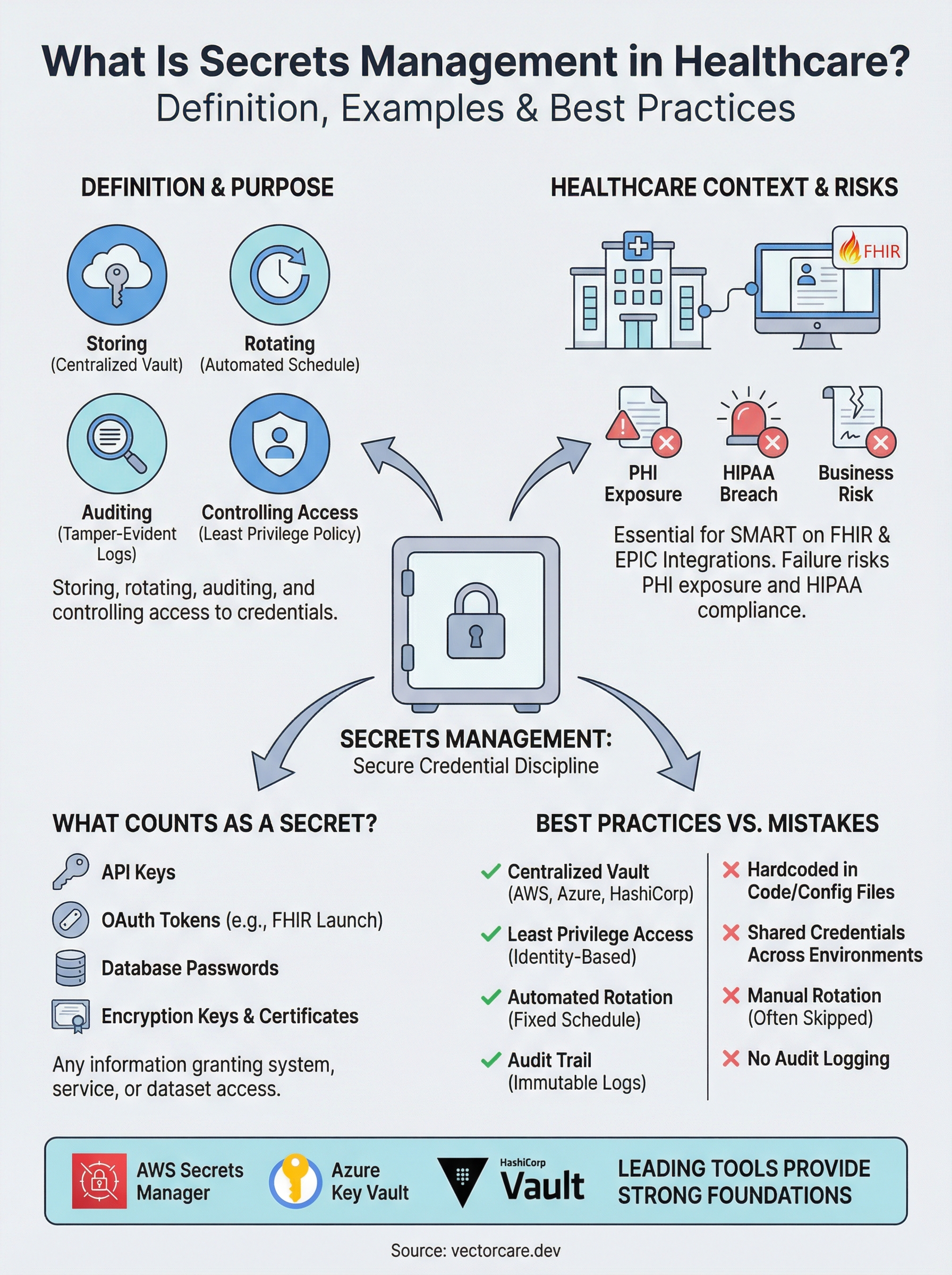
Every healthcare integration relies on credentials, API keys, OAuth tokens, database passwords, encryption keys, that grant access to sensitive clinical data. What is secrets management? It's the discipline of storing, rotating, auditing, and controlling access to these credentials so they never end up hardcoded in a repo, pasted in a Slack message, or exposed in a breach. For healthcare vendors building SMART on FHIR applications that connect to EPIC EHR systems, getting this wrong doesn't just create a security gap, it puts PHI at risk and jeopardizes HIPAA compliance.
At VectorCare, we build and manage EPIC integrations for healthcare vendors on a no-code, SOC2 and HIPAA-compliant platform. Secrets management is baked into how we handle OAuth flows, FHIR API authentication, and data routing between clinical systems. We deal with these challenges daily, which is why we're writing about them, not as abstract theory, but as operational reality.
This article breaks down what counts as a "secret," why unmanaged secrets are one of the most common causes of healthcare data breaches, and how modern tools and practices keep credentials secure across their lifecycle. You'll also find concrete examples of secrets management in action and a comparison of the leading tools available right now. Whether you're building your own integration stack or evaluating a managed solution, understanding this topic is foundational to shipping anything that touches patient data.
Why secrets management matters for modern apps
Modern applications don't run in isolation. Your app connects to databases, third-party APIs, cloud storage buckets, and identity providers, and every one of those connections requires some form of credential. As soon as you add EPIC EHR integration to the mix, the number of active secrets multiplies fast: OAuth 2.0 client credentials, SMART on FHIR launch tokens, FHIR API keys, and service account passwords all need to live somewhere. Understanding what is secrets management becomes critical the moment you have more than one credential to track, which describes every production application in healthcare today.
The attack surface keeps growing
Ten years ago, a typical application had a handful of credentials to manage. Today, the average application runs across containerized microservices, serverless functions, CI/CD pipelines, and multiple cloud environments, each with its own set of access credentials. GitHub's secret scanning program has flagged millions of secrets accidentally exposed in public repositories each year. The more moving parts your architecture has, the more opportunities exist for a credential to end up in the wrong place: logged in plaintext, hardcoded in a config file, or checked into version control inside an environment file.
For healthcare vendors, this sprawl creates compounding risk. You might have separate credentials for your staging environment, production environment, EPIC sandbox, and EPIC production instance, plus credentials for any downstream vendors you route data to. Without a centralized system, your team defaults to the path of least resistance: spreadsheets, shared password managers, or environment files that get copied between machines.
A single leaked credential can expose PHI at scale
Healthcare data breaches carry consequences that go well beyond the typical enterprise incident. A single exposed API key or OAuth token that grants access to FHIR resources can expose thousands of patient records in one request. The U.S. Department of Health and Human Services tracks healthcare breaches publicly, and compromised credentials remain one of the leading root causes year after year. When PHI is involved, that exposure triggers mandatory HIPAA breach notification requirements, federal investigation risk, and civil monetary penalties that can reach $1.9 million per violation category annually.
A leaked FHIR API key isn't just a security incident. It's a potential HIPAA breach that triggers mandatory reporting obligations and puts your health system contracts at immediate risk.
Compliance frameworks require provable controls
HIPAA's Security Rule specifically requires covered entities and their business associates to implement access controls, audit controls, and transmission security for systems that handle electronic protected health information. SOC2 Type II adds another layer, requiring that access to sensitive data is logged, reviewed, and restricted to authorized identities only. Secrets management is the operational mechanism that satisfies both frameworks. Without it, you cannot produce the audit trail that proves who accessed which credential, when, and from what system.
Vendors seeking SOC2 certification or signing Business Associate Agreements with health systems face a straightforward reality: the question is not whether to implement secrets management. It's which approach gives you auditable, repeatable, automated controls that hold up under scrutiny from a third-party auditor or a health system's security review team.
What counts as a secret with real examples
Before you can answer what is secrets management in practice, you need a clear picture of what actually qualifies as a secret. A secret is any piece of information that grants access to a system, service, or dataset and must be kept confidential. If someone obtained that information without authorization, they could act as your application, read your data, or impersonate your service. That's the defining characteristic, not the format or the length of the string.
Credentials that authenticate services
The most common secrets in modern applications fall into a few distinct categories. API keys are single strings that identify and authorize a calling application with a third-party service, such as a payment processor or analytics platform. Database connection strings embed a username, password, host address, and port into a single value, giving the holder full read or write access to your data store. Encryption keys and certificates control how data is scrambled in transit or at rest. Service account passwords allow automated processes to log in to systems without a human user present. Each of these functions as a digital key, and exposing any one of them hands that access to whoever finds it.
Treat every credential that can authenticate a non-human process as a secret, regardless of how low-risk a single connection might seem in isolation.
OAuth 2.0 client secrets deserve special attention because they are issued per application registration and grant the holder the ability to request access tokens on behalf of that application. A leaked client secret doesn't expose one user's data. It potentially exposes every patient record the application is authorized to read.
Secrets specific to SMART on FHIR and EPIC integrations
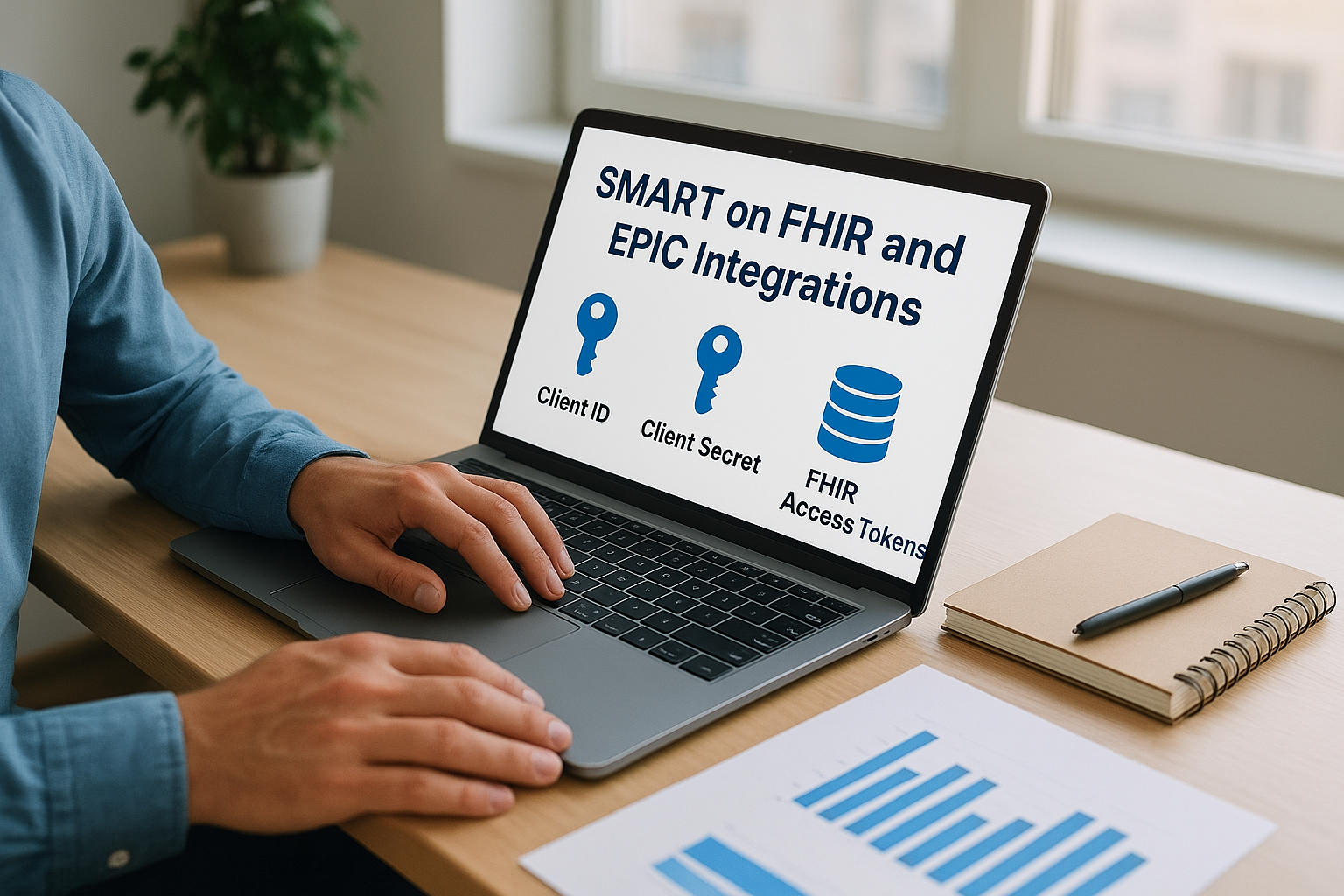
When your product connects to EPIC, your secret inventory expands significantly. You receive a client ID and client secret during your EPIC App Orchard registration that authenticate your application during the OAuth launch sequence. Your application also handles short-lived FHIR access tokens at runtime, which authorize specific FHIR API calls scoped to a patient context. If you route data to downstream vendors, such as DME suppliers, home health platforms, or analytics tools, each connection carries its own set of credentials. A healthcare vendor running a single EPIC-integrated product in two health systems can easily be managing ten or more active secrets at any given time, all of which require controlled storage, rotation schedules, and access logging.
How secrets management works end to end
Understanding what is secrets management at a conceptual level is useful, but the real value comes from seeing how it operates across a credential's full lifecycle. The process moves through four distinct phases: creation and storage, access control, runtime injection, and rotation or revocation. Each phase has to work in sequence, and a gap in any one of them leaves your application exposed. For healthcare vendors handling FHIR-connected workflows, each phase needs to hold up against both technical audits and compliance reviews.
Storing secrets in a centralized vault
When a new secret is created, it goes into a dedicated secrets store rather than an environment file, a developer's local machine, or a configuration repository. Tools like HashiCorp Vault, AWS Secrets Manager, and Azure Key Vault encrypt secrets at rest using AES-256 encryption and separate the encryption keys from the stored values through a process called envelope encryption. Your application never sees the raw secret in the storage layer. It only interacts with an API that enforces access policies before returning anything, which means even an internal team member with server access cannot casually read production credentials.
A centralized secrets store is the foundation of every other secrets management control. Without it, you're building policy on top of scattered, untracked credentials.
Controlling who and what can access a secret
Access to individual secrets is governed by policies that attach to identities, not people. Your CI/CD pipeline, your containerized service, and your EPIC integration each receive a distinct identity with access scoped only to the secrets that specific workload requires. This is the principle of least privilege applied to non-human identities. If a single service is compromised, the blast radius stays contained to the secrets that service was explicitly authorized to read, rather than exposing every credential your organization holds.
Rotating secrets and maintaining an audit trail
Rotation replaces active credentials on a defined schedule without manual intervention from your team. Your secrets management tool generates a new value, updates the dependent service, confirms the new credential works, and then invalidates the old one automatically. Alongside rotation, every access event gets logged: which identity requested which secret, at what time, and from which system. Those logs are what let you satisfy HIPAA audit control requirements and respond to a security incident with a precise timeline of exactly what was accessed and when.
Core capabilities in a secrets management tool
Once you understand what is secrets management at a process level, the next step is knowing which capabilities to look for in any tool you evaluate. Not every solution offers the same feature set, and the gaps matter more in healthcare environments than in typical SaaS contexts. The right tool handles the full credential lifecycle, from the moment a secret is created through every access event and rotation cycle, without requiring your team to intervene manually between those steps.
Centralized storage with strong encryption
Every viable secrets management tool stores credentials in a dedicated, encrypted vault that sits outside your application codebase and infrastructure configuration files. Encryption at rest should use AES-256 at minimum, and the tool should implement envelope encryption so that the keys used to protect your secrets are themselves protected by a separate key hierarchy. This architecture means that even a database dump of your secrets store returns nothing useful to an attacker without the corresponding key material. Look for tools that store secrets in a tamper-evident format with integrity verification built in, so you can detect unauthorized modification attempts before they cause damage.
Fine-grained access policies tied to workload identity
A secrets management tool should let you assign distinct identities to each application, service, or pipeline that needs credential access, and then bind specific secrets to those identities through explicit policy rules. This means your EPIC integration service can read its OAuth client secret, but your analytics pipeline cannot, even if both workloads run on the same infrastructure. The key evaluation question here is whether the tool supports dynamic identity verification, such as confirming that a requesting workload is a legitimate Kubernetes pod or AWS Lambda function, rather than trusting a static token that any process could present.
Access policy granularity is the difference between containing a breach to one service and losing every credential your organization holds.
Automated rotation and tamper-evident audit logs
Your tool should rotate expiring credentials automatically on a configurable schedule and update dependent services before the old credential is invalidated. Alongside rotation, every read, write, and policy change should generate a timestamped, immutable audit log entry that records the requesting identity, the secret accessed, and the originating system. Those logs are what satisfy HIPAA audit control requirements and give your security team a precise forensic trail if an incident occurs.
Best practices for storing, accessing, and rotating secrets
Knowing what is secrets management is only useful if you follow the practices that make it work in production. The difference between a secure credential lifecycle and a breach waiting to happen usually comes down to a handful of operational decisions made early that then drift over time without oversight. The practices below apply whether you run a single-tenant app or a multi-environment EPIC integration with credentials spread across sandbox, staging, and production instances.
Never store secrets in code or config files
Your source code repository is not a secrets store. Hardcoded credentials in application code, environment files, or Dockerfiles get copied across machines, committed to version control, and included in build artifacts. Even a private repository can be forked, cloned, or accidentally made public. Scan your codebase with a secrets detection tool before every commit to catch credentials that slip in during development. Once a secret has been committed to version control, treat it as compromised and rotate it immediately, even if no actual breach has occurred.
A secret committed to version control remains in your git history even after you delete the line. Rotation is the only remediation.
Apply least privilege to every secret access request
Each service, function, or pipeline that requests a secret should receive access to exactly the credentials it needs and nothing more. Build your access policies around workload identity rather than shared tokens that any process can present. If your FHIR integration service and your reporting pipeline both authenticate with the same token, a compromise of either workload exposes both. Structuring access around individual workload identities keeps the blast radius of any single incident contained to the credentials that specific workload holds.
Maintain a live inventory of which workloads hold access to which secrets. Review and prune stale access grants on a quarterly basis so that decommissioned services and former team members lose credentials as soon as they're no longer active and verified.
Rotate secrets on a fixed, automated schedule
Manual rotation gets skipped. Set a defined rotation interval for every secret class: short-lived tokens every hour, service account passwords every 30 to 90 days, and encryption keys annually or after any suspected exposure. Configure your secrets management tool to handle rotation without downtime by generating the new credential, confirming it works, and then invalidating the old value in a single automated sequence that requires no manual handoff from your team.
Common secrets management mistakes to avoid
Understanding what is secrets management is only half the equation. The other half is recognizing where teams consistently go wrong. These mistakes rarely happen because people ignore security. They happen because convenience wins over process when development moves fast, and credential hygiene is the first thing that slips under deadline pressure.
Sharing credentials across environments and services
One of the most damaging patterns in any integration environment is using a single set of credentials to authenticate multiple services or environments. When your staging pipeline, production service, and monitoring tool all authenticate with the same key, you lose the ability to isolate an incident. Rotate one, and you break everything connected to it.

Assign separate credentials to every distinct workload from the start. That separation limits the blast radius of any single exposure and lets you rotate, revoke, or audit one service without touching everything else. In EPIC integration contexts, this means keeping your sandbox credentials, production credentials, and downstream vendor tokens entirely distinct, never shared across boundaries.
Credentials shared across environments don't just complicate rotation. They guarantee that a compromise in one context immediately becomes a problem in every other context connected to the same key.
Skipping expiration policies and ignoring secret sprawl
Teams that configure secrets once and never revisit them accumulate a growing pool of stale, unrotated credentials that remain valid indefinitely after exposure. Manual rotation gets skipped during busy sprints or missed entirely when the engineer responsible for it leaves the team. Configure your secrets management tool to rotate credentials automatically on a defined schedule so expiration never depends on someone remembering to act.
Secret sprawl compounds this problem as your integration expands to cover multiple health systems or EPIC instances. Credentials get duplicated across environment files, local machines, and CI/CD variable stores without a central inventory tracking what exists, who holds access, and which secrets are still active. Conduct a full secrets inventory at least quarterly, audit access grants against current workload requirements, and immediately revoke credentials tied to decommissioned services or former team members. A secret your team no longer tracks is a secret your team can no longer protect.
How to choose secrets tools for healthcare and SMART on FHIR
Selecting a secrets management tool for a healthcare integration isn't the same as picking one for a standard SaaS product. When your application handles FHIR-connected patient data and authenticates against EPIC production environments, the tool you choose needs to satisfy both your security team and the health system's compliance reviewers. Understanding what is secrets management at a feature level helps, but your evaluation has to go further: you need a tool that fits your actual deployment architecture, integrates with your CI/CD pipeline, and generates audit logs that hold up under HIPAA scrutiny.
Evaluate compliance and audit capabilities first
Your first filter should be whether the tool produces tamper-evident, timestamped audit logs for every credential access event. HIPAA's Security Rule requires audit controls that record activity on systems containing electronic protected health information, and health systems running SOC2 audits will ask to see those logs during vendor security reviews. AWS Secrets Manager and Azure Key Vault both integrate natively with their respective cloud audit services, AWS CloudTrail and Azure Monitor, giving you a ready-made log pipeline without additional configuration. HashiCorp Vault produces detailed audit logs through configurable backends and supports fine-grained policies that satisfy SOC2 Type II reviewers.
Audit log completeness is non-negotiable in healthcare. If your secrets tool cannot tell you exactly which workload accessed which credential and when, it cannot satisfy HIPAA audit control requirements.
Beyond logging, confirm that the tool supports envelope encryption and key rotation without downtime. Healthcare vendors storing EPIC OAuth client secrets and FHIR access tokens need rotation to happen transparently so that active patient sessions don't break during a credential cycle.
Match the tool to your integration architecture
Your deployment environment should drive your final tool selection. If your EPIC integration runs on AWS infrastructure, AWS Secrets Manager gives you native IAM-based access policies, automatic rotation for supported services, and zero additional hosting overhead. Teams running Kubernetes-based workloads benefit from HashiCorp Vault's sidecar injection pattern, which delivers secrets directly to pods at runtime without environment variable exposure. Azure Key Vault suits vendors already operating within a Microsoft Azure environment and connecting to services that use Azure Active Directory for identity.
Whichever tool you choose, verify that it supports dynamic secrets for any database or service that allows temporary credential issuance. Dynamic secrets reduce your exposure window to minutes rather than months and eliminate the risk of stale credentials accumulating across your integration stack.
Key takeaways
What is secrets management, in practical terms? It's the discipline that keeps every credential your application depends on, from OAuth tokens to FHIR API keys, stored, rotated, and audited in a controlled, automated system rather than scattered across config files and shared drives. Healthcare vendors face a higher stakes version of this challenge because a single leaked credential can expose PHI at scale, trigger mandatory HIPAA breach notifications, and put active health system contracts at risk.
The tools exist, AWS Secrets Manager, Azure Key Vault, and HashiCorp Vault all offer strong foundations. Your real leverage comes from applying least-privilege access, automated rotation, and tamper-evident audit logs before you go near a production EPIC environment, not after. If you want to skip the integration build entirely and work with a platform that handles credential security, FHIR authentication, and HIPAA compliance for you, explore VectorCare's managed SMART on FHIR platform and get your EPIC app live in weeks, not months.
The Future of Patient Logistics
Exploring the future of all things related to patient logistics, technology and how AI is going to re-shape the way we deliver care.
Thank you! Your submission has been received!
Oops! Something went wrong while submitting the form.