HL7 FHIR Validator: How To Validate Resources And Profiles

Every FHIR resource your application sends or receives needs to conform to the spec, otherwise, EHR systems like EPIC will reject it, and your integration breaks. An HL7 FHIR validator checks your resources against structure definitions, profiles, and terminology bindings to catch those issues before they hit production. Whether you're building a patient-facing app or a clinical decision support tool, validation is non-negotiable.
The problem is that setting up validation correctly involves real decisions: which tool to use, how to validate against custom profiles, and where validation fits in your development workflow. The official HL7 validator, open-source libraries, and online tools each serve different purposes, and picking the wrong one wastes time you probably don't have.
This guide walks you through the major FHIR validation tools available, how to use them (online, CLI, and programmatically), and how to validate against specific profiles like US Core. At VectorCare, we handle FHIR compliance and SMART on FHIR integration as part of our no-code platform for healthcare vendors building EPIC apps, so we've spent considerable time working with these validators. Here's what we've learned and what you need to know.
What FHIR validation checks in real projects
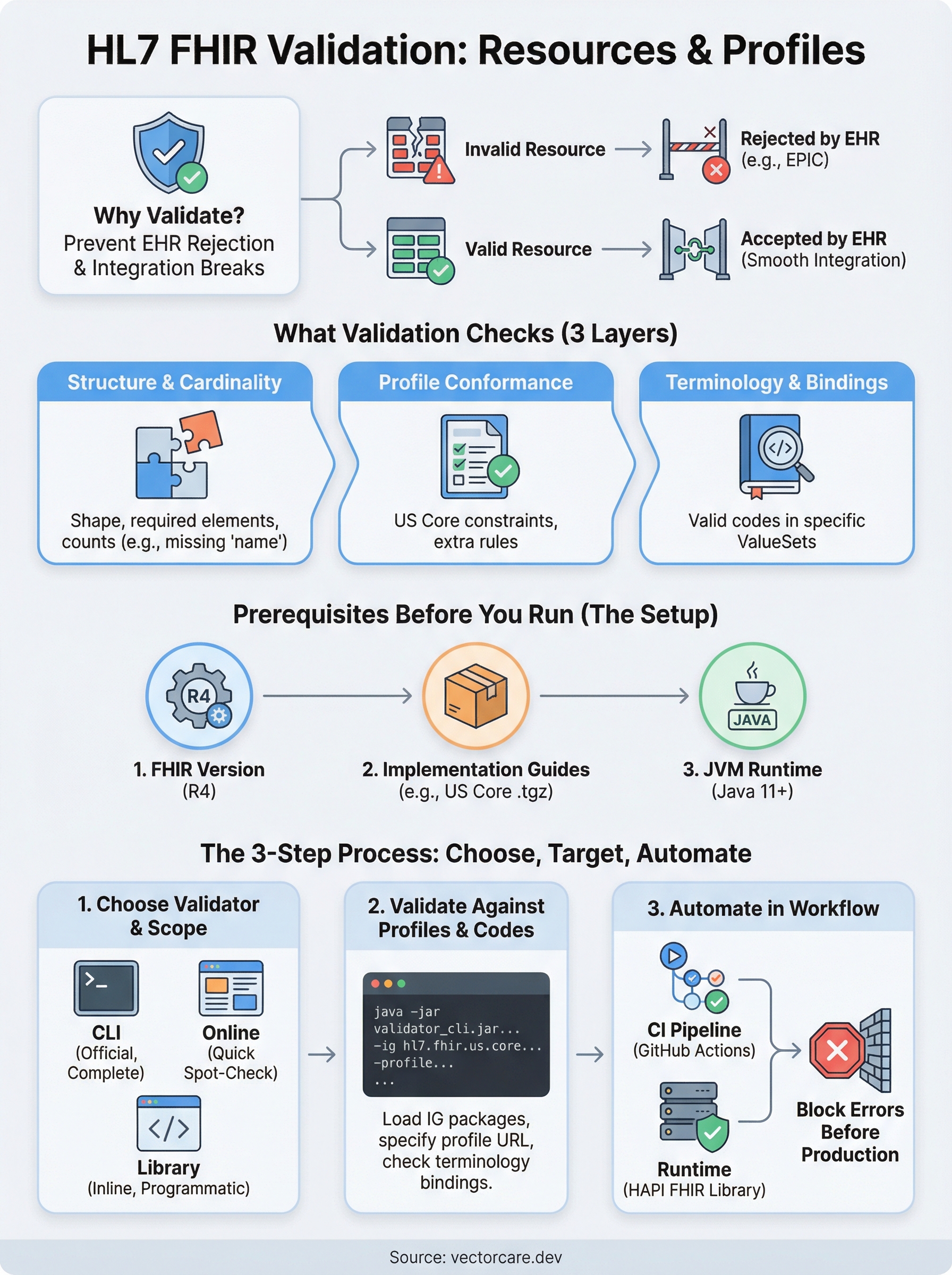
When you run an hl7 fhir validator against a resource, it checks more than whether your JSON or XML parses correctly. Validation covers structure, data types, profile conformance, and terminology across multiple layers, and each layer catches a different class of bug. Understanding what each check does helps you prioritize which failures to fix first and which rules make sense to enforce at each stage of your pipeline.
Missing required elements and wrong cardinalities are the most common causes of EPIC integration rejections during early development.
Structure and cardinality
The base FHIR specification defines which elements are required, which are optional, and how many times each can appear. Structure validation confirms that your resource has the right shape: no unknown elements, no missing required fields, and no elements that exceed their allowed count.
A Patient resource, for example, must include at least one name element according to US Core. If your payload omits it, the validator raises a cardinality error before your resource ever reaches the EPIC sandbox. This is the first layer most teams collide with when they start building EHR integrations.
Profile conformance and terminology
Profiles layer additional constraints on top of the base spec. A US Core Patient profile requires birthDate and restricts which name types are valid. Profile conformance checks verify that your resource satisfies those extra constraints, not just the base FHIR rules that apply to every implementation.
Terminology validation runs alongside profile checks. When a field binds to a ValueSet (like condition-clinical for Condition.clinicalStatus), the validator confirms that the code you sent exists in that exact ValueSet. A code that looks valid but belongs to the wrong system fails here, and EPIC will reject the resource regardless of whether the structure looks fine.
| Check type | What it catches |
|---|---|
| Structure | Missing fields, wrong cardinality, unknown elements |
| Profile | Constraints added by US Core or custom profiles |
| Terminology | Invalid codes, wrong code systems, unmatched bindings |
Constraint rules and cross-field logic
FHIR resources include FHIRPath invariants: rules that evaluate logic across multiple fields. A common example is that Observation.effective must be present when Observation.status is final. These cross-field constraints require the validator to reason about the resource as a whole rather than checking one element in isolation.
Your integration can pass structure and terminology checks and still fail on an invariant. Running all three check types in your CI pipeline catches the full range of issues before they reach a health system's environment and block a contract milestone.
Prerequisites before you run a validator
Before you run any hl7 fhir validator, you need three things in place: the correct FHIR version, the right implementation guide packages, and a working runtime environment. Skipping this setup step is the most common reason validation runs produce misleading results or fail silently.
Confirm your FHIR version and implementation guide
Most EPIC integrations target FHIR R4, so confirm that before you download anything. The validator behaves differently across R4, R4B, and R5, and loading the wrong version means your validation results won't reflect what EPIC actually enforces.
You also need the implementation guide packages your profiles depend on. US Core ships as a .tgz package that the validator loads at runtime. Download the correct version from the HL7 FHIR package registry and have the file path ready before you run your first check.
Always match your implementation guide version to what the health system has configured in their EPIC environment, otherwise your validation passes locally but fails in production.
Set up your runtime environment
The official HL7 validator runs on the Java Virtual Machine (JVM), so you need Java 11 or later installed on your machine. Run java -version to confirm. If you're adding validation to a CI pipeline, make sure your build image includes a compatible JVM.
Download the validator JAR from the official HL7 GitHub releases page. The file is named validator_cli.jar. Place it in a directory your scripts can reference, then verify the install with:
java -jar validator_cli.jar -version
This prints the current validator version and confirms your environment is ready to use.
Step 1. Choose a validator and validation scope
The right tool depends on where validation fits in your workflow. Three main options cover most use cases: the official HL7 validator CLI, an online validation service, and a language-specific library. Your choice directly affects how thoroughly you can validate custom profiles and how easily you can automate checks inside your CI pipeline.
Official HL7 validator CLI
For complete profile validation, the official hl7 fhir validator CLI is the most thorough option and the closest to what EPIC uses internally. Run it from the command line with a resource file, a FHIR version flag, and a profile URL. This command validates a Patient.json file against the US Core Patient profile:
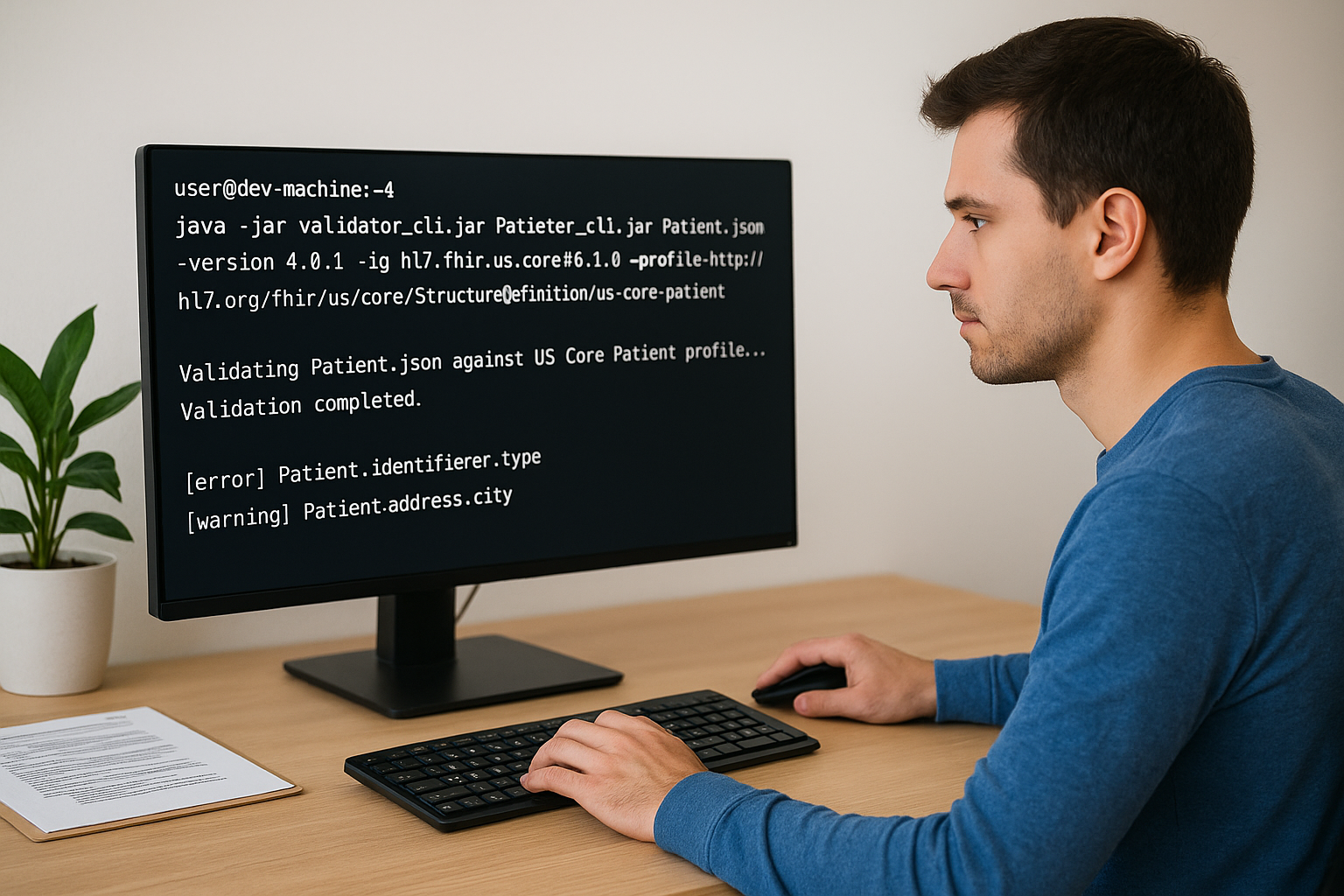
java -jar validator_cli.jar Patient.json \
  -version 4.0.1 \
  -ig hl7.fhir.us.core#6.1.0 \
  -profile http://hl7.org/fhir/us/core/StructureDefinition/us-core-patient
Each result shows the element path and severity level (error, warning, or information). Fix every error before your resource reaches EPIC, and treat warnings as mandatory when working with US Core profiles since health systems often enforce stricter requirements than the base spec.
Use the CLI validator in your CI pipeline to block deployments whenever a resource fails profile conformance.
Online validation for quick checks
When you need to spot-check a single resource without configuring a local environment, an online FHIR validation service lets you paste JSON or XML directly into a browser interface. Select your FHIR version and supply a profile URL to confirm profile conformance during early development. This approach is useful for quick one-off checks but does not replace automated CLI validation in a production pipeline, because it runs entirely outside your deployment process and requires manual effort for every resource you want to test.
Step 2. Validate resources against profiles and codes
Once your environment is ready, you can run targeted validation against specific profiles and terminology bindings. This step is where most of the real debugging happens, because profile errors and code system mismatches are far more common than basic structure failures. The key is to load the right packages first, then point the validator at the correct profile URL for the resource type you are testing.
Load your implementation guide packages
The hl7 fhir validator resolves profiles at runtime by loading implementation guide packages from the HL7 FHIR package registry. You specify each package with the -ig flag. For US Core, use the versioned package identifier so the validator pulls the exact set of profiles your health system expects:
java -jar validator_cli.jar Observation.json \
  -version 4.0.1 \
  -ig hl7.fhir.us.core#6.1.0 \
  -ig hl7.fhir.uv.sdc#3.0.0 \
  -profile http://hl7.org/fhir/us/core/StructureDefinition/us-core-observation-clinical-result
You can stack multiple -ig flags when your resource depends on more than one implementation guide. The validator loads all of them before it evaluates the resource.
Validate terminology bindings
Terminology errors surface when a code element is bound to a ValueSet and the code you sent either does not exist in that system or belongs to the wrong code system entirely. The validator checks every bound field against the specified ValueSet and flags mismatches as errors.
Fix terminology errors before structure warnings since EPIC rejects resources with invalid codes regardless of whether everything else looks correct.
If you use a local terminology server, add the -tx flag followed by your server URL to route terminology lookups there instead of the default HL7 public server.
Step 3. Automate validation in apps and deployments
Running the hl7 fhir validator manually works fine during early development, but once you move toward production, you need validation running automatically on every change. Automating checks in your deployment pipeline prevents invalid resources from reaching a health system's EPIC environment and blocking your contract milestones.
Add the validator to your CI pipeline
Integrating the CLI validator into a GitHub Actions workflow is straightforward. Add a step that runs the validator against a set of sample resources stored in your repository, and configure the step to fail the build whenever the output contains any errors. Here is a minimal GitHub Actions step:
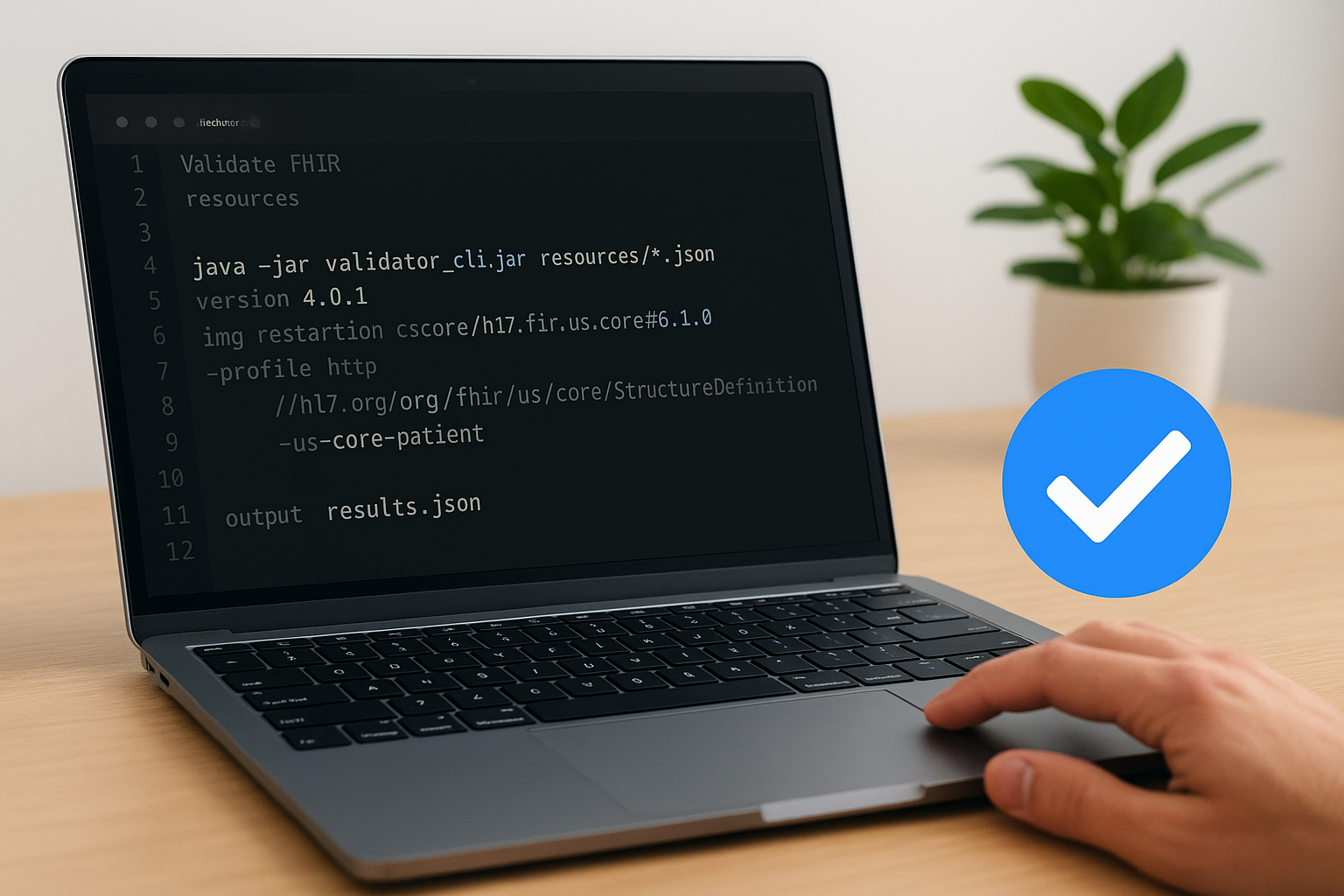
- name: Validate FHIR resources
  run: |
    java -jar validator_cli.jar resources/*.json \
      -version 4.0.1 \
      -ig hl7.fhir.us.core#6.1.0 \
      -profile http://hl7.org/fhir/us/core/StructureDefinition/us-core-patient \
      -output results.json
Fail your CI build on any validation error, not just warnings, to block non-conformant resources before they reach a health system's EPIC sandbox.
Store your sample resource files alongside your source code so every pull request triggers a validation run against the same representative payloads your app will send in production.
Validate programmatically at runtime
If your application constructs FHIR resources dynamically, add inline validation using the HAPI FHIR library before your app transmits anything to EPIC. HAPI provides a FhirValidator class that you configure once at startup with your loaded profiles. Call validator.validateWithResult(resource) on each outbound resource to catch errors before transmission, and reject or log the resource immediately when validation fails rather than sending a non-conformant payload.
Keeping validation logic centralized in a shared service or middleware layer means you avoid duplicating configuration across multiple services. Write the validation result to your application logs on every attempt, which gives you a clear audit trail of every resource your app tried to send, useful when a health system reports an integration issue during onboarding.
Where to go from here
You now have a complete path from raw resource validation through automated CI checks and runtime enforcement. The hl7 fhir validator CLI handles structure, profile conformance, and terminology in one pass, and wiring it into your pipeline protects every deployment. Start with the CLI validator locally, confirm your US Core profiles load correctly, then add the GitHub Actions step to block non-conformant resources before they reach your EPIC sandbox.
From there, add HAPI FHIR inline validation to catch errors your app generates at runtime, and centralize that logic so every service benefits from the same configuration.
If validation is just one piece of a larger EPIC integration challenge, the technical complexity compounds quickly: SMART on FHIR authorization, App Orchard submissions, and ongoing maintenance each add more overhead. VectorCare handles all of that for healthcare vendors through a managed no-code platform. See how VectorCare accelerates EPIC integration so you can focus on your core product instead of infrastructure.
The Future of Patient Logistics
Exploring the future of all things related to patient logistics, technology and how AI is going to re-shape the way we deliver care.
Thank you! Your submission has been received!
Oops! Something went wrong while submitting the form.