OpenID Connect JWKS Endpoint: Find Keys And Validate JWTs

Every SMART on FHIR application that authenticates against an EHR like EPIC relies on a chain of trust, and that chain starts with the OpenID Connect JWKS endpoint. This endpoint publishes the public keys your application needs to verify that an identity token actually came from the authorization server and hasn't been tampered with. Without it, you're flying blind on token validation.
If you're a healthcare vendor building an EPIC integration, understanding how JWKS fits into the OIDC authentication flow isn't optional, it's foundational. The endpoint tells your app where to find keys, which key signed a given JWT, and how to validate that signature cryptographically. Getting this wrong means failed authentication, rejected launch sequences, or worse, security gaps in a HIPAA-regulated environment.
At VectorCare, we handle the full SMART on FHIR auth stack for healthcare vendors shipping apps into EPIC, including JWKS-based token validation, so you don't have to wire it up yourself. But whether you're building from scratch or trying to understand what's happening under the hood of a managed platform, this article breaks down exactly how the OIDC JWKS endpoint works, how to locate it via discovery documents, and how to use its keys to validate JWTs step by step.
Why the JWKS endpoint matters in OIDC
When an authorization server issues a JWT, it signs that token with its private key. Your application then needs to verify that signature using the corresponding public key to confirm the token is genuine and unmodified. The JWKS endpoint is the standardized location where the authorization server publishes those public keys as a JSON Web Key Set. Without it, your app has no reliable cryptographic basis for trusting any token it receives.
Skipping JWKS-based signature verification exposes your application to token forgery attacks, where a malicious actor crafts a fake JWT your app would accept as legitimate.
The role of asymmetric cryptography
OIDC relies on asymmetric key pairs (typically RSA or ECDSA) to cleanly separate signing from verification. The authorization server holds the private key and uses it to sign every token it issues. Your application uses only the public key retrieved from the JWKS endpoint to verify those signatures, which means your app never touches any secret material.
This separation matters especially in healthcare environments. Because your application only reads public keys, a compromised app cannot expose signing credentials or mint fraudulent tokens. HIPAA-regulated systems demand this kind of design discipline, and SMART on FHIR builds it in by making JWKS-based validation a required part of the authorization flow.
What a JWKS response actually contains
Each key in a JWKS response is a JSON Web Key (JWK) object containing structured metadata your application reads at validation time. The key fields you'll work with are:
kid(key ID): matches thekidclaim in the JWT header to identify which key signed the tokenkty: specifies the key type, such as RSA or ECuse: declares the intended use, typicallysigfor signingnande: the RSA public key modulus and exponent used for signature verification
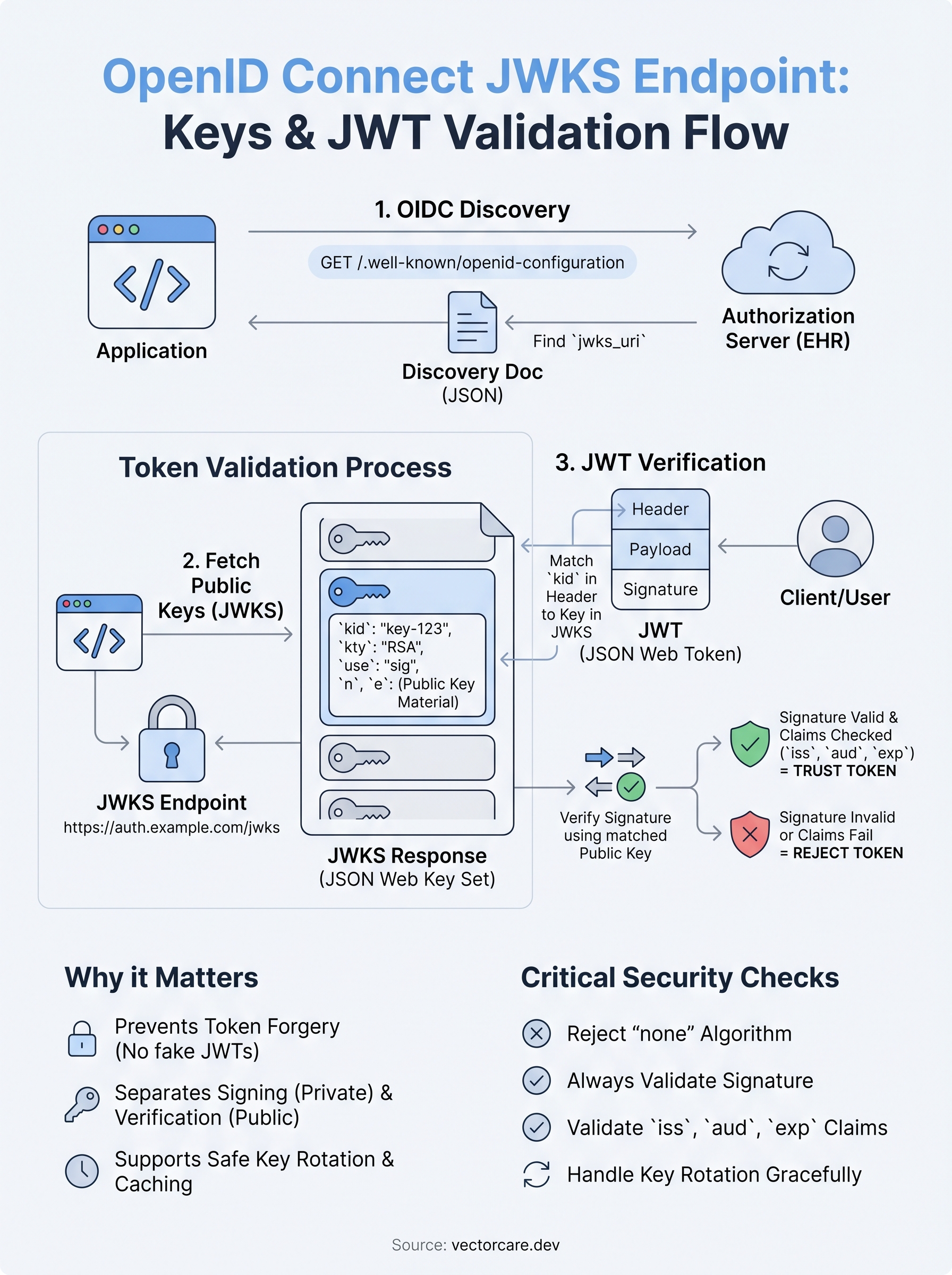
Your application reads the kid from the JWT header, finds the matching entry in the openid connect jwks endpoint response, and uses that key's material to run the cryptographic check.
How to find the JWKS URI using discovery
You don't need to guess or hardcode the location of the openid connect jwks endpoint. OIDC defines a standardized discovery mechanism that publishes all authorization server metadata, including the JWKS URI, in one predictable location.
The OIDC discovery document
Every compliant OIDC authorization server exposes a discovery document at a well-known URL constructed by appending /.well-known/openid-configuration to the issuer base URL. For example, if your EPIC environment's issuer is https://auth.example-ehr.com, you fetch:

GET https://auth.example-ehr.com/.well-known/openid-configuration
That document returns a JSON object containing dozens of server metadata fields. The one you need is jwks_uri, which gives you the exact URL where the server publishes its public keys.
Always derive the JWKS URI dynamically from the discovery document rather than hardcoding it, because authorization servers can change key locations without notice.
Parsing the response
Once you retrieve the discovery document, read the jwks_uri field and store that URL for key retrieval. Your application should fetch this endpoint at startup or on a cache miss, not on every single token validation request, since the keys change infrequently and repeated fetches add unnecessary latency.
How JWT validation works with JWKS keys
Once you have the JWKS URI from the discovery document, the actual token validation process follows a clear sequence. Your application reads the JWT header to find the kid claim, fetches the matching public key from the openid connect jwks endpoint, and then runs the cryptographic signature check before trusting anything in the token's payload.
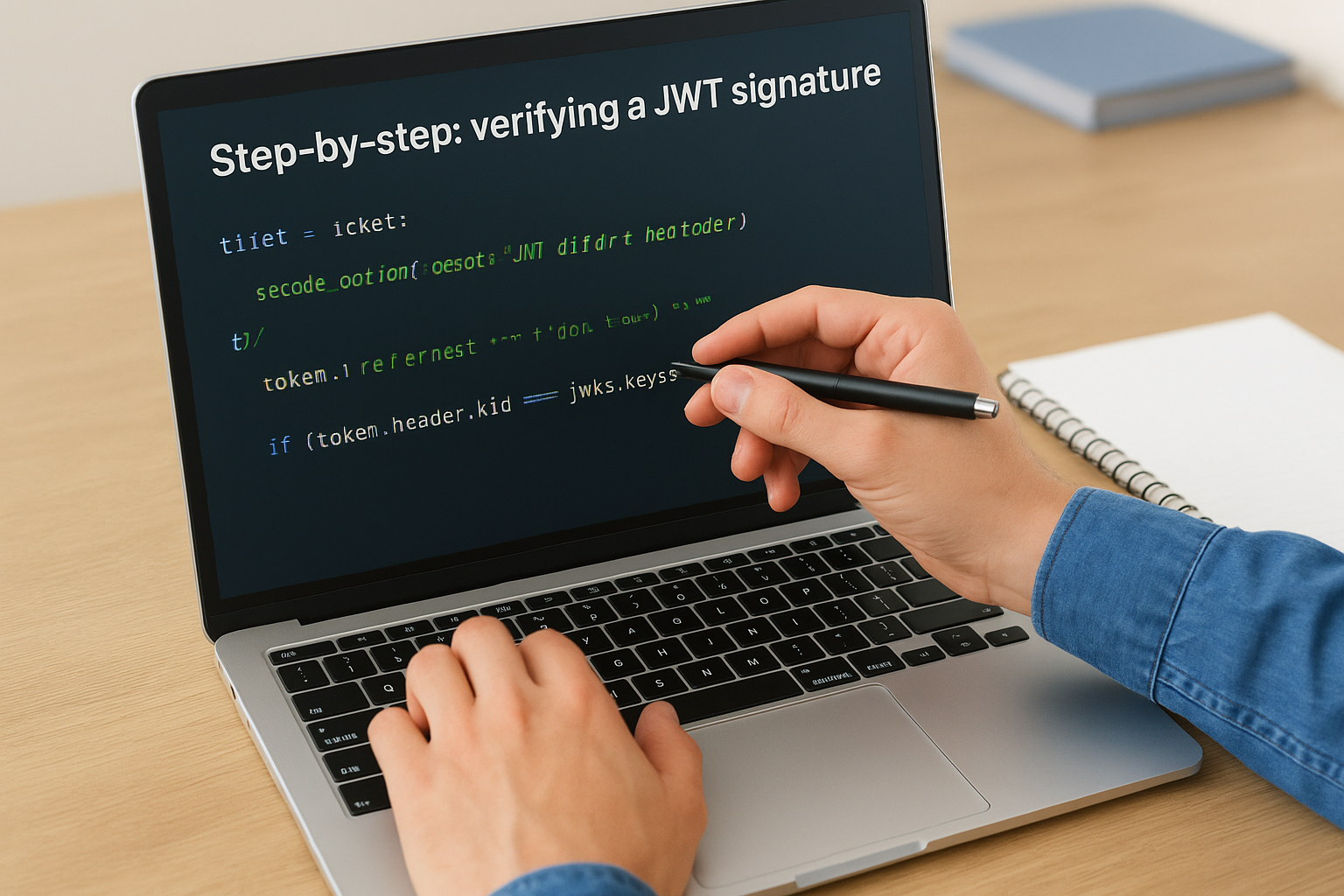
Step-by-step: verifying a JWT signature
Each incoming JWT arrives with a base64url-encoded header, payload, and signature. Your application decodes the header first to extract the kid value, then looks up that key ID in the JWKS response. With the correct public key identified, your code uses it to verify the signature against the combined header and payload bytes.
Never skip the
kidlookup step. Using the wrong key will produce a false negative, and accepting a token without any signature verification removes all security guarantees.
After the signature passes, your application should still validate the standard JWT claims: confirm the iss matches your expected issuer, the aud claim matches your registered client ID, and the exp timestamp has not passed. Signature verification and claims validation together give you a complete, layered trust check before you act on anything inside the token.
Key rotation, caching, and JWKS availability
Authorization servers rotate their signing keys periodically to limit exposure if a key is ever compromised. Your application needs to handle this without breaking active sessions. When you receive a JWT with a kid that doesn't match anything in your current key set, treat it as a rotation signal and re-fetch the openid connect jwks endpoint before retrying validation with the updated keys.
Handle key rotation without breaking auth
A safe rotation approach means your application tolerates a cache miss gracefully rather than rejecting the token outright. Fetch fresh keys, attempt validation once more, and only reject the token if the signature still fails after that refresh.
Never accept a token that fails signature verification after a key refresh; always return an explicit authentication error so the client can restart the flow cleanly.
Your code should also log every cache miss and key refresh event so you can spot unusual rotation patterns or misconfigured authorization servers before they cause widespread authentication failures in production.
Cache JWKS responses to reduce latency
Fetching keys on every token validation adds unnecessary network overhead and slows your authentication flow. Cache the JWKS response and invalidate only on a kid miss, aligning your TTL with the Cache-Control headers the server returns to stay both fast and current.
Setting an indefinitely long cache TTL creates the opposite problem: a stale key set causes validation failures after a legitimate rotation event, which is equally disruptive to users as fetching too frequently.
Common mistakes and security checks to run
Even with a solid understanding of how the openid connect jwks endpoint works, implementation mistakes are common and can silently undermine your entire authentication flow. The two most frequent errors are accepting tokens without verifying the signature at all and trusting the alg header value declared inside the JWT itself rather than enforcing the expected algorithm in your own server-side code.
Never let the JWT header dictate which algorithm your application uses for verification; always enforce the permitted algorithm list on your end, not the client's.
Security checks to run before you ship
Before you deploy any OIDC integration, run through this checklist to confirm your implementation handles the most common failure points. Each item targets a real vulnerability category that production systems have failed on.
- Reject
nonealgorithm tokens: Some libraries accept these by default, providing zero cryptographic protection. - Validate
iss,aud, andexpon every request: Not just during the initial login flow. - Test explicit rejection of tampered payloads: Modify a JWT payload byte and confirm your application returns an authentication error rather than silently passing it.
- Confirm key refresh triggers correctly: Force a
kidmismatch and verify your code re-fetches the JWKS endpoint rather than rejecting the token immediately.
Quick wrap-up and next steps
The openid connect jwks endpoint is the cryptographic anchor of every OIDC-based authentication flow. You use it to locate the public keys your application needs to verify JWT signatures, and getting it right means your application only trusts tokens that your authorization server actually issued. Locate the JWKS URI through the discovery document, match the kid to the correct key, validate the signature, then confirm iss, aud, and exp before you act on any token claims.
Handling key rotation gracefully, caching responses efficiently, and enforcing your own algorithm list on the server side are the three practices that separate a secure implementation from one that passes in staging but breaks in production. Each piece connects directly to the others, so skipping any step leaves a gap.
If you're building a SMART on FHIR application for EPIC and want the full auth stack handled for you, see how VectorCare manages EPIC integration end to end.
The Future of Patient Logistics
Exploring the future of all things related to patient logistics, technology and how AI is going to re-shape the way we deliver care.
Thank you! Your submission has been received!
Oops! Something went wrong while submitting the form.