OAuth 2 Vs OpenID Connect: Authentication Vs Authorization

OAuth 2 Vs OpenID Connect: Authentication Vs Authorization
When building applications that integrate with healthcare systems like EPIC, you'll encounter two terms that often cause confusion: OAuth 2 vs OpenID Connect. Both protocols handle security, both involve tokens, and both appear in SMART on FHIR specifications. Yet they solve fundamentally different problems, and mixing them up can lead to architectural mistakes that haunt your integration efforts for months.
OAuth 2.0 handles authorization (what you can access), while OpenID Connect handles authentication (who you are). The distinction sounds simple, but the implementation details matter. OIDC actually builds on top of OAuth 2.0, adding an identity layer that OAuth deliberately left out. Understanding where one ends and the other begins is critical for anyone building secure healthcare applications.
This article breaks down both protocols, explains how they work together, and clarifies which one addresses your specific security requirements. For healthcare vendors working toward EPIC EHR integration, where SMART on FHIR mandates these standards, getting this right from the start saves significant rework down the line.
OAuth 2.0 in plain English
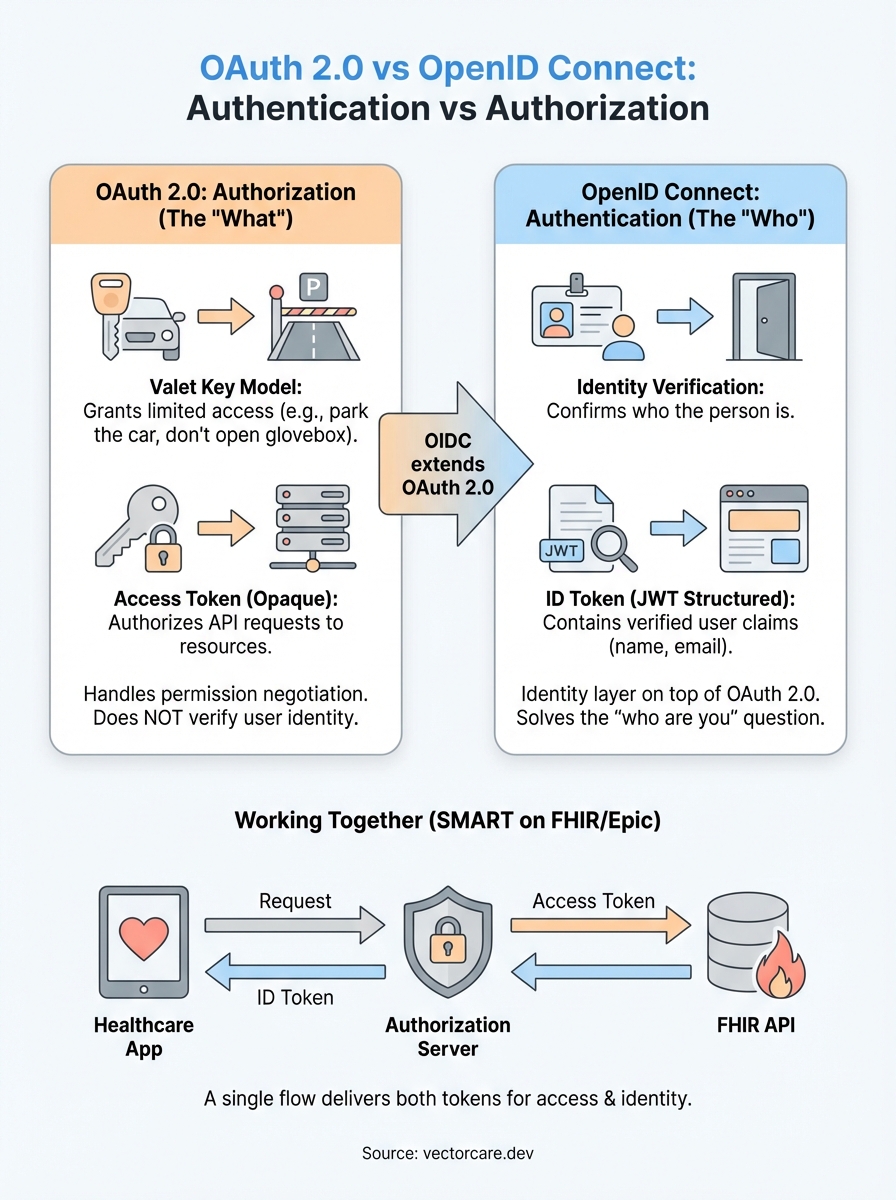
OAuth 2.0 is an authorization framework that lets your application request limited access to a user's resources without ever seeing their password. Think of it as a valet key for your car. The valet gets temporary permission to park your vehicle, but they can't open the glove box, adjust your seat settings, or drive it home. OAuth 2.0 creates that same controlled access for digital resources.
What OAuth 2.0 actually does
When your healthcare application needs to pull patient data from an EPIC system, OAuth 2.0 handles the permission negotiation. Your app asks for specific access (read patient demographics, write clinical notes), the health system's authorization server checks if that request is valid, and then issues an access token that grants those exact permissions. The token acts as a temporary credential that your application presents each time it makes an API call.
This framework emerged because earlier methods required applications to collect and store user credentials directly. That approach created massive security risks and gave applications far more power than they needed. OAuth 2.0 reversed this model by keeping credentials with the resource owner (the EHR system) while giving applications only the access they require for their specific function.
The authorization flow explained
The standard OAuth 2.0 flow involves four parties: the resource owner (patient or clinician), the client application (your software), the authorization server (EPIC's OAuth endpoint), and the resource server (EPIC's FHIR API). Your application redirects the user to EPIC's authorization server, which authenticates them and asks if they consent to your app accessing their data. If they approve, EPIC issues an access token to your application.

OAuth 2.0 defines what your application can do with resources, not who is doing it.
Your application then includes this access token in the header of every API request. The token contains scope information that specifies exactly which FHIR resources you can read or write. For example, a token might grant patient/*.read scope, allowing your app to read all patient data, but nothing more. EPIC's resource server validates each token before returning any data.
Why OAuth doesn't tell you who someone is
OAuth 2.0 deliberately avoids identity verification. The access token confirms that someone authorized your application and defines what data you can access, but it doesn't reliably tell you who that person is. The token is opaque to your application by design. You can't look inside it to extract the user's name, email, or unique identifier.
This limitation becomes critical when you need to personalize your application's interface or maintain user sessions. An access token might grant your app permission to read patient records, but it won't tell you if the person using your app is Dr. Smith or Nurse Johnson. Understanding where OAuth 2.0 ends and where authentication needs begin is exactly where oauth 2 vs openid connect becomes a practical concern rather than an academic distinction.
OpenID Connect in plain English
OpenID Connect (OIDC) is an identity layer built directly on top of OAuth 2.0. While OAuth 2.0 tells you what someone can access, OIDC tells you who that person is. It adds authentication to OAuth's authorization framework by introducing a new token type called an ID token that contains verified identity information about the user. When your healthcare application needs to know both who is using it and what they can access, OIDC provides both answers.
How OIDC extends OAuth 2.0
OIDC uses the same authorization flow as OAuth 2.0, but adds one critical element: the ID token. When a user authorizes your application, the authorization server returns both an access token (for API calls) and an ID token (for identity verification). The ID token is a JSON Web Token (JWT) that includes standardized claims like the user's unique identifier, name, email, and when the token was issued.
OpenID Connect transforms OAuth 2.0 from a delegation framework into a complete authentication and authorization solution.
Your application can decode the ID token to extract user information without making additional API calls. The token is cryptographically signed by the authorization server, so you can verify it hasn't been tampered with. This makes OIDC perfect for scenarios where you need to display a user's name in your application interface, track who performed specific actions, or maintain user sessions across multiple requests.
Why healthcare integrations rely on OIDC
SMART on FHIR applications typically require both protocols working together. You need OAuth 2.0's access tokens to pull patient data from EPIC's FHIR API, but you also need OIDC's identity verification to know which clinician is viewing that data. This distinction is central to understanding oauth 2 vs openid connect: one handles authorization scopes, the other handles user identity. OIDC solves the "who are you" question that OAuth deliberately leaves unanswered, making it essential for applications that require audit trails, personalization, or role-based access control.
The key differences that trip teams up
The most common mistake developers make is treating OAuth 2.0 and OpenID Connect as interchangeable protocols. They look similar because OIDC uses OAuth's authorization flow, but they serve distinct purposes that become critical when you're building EPIC integrations. The confusion typically emerges during implementation when teams realize their access tokens don't contain user identity information they assumed would be there.
Token types and what they contain
OAuth 2.0 issues access tokens that are opaque strings. Your application can't read them, and they shouldn't contain any user information. These tokens exist solely to authorize API requests to resource servers. When you present an access token to EPIC's FHIR API, the API validates it and checks what scopes it grants, but the token itself reveals nothing about who requested it.
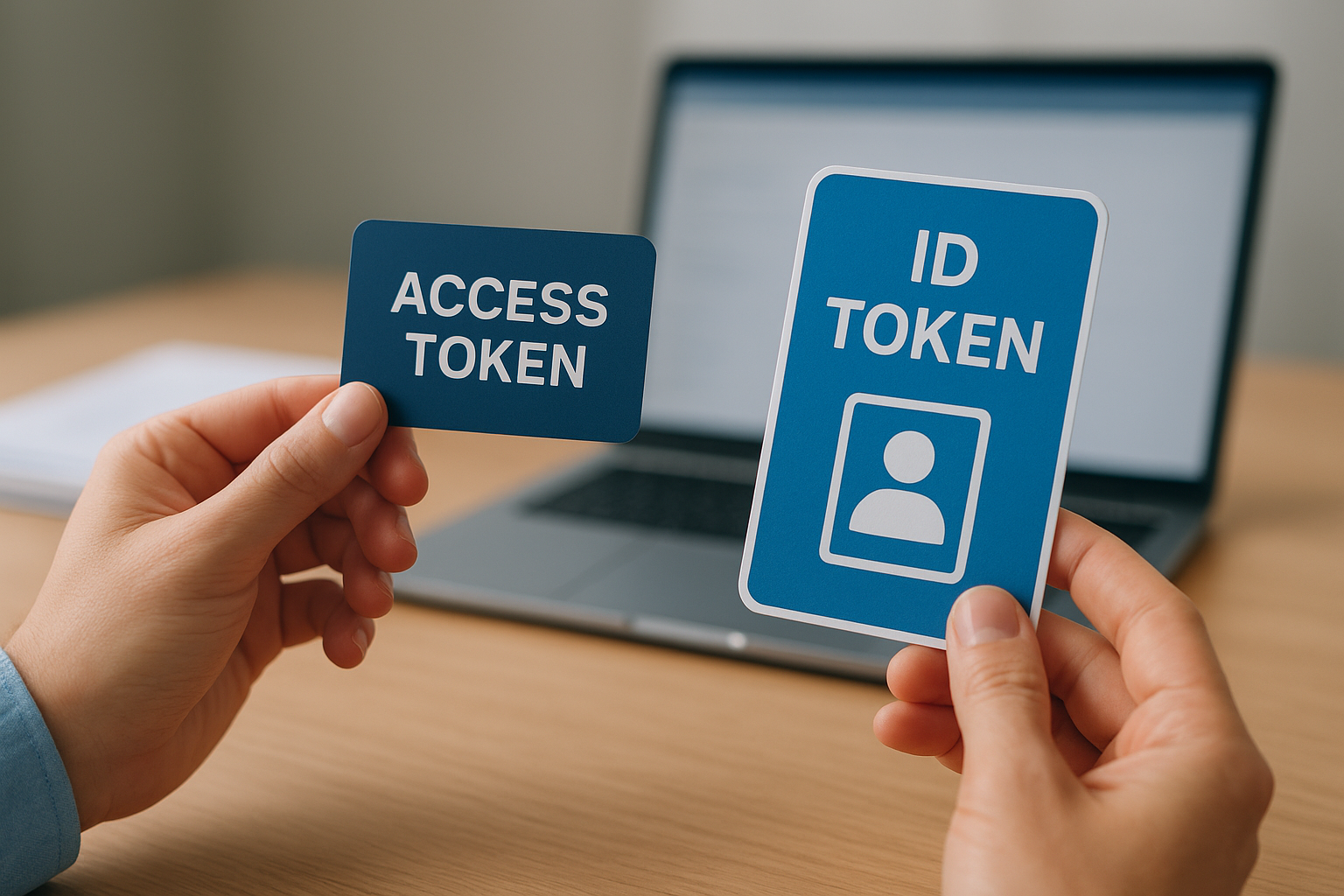
OpenID Connect adds ID tokens that are structured JSON Web Tokens. You can decode these tokens in your application to extract verified user information like subject identifiers, email addresses, and authentication timestamps. The ID token is meant for your application to consume, while the access token is meant for the resource server to validate. Teams often try to extract user identity from access tokens, which leads to brittle implementations that break when the authorization server changes its token format.
Understanding which token answers which question prevents architectural mistakes that require significant refactoring later.
The "who" versus "what" distinction
Your application architecture depends on correctly identifying what each protocol provides. OAuth 2.0 answers "what can this request access," while OIDC answers "who is making this request." Most healthcare applications require both answers, which is why SMART on FHIR implementations typically use OpenID Connect to leverage both protocols simultaneously. Your application receives an access token for FHIR API calls and an ID token for user session management. Misunderstanding oauth 2 vs openid connect at this foundational level causes teams to build authentication logic on top of authorization tokens, creating security gaps that auditors flag during compliance reviews.
How OAuth and OIDC work together in practice
Most production applications need both authorization and authentication working simultaneously. Your healthcare application requests access to EPIC's FHIR resources while also verifying the clinician's identity. This is where understanding oauth 2 vs openid connect becomes practical rather than theoretical. Instead of running two separate security flows, OIDC extends OAuth 2.0's authorization flow to deliver both tokens in a single exchange.
The combined authorization and authentication flow
When you initiate an OIDC flow, your application redirects users to EPIC's authorization endpoint with specific parameters. You include OAuth scopes like patient/*.read for data access, plus the special openid scope that triggers OIDC's identity layer. The authorization server authenticates the user, displays a consent screen showing what your application wants to access, and then redirects back to your application with an authorization code.
Your application exchanges this code for tokens at the token endpoint. The response contains an access token for FHIR API calls, a refresh token for obtaining new access tokens without re-authentication, and an ID token containing verified user identity. This single exchange gives you everything needed to both identify your user and access their authorized resources.
A single OIDC flow delivers both the "who" and "what" answers your application requires for secure healthcare integration.
Real-world token handling
You validate the ID token's signature and extract claims like the user's unique identifier, name, and email. This information populates your application's user session and appears in your interface. Meanwhile, you attach the access token to every FHIR API request in the authorization header. EPIC's resource server validates this token and returns only the data your scopes permit.
Tokens have different lifespans. Access tokens typically expire within hours, while ID tokens last slightly longer. Your application uses the refresh token to obtain new access tokens without forcing users to re-authenticate. This separation lets you maintain long-running sessions while keeping active credentials short-lived for security.
What to use for SMART on FHIR and Epic
SMART on FHIR applications always require OpenID Connect, not OAuth 2.0 alone. The specification mandates OIDC because healthcare applications need both user identity verification and resource authorization simultaneously. When you build for EPIC integration, you're implementing OIDC's authorization code flow with specific scopes that trigger both authentication and authorization tokens.
SMART on FHIR mandates OpenID Connect
Your application must include the openid scope in every authorization request to EPIC's OAuth endpoint. This scope activates the identity layer that returns an ID token alongside your access token. The SMART App Launch framework specifically defines how to combine FHIR resource scopes with OpenID Connect's authentication scopes to create a complete authorization and identity verification flow.
SMART on FHIR applications that skip OpenID Connect fail compliance requirements because they can't verify clinician identity for audit trails.
The confusion around oauth 2 vs openid connect disappears when you understand that SMART on FHIR already made the decision for you. You're using both protocols together through OIDC's extension of OAuth 2.0. Your application needs patient/*.read scopes for data access, but also needs openid profile scopes to identify who is accessing that data.
Epic's specific implementation requirements
EPIC's authorization server expects you to request the fhirUser claim in your ID token, which returns the FHIR resource reference for the authenticated user (usually a Practitioner or Patient resource). This claim links the authenticated identity directly to a resource in EPIC's FHIR server, allowing your application to pull additional details about the user through standard FHIR API calls.
Your application also needs to handle EPIC's consent screens correctly. When you request sensitive scopes like write permissions or access to restricted resources, EPIC displays detailed consent prompts that users must approve. The returned tokens only grant access to resources the user explicitly authorized during that session.
Final takeaways
The distinction between oauth 2 vs openid connect boils down to what problem you're solving. OAuth 2.0 handles authorization (what resources your application can access), while OpenID Connect adds authentication (who is using your application). For SMART on FHIR implementations with EPIC, you need both protocols working together through OIDC's extension of OAuth 2.0.
Your application receives an access token for FHIR API calls and an ID token for user identity verification. The access token grants permission to read or write specific resources based on approved scopes. The ID token contains verified claims about the authenticated user, including their FHIR resource reference in EPIC's system. Both tokens arrive in a single authorization flow when you include the openid scope.
Building these security flows correctly requires deep FHIR implementation expertise and careful attention to EPIC's requirements. If you're looking to accelerate your EPIC integration without managing these complexities, VectorCare's no-code platform handles all OAuth and OIDC implementation details for you.
The Future of Patient Logistics
Exploring the future of all things related to patient logistics, technology and how AI is going to re-shape the way we deliver care.
Thank you! Your submission has been received!
Oops! Something went wrong while submitting the form.