HL7 Integration: What It Is and How It Works

If you're building a digital health product, you've probably hit the term HL7 integration in an EPIC RFP, a partner's technical requirements doc, or a conversation with a hospital IT team that just won't move forward without it. It sounds like one more compliance hoop, but it's actually the plumbing that lets patient data move between the EHR and whatever tool you're trying to sell into a clinical workflow.
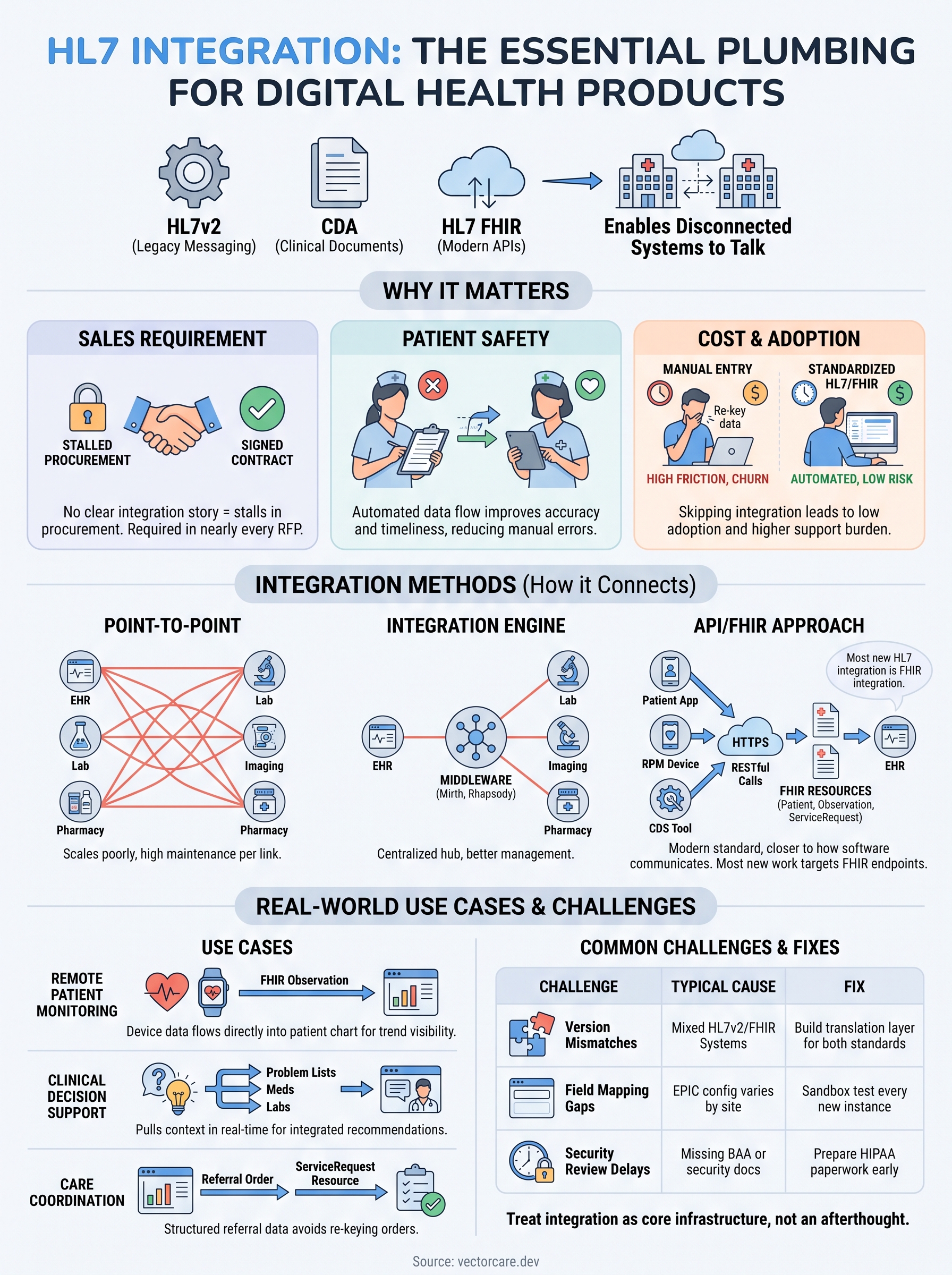
So what is HL7 integration, exactly? At its core, it's a set of standardized messaging formats, HL7v2, CDA, and increasingly HL7 FHIR, that let disconnected healthcare systems talk to each other without custom point-to-point code for every vendor pairing. Understanding this standard matters whether you're evaluating a build versus buy decision or trying to speak the same language as a health system's integration team.
This article walks through what HL7 integration actually means, how hl7 data integration works in practice, the common use cases you'll run into, and why most vendors now build toward FHIR-based approaches instead of legacy HL7v2 pipelines when connecting to systems like EPIC.
Why HL7 integration matters for healthcare organizations
Hospitals run dozens of different systems, from the EHR itself to lab platforms, imaging systems, pharmacy software, and now a growing list of digital health vendors like you. Without a common messaging standard, every one of those systems would need its own custom connection to every other system, an approach that breaks down fast once you're past a handful of integrations. HL7 integration solves that problem by giving every vendor a shared format to speak, so a health system's IT team doesn't have to build a bespoke bridge for each new tool that shows up.
Health systems won't sign without it
Ask any hospital CIO what happens to a vendor proposal that lacks a clear integration story, and you'll hear the same answer: it stalls in procurement. Healthcare interoperability standards now show up as requirements in nearly every RFP for clinical software, because health systems have been burned before by point solutions that created data silos instead of closing them. If your product can't pull an active problem list, push a completed order, or write back an assessment result through standard messaging, you're asking a busy clinical staff to double-enter data, and that's a nonstarter for most CMIOs.
A vendor without a working HL7 integration story rarely makes it past the second call with a health system's IT team.
Patient safety depends on accurate, timely data
Beyond the sales cycle, integration affects real clinical outcomes. When a remote monitoring device or a decision support tool can't push readings or alerts directly into the patient's chart, a nurse has to manually transcribe results, and manual transcription is where errors creep in. Patient safety improves measurably when data flows automatically between systems instead of relying on someone copying numbers from one screen to another, particularly for time-sensitive information like vital sign thresholds or medication changes.
The cost of skipping integration adds up fast
Vendors who launch without integration often discover the true cost later, in the form of low adoption, support tickets, and churn. Clinicians default to the tools built into their daily workflow, and anything that requires switching screens or re-entering data gets ignored, no matter how good the underlying product is. Consider the difference:
| Approach | Data entry | Adoption risk | IT burden |
|---|---|---|---|
| No integration (manual entry) | Clinician re-types data | High, workflow friction | Low upfront, high support long-term |
| Custom point-to-point build | Automated | Moderate | High, ongoing maintenance |
| Standardized HL7/FHIR integration | Automated | Low | Moderate, shared standard |
Regulatory pressure keeps raising the bar
Federal rules have made this less optional every year. The ONC's Cures Act Final Rule and CMS interoperability policies push health systems toward standardized data exchange, and hospitals pass that expectation directly to the vendors they work with. If a health system's compliance posture depends on structured, standards-based data exchange, a vendor that can't meet that bar becomes a liability rather than an asset, regardless of how compelling the core product otherwise is.
How to implement HL7 integration step by step
Getting an HL7 integration live isn't a single technical task, it's a sequence of decisions, much like integrating with Epic EHR, that starts long before anyone writes a mapping spec. Most vendors underestimate the front-loaded work: defining exactly what data you need, confirming which version of the standard the target EHR supports, and lining up the security review that every hospital IT department requires before granting system access. Skipping any of these steps usually means redoing work later, so it pays to move through them in order.
Step 1: Define your data requirements
Start by mapping out precisely which clinical data your product needs to read or write, whether that's demographics, orders, results, or clinical notes. Vague requirements like "we need patient data" slow down every conversation that follows, so get specific about the exact FHIR resources or HL7v2 message types involved.
Step 2: Confirm the target system's capabilities
Next, check what the receiving system actually supports. EPIC's App Orchard documentation and its FHIR endpoint list tell you which resources are available, and that list varies by health system depending on their EPIC version and configuration.
The fastest way to derail an integration project is discovering the target system doesn't support the resource you built around.
Step 3: Build and test the connection
Build your mapping logic, then test it against a sandbox environment before touching production data. This is where compliance testing matters most, since a broken mapping in production can mean incorrect data landing in a real patient's chart.
Step 4: Get security and compliance sign-off
Every health system requires a security review covering HIPAA privacy and security safeguards, authentication methods, and often a signed BAA before granting production access.
Step 5: Deploy, monitor, and maintain
Finally, deploy the connection and set up ongoing monitoring, since HL7 feeds break silently more often than they break loudly. A quick reference for the sequence:
- Define required data elements and message types
- Verify EHR-side FHIR or HL7v2 support
- Build and test in a sandbox
- Complete security and BAA review
- Deploy with monitoring in place
Going it alone means owning every one of these steps yourself, which is exactly what platforms like VectorCare's no-code workflow builder exist to shorten.
HL7 integration methods: point-to-point, engines, and APIs
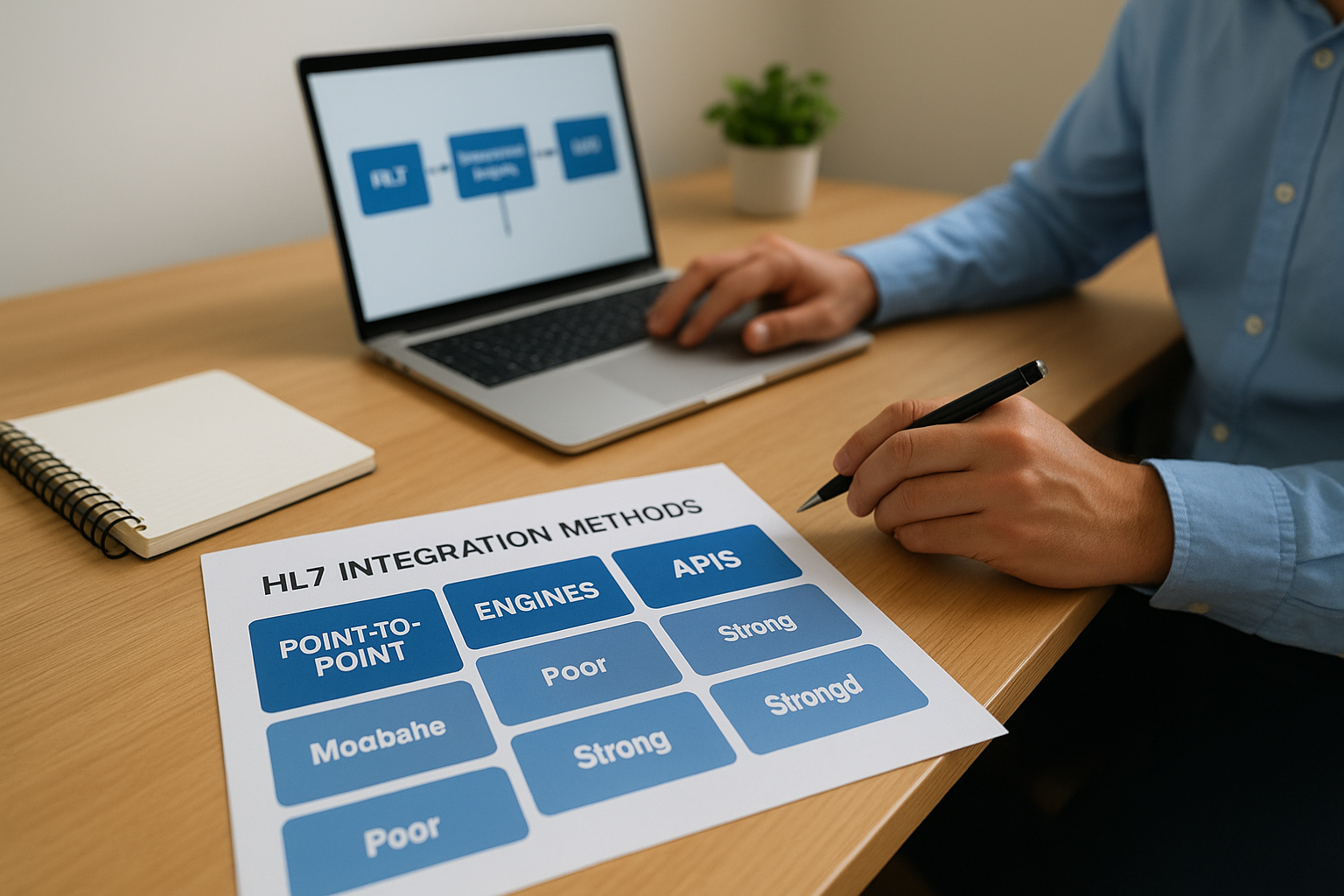
Vendors typically choose from three broad approaches when connecting to an EHR, and each one trades simplicity for scalability differently. Understanding these options before you commit engineering time saves you from rebuilding your integration layer six months into a contract, once a second health system asks for a different flavor of connection.
Point-to-point connections
A point-to-point integration links your system directly to a single EHR instance, with custom code handling the message format on both ends. This works fine for a pilot with one hospital, but it doesn't scale. Every new health system means another custom build, another set of credentials, and another maintenance burden that grows linearly with your customer count.
Integration engines
Many hospitals route messages through an integration engine, middleware like Mirth Connect or Rhapsody that translates, routes, and transforms HL7 messages between systems. Engines centralize the logic so the hospital's IT team manages one hub instead of dozens of direct links. As a vendor, you still need to build a compliant interface to that engine, but you're no longer negotiating a bespoke connection with every department system in the building.
API-based and FHIR approaches
Modern connections increasingly run through FHIR APIs rather than legacy HL7v2 feeds. A FHIR API uses RESTful calls and standard resources, like Patient, Observation, or ServiceRequest, over HTTPS, which is closer to how most modern software already communicates. EPIC's App Orchard has pushed this shift hard, and most new hl7 data integration work targets FHIR endpoints instead of raw v2 message parsing.
Most new HL7 integration work today is really FHIR integration wearing an old name.
| Method | Setup effort | Scalability | Typical use |
|---|---|---|---|
| Point-to-point | Low per connection, high overall | Poor, breaks down past a few links | Single-hospital pilots |
| Integration engine | Moderate, centralized | Good, one hub manages many links | Hospital-side interoperability |
| FHIR API | Moderate upfront | Strong, standard across health systems | Vendor-to-EHR integrations |
Each method still requires someone to build and maintain the mapping logic, which is exactly the layer that VectorCare's visual FHIR configuration handles without writing API code by hand.
Real-world HL7 integration use cases
Abstract standards talk only gets you so far. Seeing where HL7 integration actually shows up in production tells you more about what to build than any spec sheet does. The use cases below cover the categories VectorCare sees most often among digital health vendors trying to embed into EPIC workflows.
Remote patient monitoring
Devices that track vitals, glucose, or weight need a path from the patient's home into the clinician's chart, and that path runs through HL7 data integration. A cardiac monitoring vendor, for example, pushes daily readings as FHIR Observation resources directly into the patient's EPIC record, so a care manager sees a trend line without logging into a separate portal, which is the shape most RPM platforms building into Epic end up needing. Skip that connection and the device data sits in a vendor dashboard nobody on the clinical side ever opens.
Clinical decision support at the point of care
CDS platforms that need patient context depend on pulling problem lists, active medications, and recent labs before they can generate a useful recommendation. Getting that data through a real-time FHIR call means the tool's suggestion appears inside the physician's existing screen instead of a separate app they have to remember to check.
A decision support tool that can't read the chart in real time is really just a static reference guide.
Referral and care coordination
Home health, DME, and transportation vendors running care coordination and post-acute placement workflows rely on structured referral data to avoid re-keying orders that a case manager already entered in EPIC. A well-built integration turns a completed referral order into a ServiceRequest resource that lands directly in the receiving vendor's queue, cutting the lag between order and action from days to minutes.
Common patterns across use cases
Across these scenarios, a few patterns repeat:
- Read access to problem lists, medications, and labs for context-aware tools
- Write access for results, assessments, or completed orders
- Event-driven triggers, like a new order or discharge, that kick off a workflow automatically
- Bidirectional flow, where data moves both into and out of the EHR
Each pattern maps to a specific FHIR resource and a specific point in the clinical workflow, which is exactly what VectorCare's ready-made UI templates are built around, so vendors don't have to reverse-engineer these patterns from scratch for every new health system contract.
Common HL7 integration challenges and how to solve them
Even with a clear plan, HL7 integration projects hit predictable snags. Knowing them in advance, along with the broader health information exchange challenges every vendor runs into, saves you from burning weeks rediscovering problems others have already solved.
Version mismatches between HL7v2, CDA, and FHIR
Different systems inside the same hospital often run different standards, so a lab system might still send HL7v2 ADT messages while the EHR's patient-facing app expects FHIR resources. Building a translation layer that handles both, rather than betting on one standard disappearing, keeps your integration working across every health system you sign, not just the newest ones.
Building for one HL7 version and hoping the rest of the industry catches up is how integrations quietly break.
Inconsistent field mapping across health systems
Every EPIC instance configures its data slightly differently, so a field that maps cleanly at one hospital can be blank or formatted differently at the next. This is where compliance testing against a sandbox environment and validating FHIR resources and profiles earns its keep, since catching a mapping gap before go-live costs a day, while catching it in production can cost a patient's accurate chart entry.
Security review delays
Hospital IT departments move slowly on access approvals, and a missing BAA or an incomplete security questionnaire can stall a launch for months. Getting ahead of this means preparing your HIPAA documentation before you need it, not after a health system asks for it.
Silent failures and maintenance drift
HL7 feeds rarely fail with a loud error message. More often, a message silently stops flowing after an EPIC upgrade changes an endpoint, and nobody notices until a clinician asks why data stopped updating. Ongoing monitoring, not a one-time build, is what actually keeps an integration reliable.
Scaling past a single health system
What works for one hospital rarely ports cleanly to the next without rework, because each EPIC instance has its own quirks. A quick comparison of where teams typically get stuck:
| Challenge | Typical cause | Fix |
|---|---|---|
| Version mismatch | Mixed HL7v2/FHIR systems | Build a translation layer for both |
| Field mapping gaps | EPIC config varies by site | Sandbox test every new instance |
| Access delays | Missing BAA or security docs | Prepare compliance paperwork early |
| Silent breakage | Unmonitored endpoints | Continuous monitoring, not one-time builds |
Handling all five categories manually is a full-time job on its own, which is precisely why VectorCare's managed hosting and support exists, so vendors aren't left debugging silent failures at 2 a.m.
Putting HL7 integration into practice
HL7 integration isn't a checkbox you clear once and forget. It's the ongoing plumbing that determines whether your product actually gets used inside a clinical workflow or sits ignored in a separate login screen. Standardized messaging, whether HL7v2, CDA, or FHIR, exists to solve a real problem: getting patient data where it needs to go without a custom build for every hospital you sign. Getting there means defining your data needs clearly, picking the right method for your scale, and planning for the maintenance work that keeps a connection alive after launch.
Vendors who treat integration as core infrastructure, not an afterthought, win more health system contracts and keep them longer. If building and maintaining that infrastructure yourself sounds like a distraction from your actual product, you don't have to do it alone. Build and deploy your SMART on FHIR app in days instead of spending the next year on custom EPIC engineering.
The Future of Patient Logistics
Exploring the future of all things related to patient logistics, technology and how AI is going to re-shape the way we deliver care.
Thank you! Your submission has been received!
Oops! Something went wrong while submitting the form.