What Is Epic Hyperspace? Epic EHR Interface Explained

If you're a healthcare vendor trying to get your product in front of clinicians, you've probably heard the term thrown around in sales calls, RFPs, and integration docs. So what is Epic Hyperspace, exactly? It's the desktop application that physicians, nurses, and clinical staff use every day to interact with Epic's electronic health record system. Think of it as the front door to patient data, and the place where your solution needs to show up if you want to be part of the clinical workflow.
Understanding Hyperspace matters because it's not just a piece of software. It's the environment where clinical decisions get made, orders are placed, and patient records are reviewed. For vendors building tools like clinical decision support, remote monitoring dashboards, or referral management systems, Hyperspace is the context your product has to fit into. That's exactly why platforms like VectorCare exist, to help vendors launch SMART on FHIR applications that surface directly inside Epic's interface without spending 12+ months on custom engineering.
This article breaks down what Epic Hyperspace is, how it differs from other Epic client applications, what clinicians actually do inside it, and why it matters for your integration strategy. Whether you're exploring your first Epic integration or evaluating how to embed your product into clinical workflows, this guide gives you a clear, practical foundation to work from.
What Epic Hyperspace is and where it sits
At its core, Epic Hyperspace is the thick-client desktop application that serves as Epic's primary user interface for clinical staff. When clinicians document a visit, review lab results, place orders, or pull up a patient chart, they do all of that inside Hyperspace. Every interaction a physician or nurse has with Epic's EHR system runs through this interface, which makes it the most operationally significant piece of software in most U.S. health systems. If your product does not appear here, it is functionally invisible to the people you are trying to reach.
The technical definition
Hyperspace is a Windows-based thick-client application built on Epic's proprietary development framework. It runs locally on a workstation or a virtual machine and connects to Epic's backend servers, where all patient data is stored, processed, and secured. Unlike a browser-based web app, Hyperspace is installed software with its own runtime environment, which gives health systems tight control over performance, display rendering, and security enforcement. Health systems configure and deploy it centrally through their IT teams, and clinicians log in through a role-based access system that defines exactly what each user can see, document, and act on.
Hyperspace is not a standalone product you purchase separately. It is the client interface included with a health system's Epic installation, and the health system controls all configuration decisions.
Where Hyperspace fits in the Epic ecosystem
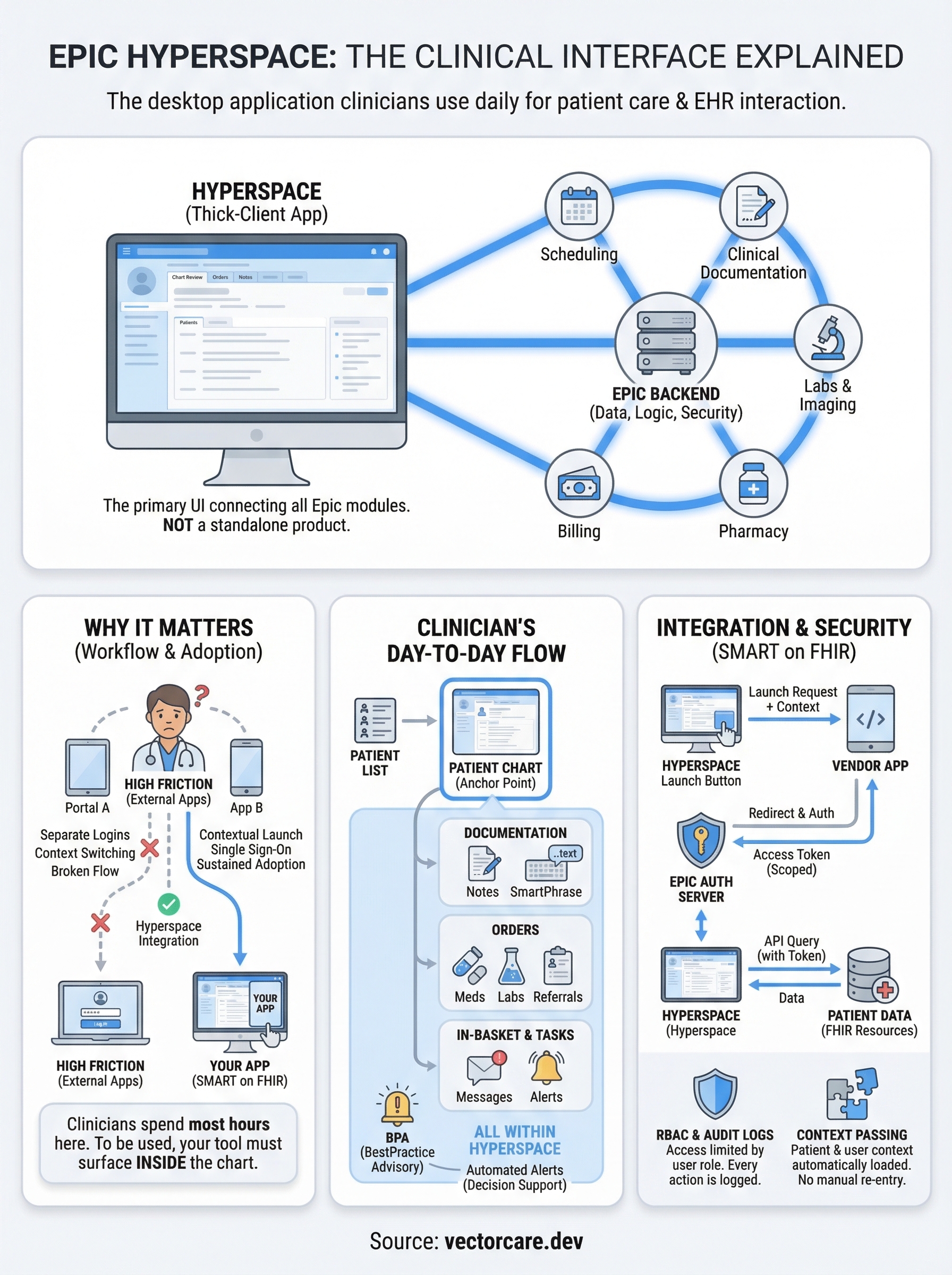
Epic is not a single application. It is a suite of interconnected modules covering scheduling, billing, pharmacy, laboratory, radiology, and clinical documentation, among others. Hyperspace is the unified front end that pulls all of those modules together into one interface. A physician might open a patient chart and move between medication lists, clinical notes, imaging reports, and order entry screens without leaving the application.
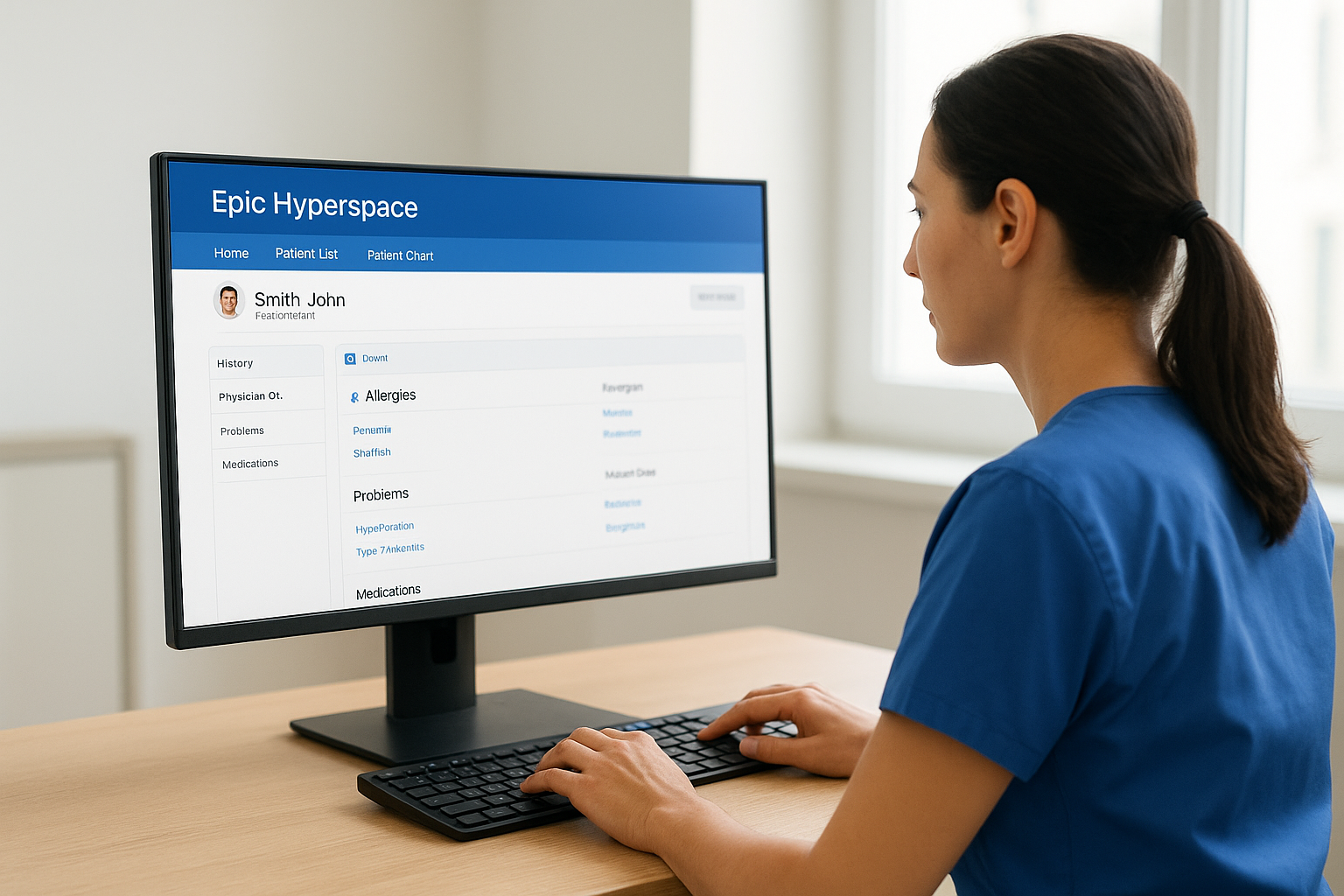
This structure means Hyperspace functions as the integration layer between the clinician and every backend system Epic manages. For vendors, this point is critical. If your product is not visible inside Hyperspace, clinical users will rarely engage with it. A standalone web portal or mobile app that lives outside of Hyperspace forces clinicians to switch contexts, remember separate logins, and interrupt their documentation flow. In practice, that friction kills adoption before it starts.
The infrastructure behind it
Health systems deploy Hyperspace across hundreds or thousands of workstations, often using virtualization tools like Citrix for remote access or direct installation for on-site machines. Epic's backend infrastructure runs on dedicated servers managed by the health system, typically on-premises or in a co-located data center. All traffic between the Hyperspace client and the backend travels through Epic's own communication protocols, separate from standard public web APIs.
This architecture explains why integration is not straightforward. You cannot call a generic API and expect your data to render on a clinician's screen. Working within Hyperspace requires meeting Epic's technical standards, specifically SMART on FHIR compliance, and going through Epic's App Orchard submission and review process. Your application also needs to be configured to launch contextually from within Hyperspace itself, passing patient context automatically so the clinician does not have to re-enter information they already have in front of them. Understanding this infrastructure is the starting point for any vendor serious about embedding into clinical workflows.
Why Epic Hyperspace matters in healthcare workflows
Understanding what is Epic Hyperspace gives you a clearer picture of why it carries so much operational weight in clinical settings. Clinicians spend the majority of their working hours inside Hyperspace, which means it functions as the central hub for nearly every care decision made during a patient encounter. Medications get prescribed here, referrals get sent, care plans get documented, and lab results get reviewed. If your product does not appear in this environment, clinical staff will rarely engage with it, regardless of how strong your solution is on its own merits.
The workflow bottleneck problem
Healthcare workflows are time-compressed and high-stakes. A physician seeing 20 to 30 patients per day has no tolerance for switching between systems, logging into separate portals, or manually copying data from one platform to another. Every extra step becomes a reason not to use a tool. This is why embedding directly into Hyperspace is not a nice-to-have for vendors. It is the baseline requirement for sustained clinical adoption.
If your product requires clinicians to leave Hyperspace to use it, expect your adoption numbers to reflect that friction.
When your tool surfaces inside the chart, with patient context already loaded and your interface accessible without a separate login, you remove the primary obstacle that stops most vendor integrations from gaining real traction inside a health system.
Where vendor products gain or lose traction
Your product's visibility inside Hyperspace directly shapes your win rate with health system buyers. Procurement teams evaluate vendor tools based on how well they fit into existing clinical workflows, not just on feature lists and pricing. A solution that launches contextually inside a patient chart signals that your team understands how clinical environments actually operate. One that requires a separate tab or standalone portal signals the opposite.
This impact runs through the entire sales cycle. Demos perform better when you show your tool operating inside the EHR rather than next to it. Pilots succeed faster when clinical staff can access your product without changing the workflow they already rely on every shift. Contract renewals become more predictable when your product functions like a native part of the system rather than an external add-on that requires a behavioral adjustment from busy clinicians.
How clinicians use Hyperspace day to day
When you think about what is Epic Hyperspace at a practical level, the clearest answer comes from watching a clinician work through a single shift. From the moment they log in, virtually every task they complete runs through Hyperspace. They open their patient list, pull up individual charts, document notes, review results, place orders, send referrals, and communicate with care team members, all without leaving the application. That concentration of activity is exactly what makes Hyperspace the most critical environment in any healthcare vendor's integration strategy.
The patient chart as the starting point
The patient chart is the anchor point for almost all clinical activity inside Hyperspace. When a clinician opens a chart, they land on a summary view that pulls together the patient's demographics, active medications, problem list, recent lab results, upcoming appointments, and outstanding tasks. This view is configurable by role, so a physician sees a different default layout than a nurse or a care coordinator, with each role getting a version of the chart optimized for their specific responsibilities.
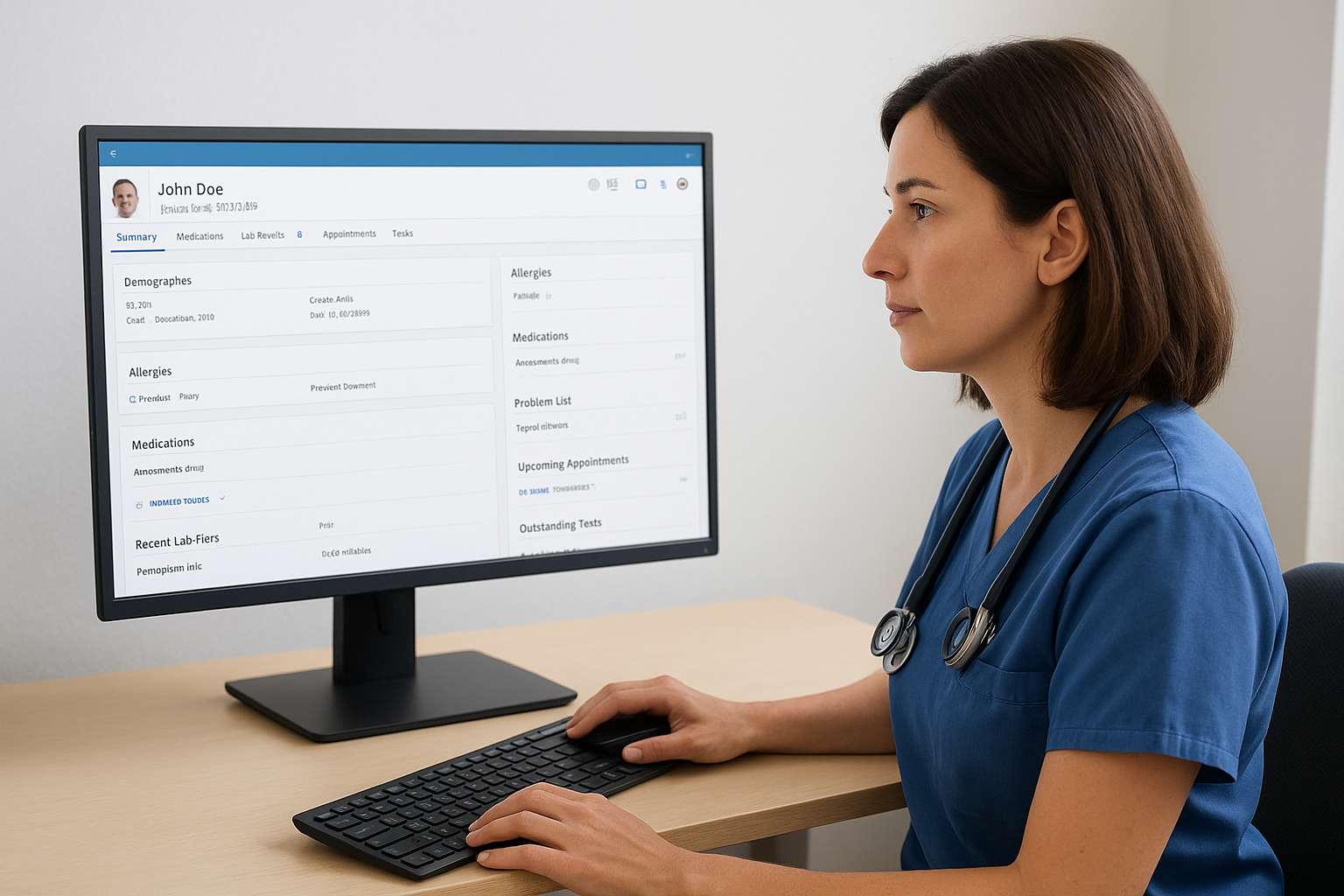
The chart view is where your vendor product needs to surface. If it does not appear here, you are asking clinicians to go looking for it.
Clinicians navigate between chart sections using a left-side navigator panel, which lists every available module from clinical notes to imaging to billing. They move quickly between these sections during a visit, which means any embedded tool needs to load fast and display cleanly within the existing layout rather than interrupting the flow they depend on during every encounter.
Documentation, orders, and task queues
Clinical documentation inside Hyperspace happens through structured note templates, SmartPhrases, and point-of-care data entry fields. Physicians dictate or type directly into the chart, often pulling forward information from previous visits. Order entry works through a dedicated module where clinicians search for medications, labs, imaging, or referrals and submit them within a few clicks.
Alongside documentation and orders, clinicians manage in-basket messages and task queues that surface time-sensitive items like patient questions, prescription refill requests, abnormal result notifications, and care gaps. These in-basket items drive a significant portion of the non-visit workload, and they represent another location where embedded vendor tools can surface alerts or action items without requiring clinicians to leave the system they are already working in.
Hyperspace vs Hyperdrive and other access options
When people ask what is Epic Hyperspace, they are usually referring to the thick-client desktop application covered in earlier sections. But Epic offers more than one way for users to access the EHR, and understanding the differences matters if you are building a product that needs to reach clinicians across different access environments. Each option has different technical characteristics, and the one a health system deploys affects how and where your embedded application can surface.
Hyperdrive: the browser-based alternative
Epic Hyperdrive is Epic's web-based client, designed to deliver a similar experience to Hyperspace without requiring a locally installed application. Hyperdrive runs in a standard browser and connects to the same Epic backend, which means clinicians see the same chart data, modules, and workflows they would inside the desktop client. Health systems moving toward cloud-friendly infrastructure tend to favor Hyperdrive because it reduces workstation management overhead and simplifies remote access without relying on Citrix or VPN tunneling.
SMART on FHIR applications that launch correctly inside Hyperspace are generally compatible with Hyperdrive as well, since both clients follow the same launch framework.
For vendors, Hyperdrive is a practical consideration during integration planning. If a target health system uses Hyperdrive as their primary client, your application needs to render cleanly in a browser context and respond to the same CDS Hooks and SMART launch parameters you would configure for Hyperspace. The integration path is similar, but you should verify rendering and performance in both environments before go-live.
Haiku, Canto, and Rover: mobile access options
Epic also offers three mobile applications for clinicians who need EHR access away from a workstation. Haiku runs on smartphones and gives physicians quick access to patient charts, results, and in-basket messages. Canto targets tablet users and offers a more complete chart experience closer to the desktop client. Rover is designed for nursing workflows, supporting bedside tasks like medication scanning and vital sign documentation.
These mobile clients serve a specific subset of clinical activity and do not support the full range of embedded vendor applications that Hyperspace and Hyperdrive handle. If your product targets mobile workflows, you will need to evaluate whether Epic's mobile APIs and the specific health system's configuration allow for the level of integration your use case requires. Most vendor integrations still launch primarily through the desktop environment, where clinicians spend the bulk of their documented time.
Core screens, tools, and terms to know
Anyone building for an Epic environment needs to understand the specific screens and tools that define daily clinical activity. Answering what is Epic Hyperspace fully means understanding not just its purpose but the vocabulary and interface elements that clinicians encounter on every shift. Without that foundation, vendor conversations about integration requirements, demo positioning, and product design tend to miss the mark.
The chart navigator and activity tabs
The left-side navigator is the primary navigation structure inside Hyperspace. It lists every available module as a clickable item, from clinical notes and problem lists to orders and results. Clinicians move through it constantly, which is why your embedded application needs to appear as a natural entry point within that structure rather than as something tucked away in a secondary menu clinicians have to hunt for.
The closer your tool is to the clinician's default navigation path, the higher your daily active usage will be.
Above the chart content, activity tabs let clinicians switch between major functional areas without losing their place in the chart. Common tabs include Chart Review, Orders, and Notes. If your product occupies one of these tabs or surfaces content within them, it benefits from the same navigation habits clinicians already rely on during every encounter.
SmartPhrases, SmartLists, and BestPractice Advisories
SmartPhrases are text shortcuts that expand into pre-written documentation blocks when clinicians type a period followed by a keyword. They speed up note documentation significantly and are one of the most-used efficiency tools inside Hyperspace. SmartLists work similarly but present a set of selectable options within a note template, allowing clinicians to click through structured fields rather than typing free text.
BestPractice Advisories, commonly called BPAs, are alert banners that surface inside the chart when a specific trigger condition is met. A BPA might fire when a patient meets criteria for a screening, a drug interaction is detected, or a care gap is identified. For vendors building clinical decision support tools, BPAs represent one of the most direct pathways to surfacing actionable recommendations inside the workflow without requiring the clinician to navigate anywhere new. They appear automatically based on logic configured in the Epic build, which means your integration strategy needs to account for how and when those triggers align with your product's intended use case.
Security, permissions, and auditing basics
When you understand what is Epic Hyperspace at a deeper level, security quickly becomes one of the most important topics to grasp. Health systems operate under strict regulatory requirements, and Hyperspace is built to enforce access controls, data visibility rules, and activity tracking at every layer of the system. As a vendor, the way your application handles authentication and data access inside Hyperspace directly affects whether a health system's compliance team approves your integration or flags it as a risk.
Role-based access and permission structures
Hyperspace uses role-based access control (RBAC) to define what each user can see and do inside the system. A physician has a different permission set than a nurse, a care coordinator, or a billing specialist, and those differences are configured at the health system level by Epic's build team. Clinicians only see the modules, patient records, and action buttons that their assigned role permits. This means your embedded application inherits the same access constraints as the user who launches it.
Your application cannot access data or perform actions that fall outside the launching user's existing permission set, regardless of what your product is technically capable of.
Break-the-glass workflows represent a specific exception scenario where a clinician needs emergency access to a patient record outside their normal permissions. Hyperspace tracks these access events separately and flags them for review, which underscores how seriously health systems treat unauthorized or unusual data access. If your product triggers any data pulls that fall outside a user's standard access scope, expect it to surface in security reviews.
Audit logs and access tracking
Epic logs every action a user takes inside Hyperspace, including which patient records they opened, what data they viewed, what orders they placed, and when each event occurred. These audit trails are a core compliance requirement under HIPAA, and health system security teams review them regularly to identify unusual access patterns or potential breaches. Any third-party application that reads or writes patient data through Hyperspace becomes part of that audit trail.
For your integration, this means every API call your application makes through SMART on FHIR gets associated with a specific user session and logged against the patient record your tool accessed. Health system security teams will ask about your data retention practices, your logging capabilities, and how your application handles PHI after a session ends. Coming prepared with clear answers to those questions shortens your security review timeline significantly.
How SMART on FHIR apps launch in Hyperspace
One of the most practical answers to what is Epic Hyperspace from a vendor's perspective is that it functions as the launch environment for SMART on FHIR applications. SMART on FHIR is an open standard that defines how third-party apps authenticate, request access, and surface inside an EHR like Epic. When a clinician clicks a button or navigates to a specific section of Hyperspace, your application can launch inline, pulling patient context automatically from the active chart and presenting your interface directly within the EHR window.
The launch sequence explained
The launch process follows a defined authorization flow. Hyperspace sends a launch request to your application's registered endpoint, along with a launch token that identifies the current session. Your app then redirects to Epic's authorization server, requests the specific FHIR scopes it needs, and receives an access token that lets it query patient data within those permitted boundaries. The entire sequence happens in seconds, and the clinician sees your app load without needing to authenticate separately.
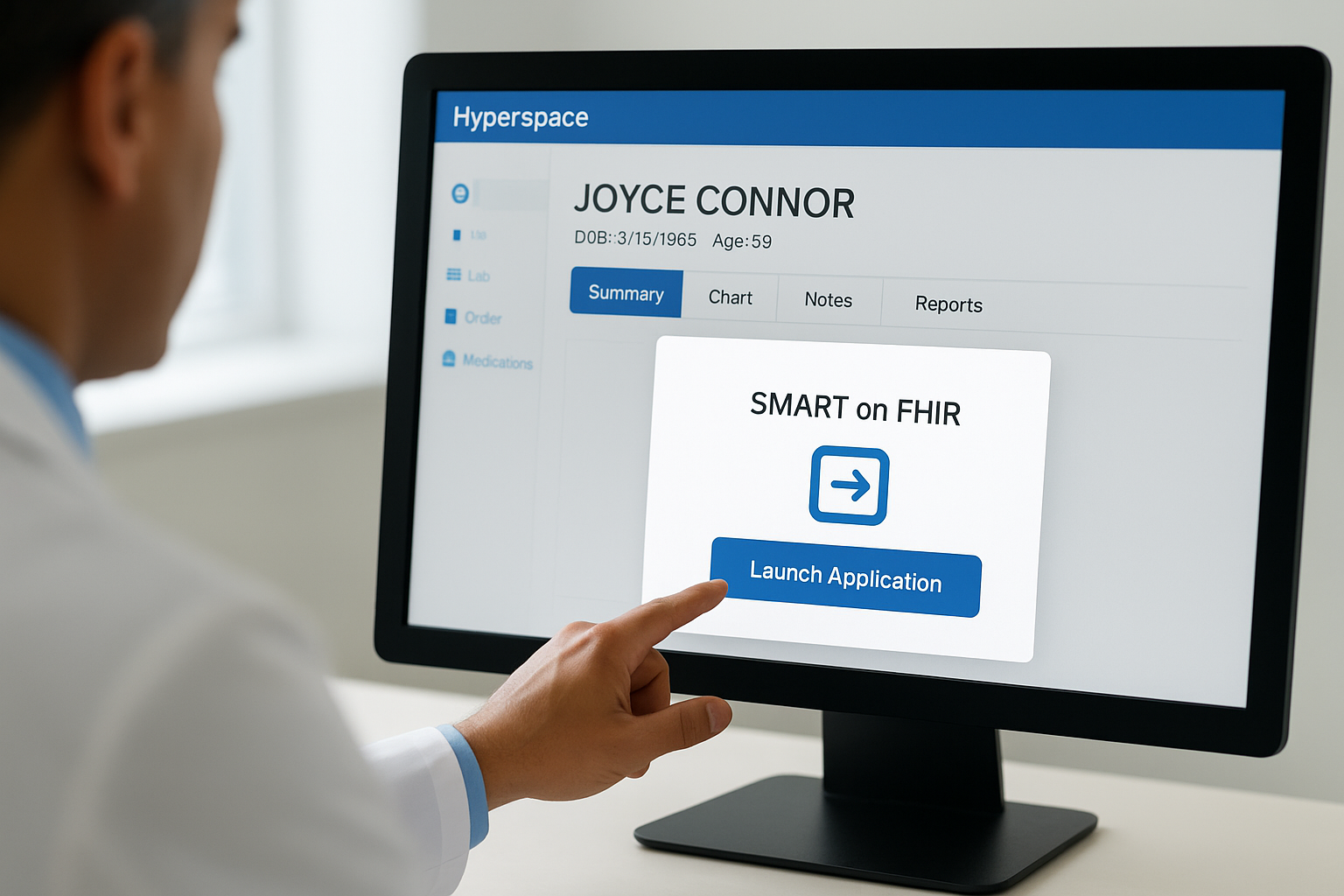
If your application requests more FHIR scopes than your use case requires, health system security teams will flag it before go-live.
Your application's launch URL and scope configuration get registered in the Epic App Orchard as part of the review process. Epic validates this registration before any health system can activate your app, which means you need accurate technical specifications documented well before you start piloting with a customer.
Context passing and patient data
Context passing is what separates a well-integrated SMART on FHIR app from one that creates workflow friction. When Hyperspace launches your application, it passes identifiers for the current patient, the active encounter, and the logged-in user. Your app reads those identifiers and uses them to pull the relevant FHIR resources, such as demographics, medications, conditions, or care team members, without asking the clinician to enter anything manually.
Platforms like VectorCare handle this launch configuration for you using pre-built FHIR actions and a no-code workflow builder, which removes the need to write custom API code or manage OAuth flows from scratch. Instead of spending months on authentication plumbing and FHIR resource mapping, your team configures the data fields and workflow logic visually, and the platform manages the SMART launch mechanics end to end. That approach cuts the typical integration timeline from over a year down to a matter of weeks.
Next steps
Now that you understand what is Epic Hyperspace and how it shapes clinical workflows, the next question is where your product fits inside it. Vendors who reach clinicians through contextual, chart-level integrations close more health system contracts and see faster adoption than those relying on standalone portals that sit outside the EHR. That reality makes your integration strategy one of the highest-leverage decisions you will make as you go to market.
Building a SMART on FHIR application that launches inside Hyperspace does not have to take 12 to 18 months or cost hundreds of thousands of dollars in custom engineering. VectorCare's no-code platform handles the FHIR configuration, OAuth flows, HIPAA compliance, and Epic App Orchard submission for you, so your team can focus on the product itself rather than the plumbing. If you are ready to move faster, launch your SMART on FHIR app with VectorCare and get your solution in front of clinicians in weeks, not years.
The Future of Patient Logistics
Exploring the future of all things related to patient logistics, technology and how AI is going to re-shape the way we deliver care.
Thank you! Your submission has been received!
Oops! Something went wrong while submitting the form.