What Is a FHIR Profile? Constraints, Extensions, Examples

FHIR gives you a common language for exchanging healthcare data, but out of the box, its resources are intentionally broad. A Patient resource, for example, can hold dozens of optional fields, far more than any single implementation actually needs. That's where FHIR profiles come in. If you're asking what is a FHIR profile, the short answer: it's a formal set of rules that constrains and extends a base FHIR resource to fit a specific clinical or business use case.
For healthcare vendors building integrations with EHR systems like EPIC, profiles aren't abstract theory. They directly shape how your application reads and writes patient data, what fields are required, and whether your app will pass validation. Getting profiles wrong means failed API calls, rejected submissions, and delays that cost you contracts. Getting them right means your app speaks the exact dialect a health system expects.
At VectorCare, we built our no-code SMART on FHIR platform specifically so healthcare vendors can skip the months of FHIR engineering and get listed on the EPIC Showroom in weeks, not years. Our tooling handles profile compliance under the hood, but understanding what profiles actually do gives you a real advantage when designing workflows and scoping integrations.
This article breaks down FHIR profiles from the ground up: how constraints and extensions work, where profiles fit inside implementation guides, and concrete examples you can reference when planning your own EPIC integration.
What a FHIR profile is and what it is not
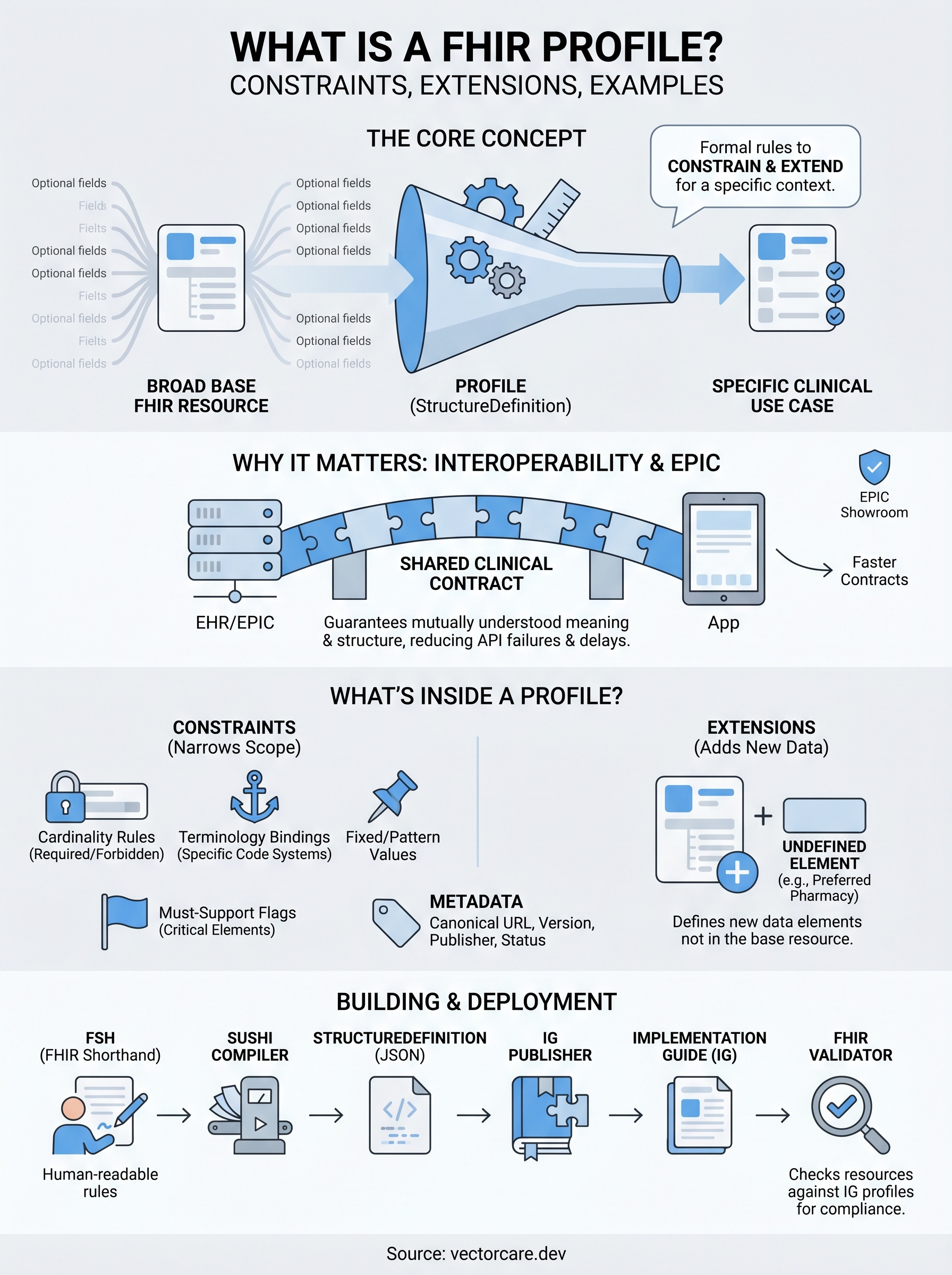
A FHIR profile is a formal specification, written as a StructureDefinition resource, that defines how a base FHIR resource must behave in a specific clinical or business context. When you want to understand what is a FHIR profile at a practical level, think of it as a constraint layer: the base resource provides the full range of possible fields, and the profile narrows that range by declaring which fields are required, forbidden, or restricted to a specific terminology binding. Profiles are machine-readable, which means validators can check your data against them automatically throughout development and before submission.
The base resource vs. the profile
FHIR's base resources are intentionally broad. The Observation resource, for example, can technically represent a blood pressure reading, a lab result, a social history note, or a fall risk score. All of those use cases fit within the same resource structure, but each needs different required elements and different code systems to be clinically meaningful to the receiving system.
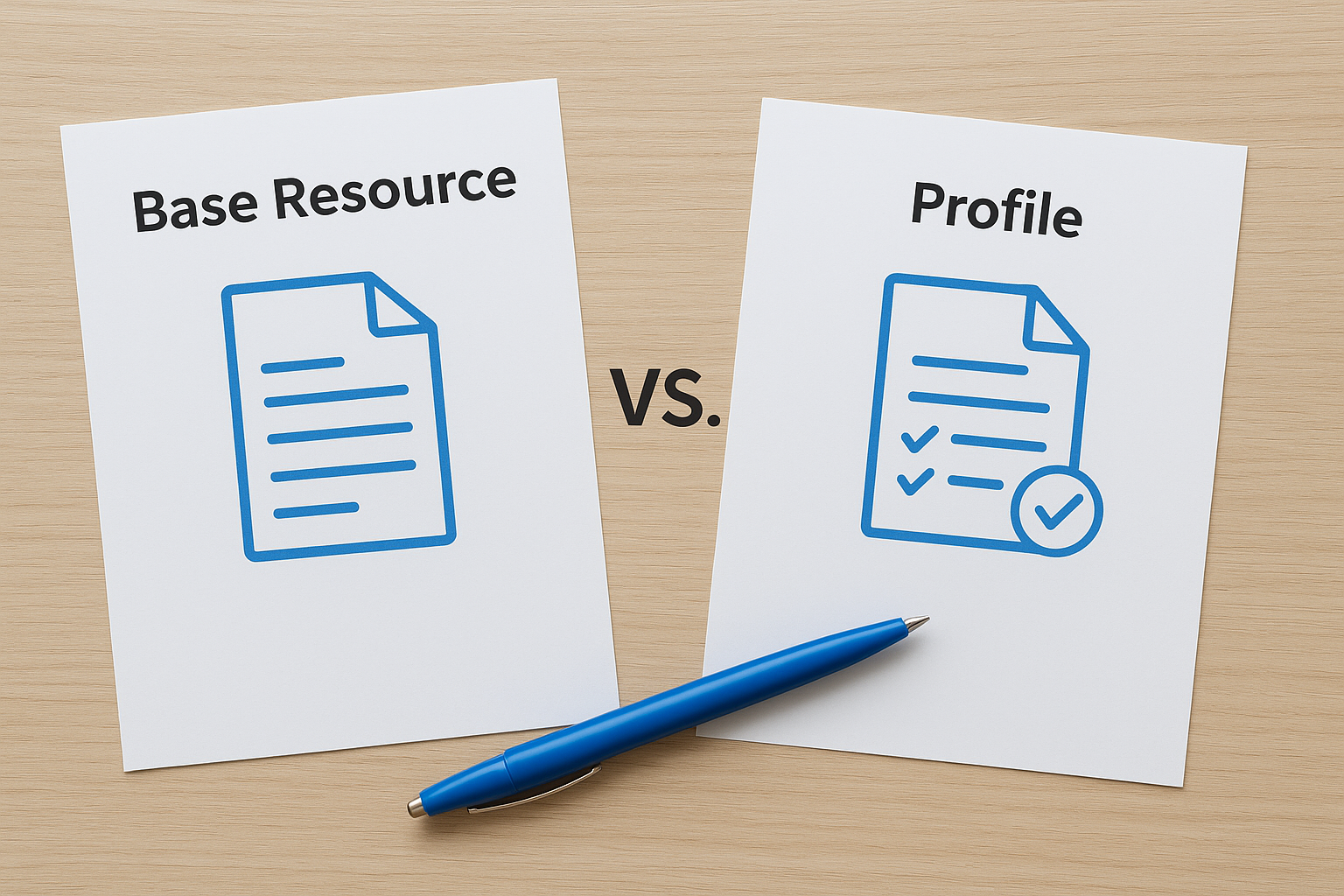
A profile resolves that ambiguity by locking in the specifics. If you build a blood pressure profile on Observation, you specify that the component slice is required, bind it to LOINC codes 8480-6 and 8462-4, and set cardinality so a consuming application knows exactly what data will be present. Every system that claims conformance to that profile can then exchange and process those readings without guesswork.
Profiles do not change the FHIR specification itself. They restrict or extend it strictly within the boundaries the specification already permits.
What a profile is not
A profile is not a standalone data schema. Developers sometimes conflate profiles with database schemas or general API contracts, but a profile is always anchored to a specific base FHIR resource type by canonical URL. It inherits every element from that base resource and then applies constraints or extensions on top. You cannot use a profile to introduce data types or structural changes that contradict the base specification.
A profile is also not optional in real integration work. When a health system publishes an implementation guide for their EPIC environment, they specify which profiles your submitted resources must conform to. Resources that fail profile validation will be rejected, which stalls your EPIC Showroom listing and delays the health system contracts you need to close.
Why FHIR profiles matter for interoperability
FHIR's base resources give you a common structure, but common structure alone doesn't guarantee systems can actually exchange meaningful data. Two systems can both claim to support FHIR and still fail to interoperate because they interpret the same fields differently, use different code systems, or treat optional elements in conflicting ways. Profiles close that gap by establishing a shared, enforceable contract that both the sender and receiver agree to follow.
Profiles create a shared clinical contract
When a health system publishes a profile for how they expect medication data to arrive, every vendor connecting to that system must conform to the same rules. This removes the ambiguity that causes integration failures at the data layer rather than at the network layer. Your application and the EHR aren't just exchanging bytes; they're exchanging data with a mutually understood meaning and structure that both sides can rely on.
Without profiles, two FHIR-compliant systems can still fail to interoperate because "valid FHIR" and "meaningful clinical data" are not the same thing.
Why this matters directly for EPIC integrations
For EPIC specifically, understanding what is a FHIR profile means recognizing that EPIC's implementation guides specify mandatory profiles for every resource type your application submits. EPIC validates incoming resources against those profiles automatically. If your data doesn't conform to the published profile, your API calls fail and your EPIC Showroom submission stalls. Profiles aren't a documentation formality; they are a hard gate standing between your app and live health system contracts.
What a profile contains: constraints and metadata
When you open a FHIR profile, you're looking at a StructureDefinition resource with a canonical URL that uniquely identifies it. That URL is how implementation guides, validators, and EHR systems reference and resolve the profile. Every profile declares its base resource type, a version, a publication status (draft, active, or retired), and a publisher. These metadata fields aren't cosmetic; validators use them to match incoming resources to the correct profile specification during compliance checks.
Constraints: cardinality, bindings, and slicing
The constraint set is the core of what is a FHIR profile. Cardinality rules let you tighten a base element by making optional fields required (changing 0..1 to 1..1) or forbidding them entirely (setting max cardinality to 0). Terminology bindings lock specific elements to required code systems, so a coding field the base resource leaves open now only accepts SNOMED CT or LOINC values. Common constraint types include:
- Cardinality: controls how many times an element can appear
- Fixed values: hard-codes an element to one specific value
- Pattern values: requires a partial match while leaving other sub-elements open
- Binding strength: sets how strictly a coded element must use a given value set
You can only tighten constraints in a derived profile, never loosen them beyond what the base resource already permits.
Must-support flags
Must-support flags signal that any system claiming conformance to the profile must be able to meaningfully process that element, even if the element isn't always populated. Receiving systems can't silently ignore must-support elements, and sending systems must populate them when the data is available. Health systems rely on these flags to verify that your application handles their clinically critical fields consistently before approving your EPIC Showroom submission.
Profiles, extensions, and implementation guides
Profiles constrain what's already in a base resource, but sometimes your use case requires data that the base resource simply doesn't define. That's where FHIR extensions come in. Extensions let you attach additional data elements to a resource in a structured, interoperable way without breaking the base specification. When you understand what is a FHIR profile in full, you recognize that profiles and extensions work as a pair: the profile declares which extensions are permitted, required, or forbidden for that specific use case.
Extensions: adding what the base resource doesn't have
An extension is a formally defined data element, identified by its own canonical URL, that you attach to a resource or element. If a health system needs to capture a patient's preferred pharmacy chain alongside their contact data, and the base Patient resource has no field for that, you define an extension and declare it inside the profile. Any system claiming conformance to that profile then knows the extension exists, what data type it carries, and whether it's required.

Undefined or undeclared extensions will fail validation, so every extension your app sends must be explicitly declared in the relevant profile.
Implementation guides: packaging profiles for deployment
An implementation guide (IG) bundles related profiles, extensions, value sets, and usage rules into a single publishable specification. Health systems and standards bodies publish IGs to communicate exactly how they expect FHIR data to look in their environment. EPIC's own integration specifications follow this pattern: your submitted resources must conform to the profiles published in the relevant IG, not just to base FHIR.
How to build, publish, and validate profiles
Once you grasp what is a FHIR profile at a structural level, the next practical step is knowing how to create one. Most teams start with FHIR Shorthand (FSH), a domain-specific language designed specifically for authoring StructureDefinition resources. FSH lets you write human-readable rules that the SUSHI compiler then converts into valid JSON StructureDefinition files ready for tooling and publication.
Building profiles with FSH and FHIR tooling
FSH files define your constraints, extensions, and must-support flags in a compact syntax that is far easier to read and review than raw JSON. You organize your FSH source files inside an IG Publisher project, which also holds your value sets, code systems, and narrative documentation. Keeping everything in one project structure means your profiles, extensions, and the IG that packages them stay synchronized throughout development.
Publishing and validating your work
The HL7 FHIR IG Publisher tool processes your project and generates a complete, navigable HTML specification site alongside the machine-readable artifacts. Once published, you run your actual resource instances through the FHIR Validator, a command-line tool that checks each resource against the canonical URL of your profile and reports any constraint violations.
Running the FHIR Validator against your test data before submitting to EPIC saves significant time by catching cardinality and binding errors before they become rejected API calls.
Every failed validation returns a specific error message tied to the exact element and rule, so you can fix issues incrementally rather than debugging a broad integration failure later.
Key takeaways
Understanding what is a FHIR profile gives you a concrete foundation for every EPIC integration decision you make. Profiles are machine-readable StructureDefinition resources that constrain base FHIR resources through cardinality rules, terminology bindings, and must-support flags. Extensions let you attach new data elements that the base resource doesn't define, while implementation guides bundle profiles and extensions into a deployable specification that health systems publish for vendors to follow.
For vendors targeting EPIC Showroom listings, profiles aren't optional reading. Failing profile validation means rejected API calls and delayed contracts, not minor documentation oversights. Building with FSH, running the FHIR Validator early, and understanding exactly which profiles an IG requires will save you months of rework.
If you want to skip the engineering burden entirely, VectorCare's no-code SMART on FHIR platform handles profile compliance, EPIC submission, and hosting so you can focus on your core product rather than integration plumbing.
The Future of Patient Logistics
Exploring the future of all things related to patient logistics, technology and how AI is going to re-shape the way we deliver care.
Thank you! Your submission has been received!
Oops! Something went wrong while submitting the form.