Clinical Decision Support Tools: What They Are and How They Work

If you've ever searched what are clinical decision support tools and gotten a wall of vague definitions, you already know the problem. Most explanations stop at "software that helps doctors make decisions" and never tell you what these tools actually do at the point of care or how they get in front of a clinician in the first place. That gap matters if you're building one, buying one, or trying to figure out why your product isn't showing up where clinicians actually work.
Clinical decision support (CDS) tools are software applications that analyze patient data in real time and deliver targeted alerts, recommendations, or reference information directly inside a clinician's workflow, usually right inside the EHR. Think drug interaction warnings, sepsis risk scores, or order sets that fire based on a patient's chart. The goal isn't to replace clinical judgment, it's to surface the right information at the exact moment a decision gets made.
In this article, we'll break down the different types of CDS tools, walk through concrete examples you'll recognize from daily practice, and explain the technical mechanics behind how they pull data and trigger alerts inside systems like EPIC. If you're a vendor, this also clarifies what it takes to get your own tool embedded in a live clinical workflow rather than sitting outside it.
Why clinical decision support tools matter in healthcare
The clinical case: catching what humans miss
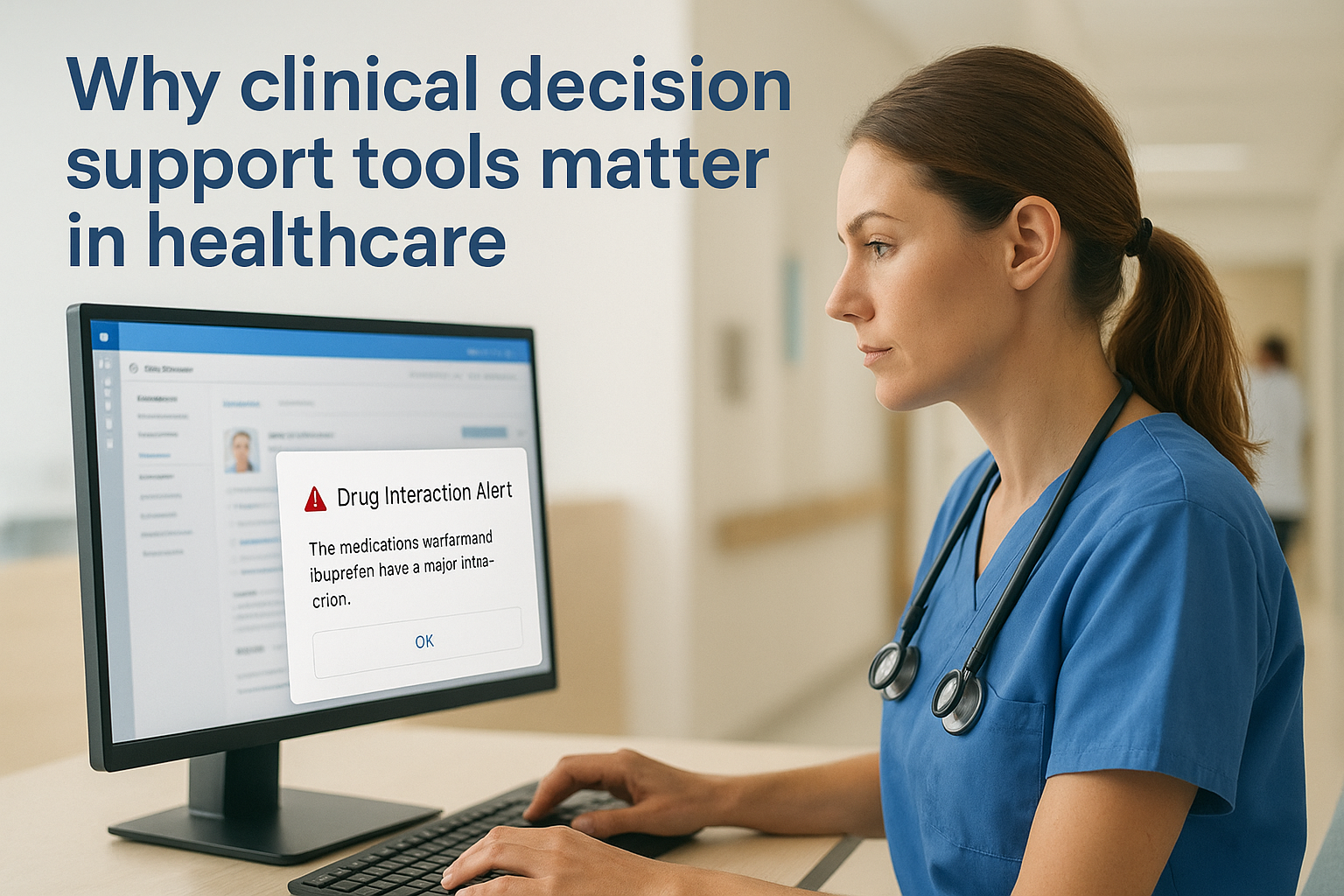
Doctors and nurses make hundreds of decisions per shift, often with incomplete information and under real time pressure. The Institute of Medicine's landmark "To Err is Human" report tied a large share of preventable medical errors to gaps in information at the point of care, not a lack of clinical skill. Clinical decision support tools close that gap by pulling the patient's actual chart data, allergies, labs, active medications, vitals, and checking it against clinical rules before a prescription gets signed or an order gets placed. A drug interaction alert that fires the moment a physician tries to prescribe two conflicting medications catches something a clinician juggling a full patient panel might otherwise miss entirely.
Clinical decision support tools work because they show up at the one moment that matters: right before the clinician commits to a decision.
The adoption problem vendors face
Health systems don't lack for good ideas, they lack for tools that show up where clinicians already are working. A brilliant risk-scoring algorithm that lives in a separate portal, requiring a clinician to log out of the EHR, log into another system, and re-enter patient information, gets used exactly once before it gets abandoned. This is the real reason CDS tools matter for the vendors building them, not just for the clinicians using them: a tool embedded directly in the EHR workflow gets adopted at rates standalone software never touches, and adoption is what turns a pilot into a signed contract with a health system. Vendors who understand this design their tools to trigger inside the chart review or order entry screen the clinician is already using, rather than asking for a separate login and a separate habit.
Where CDS shows up in quality metrics
Hospitals get paid, in part, on how well they hit quality measures tied to programs like CMS's Merit-based Incentive Payment System, and CDS tools are frequently the mechanism that gets a hospital from missing a measure to meeting it. A sepsis alert that fires when vitals cross a threshold isn't just clinically useful, it directly affects a hospital's sepsis mortality metric and its standing in value-based contracts. This is why hospital IT committees look favorably on vendors whose products come with built-in decision support tied to a recognized quality measure. It's an easier sell to a CMIO than a tool that only adds convenience without moving a metric the hospital is graded on.
Several categories of CDS carry outsized weight because they attach directly to measurable clinical outcomes rather than general convenience:
| CDS Use Case | What It Catches | Typical Impact |
|---|---|---|
| Drug interaction alerts | Conflicting prescriptions, dosing errors | Fewer adverse drug events |
| Sepsis risk scoring | Early deterioration in vitals and labs | Faster treatment, lower mortality |
| Preventive care reminders | Missed screenings, overdue immunizations | Higher quality-measure compliance |
| Order set suggestions | Inconsistent care pathways | Reduced variation, faster ordering |
| Duplicate test alerts | Redundant labs and imaging | Lower unnecessary costs |
Understanding this dual value, clinical safety on one side and measurable business impact on the other, explains why hospitals keep investing in decision support even as budgets tighten elsewhere. Vendors chasing health system contracts who ignore this dynamic tend to build features clinicians like but hospitals won't pay for. The ones who succeed build for both audiences at once.
How clinical decision support tools work in the EHR
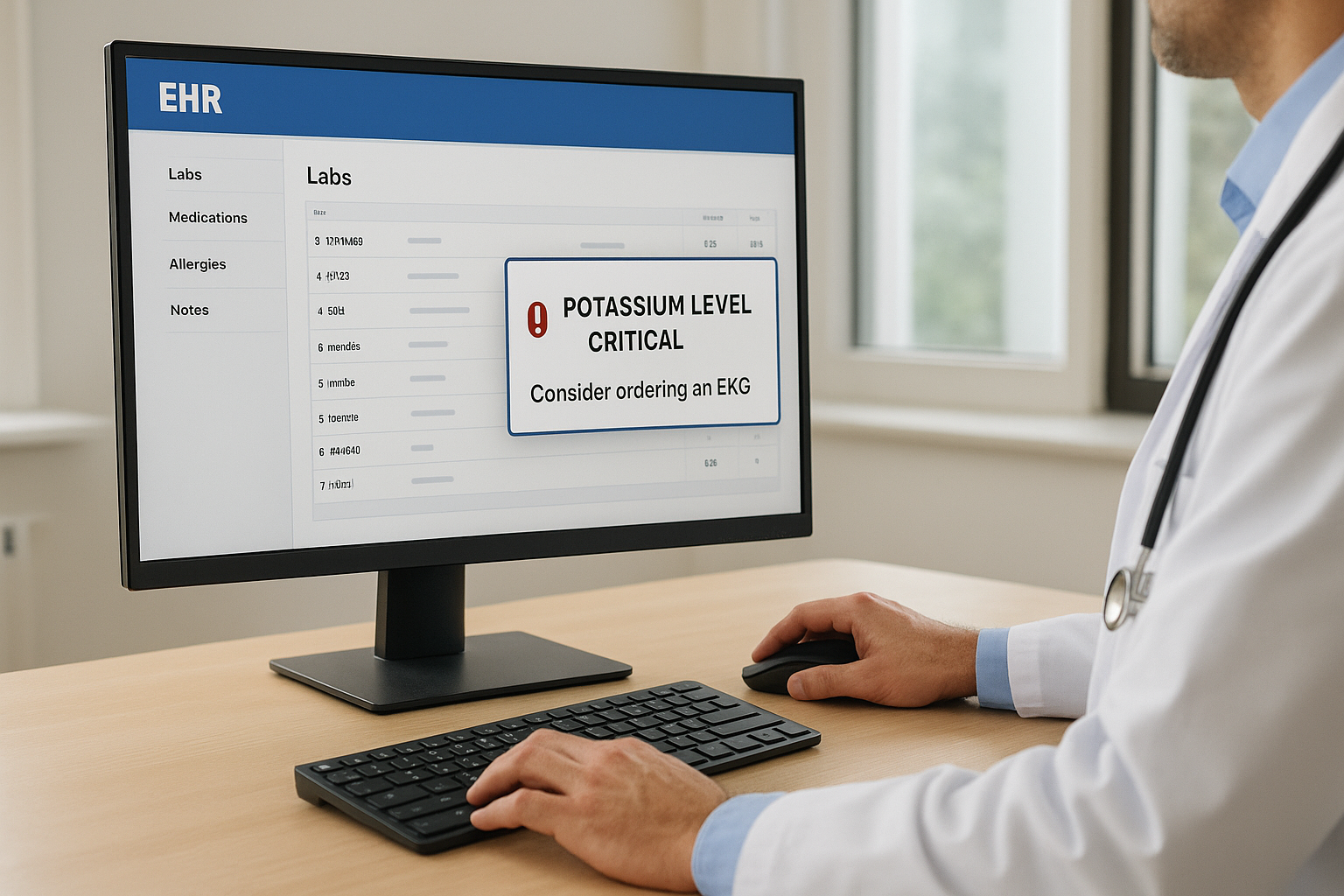
Understanding what these tools do clinically only gets you halfway. The other half is mechanical: how does a piece of software actually know a patient's potassium level just came back critical, and how does it get an alert onto a clinician's screen inside EPIC without them ever leaving the chart? That's a specific technical pathway, and it's worth walking through because it explains why so many good ideas never make it into a live workflow.
The trigger-to-alert pipeline
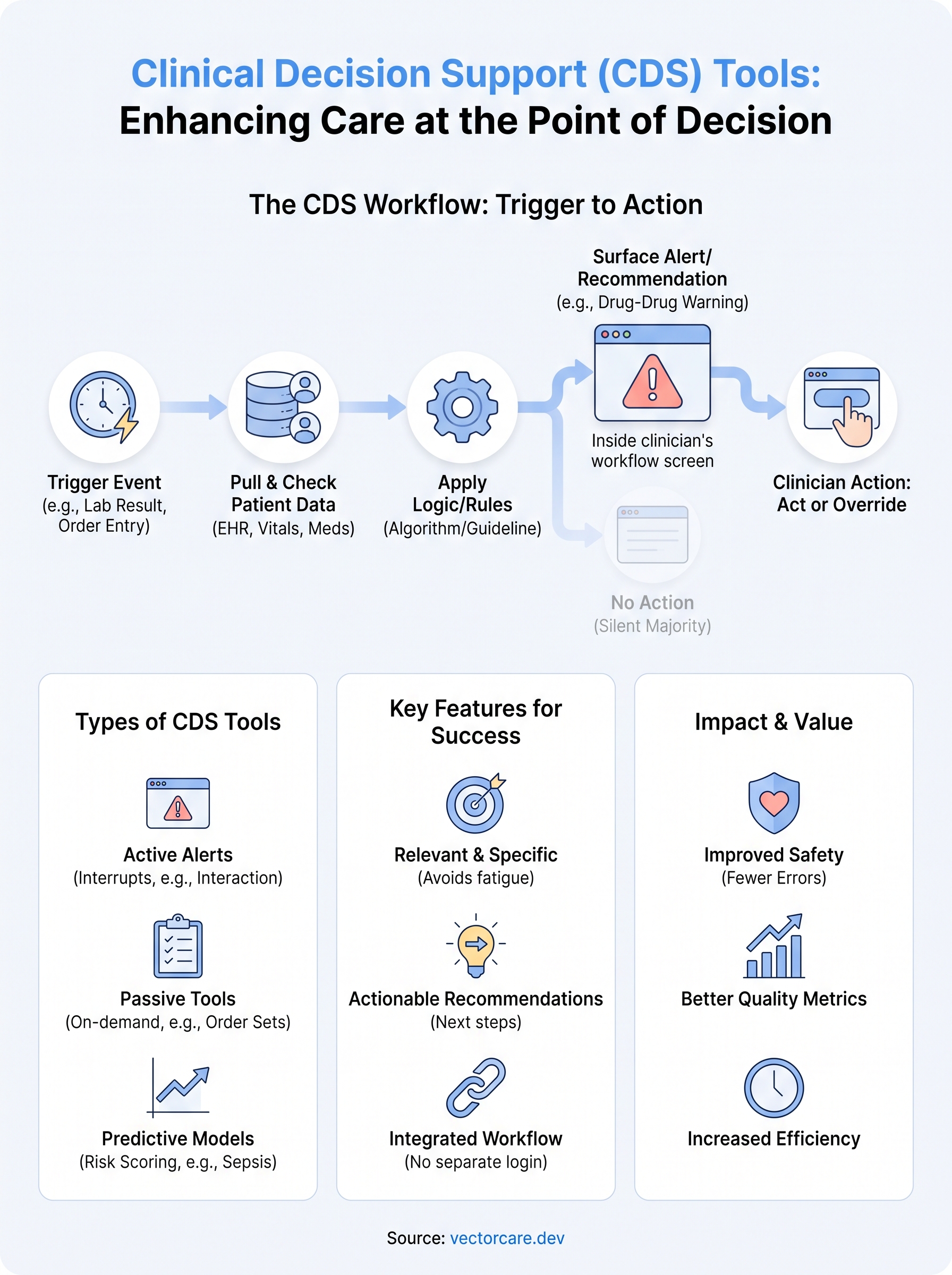
Every CDS tool starts with a trigger event, something that happens inside the EHR that the tool is watching for. That could be a new lab result posting, a clinician opening an order screen, a medication being added to a patient's list, or a scheduled check that runs on a timer. When the trigger fires, the tool pulls the relevant patient data, checks it against a rule set or algorithm, and decides whether to surface something. If the logic says yes, it renders an alert, a recommendation, or a pre-filled order set directly inside the screen the clinician is already looking at. If the logic says no, nothing happens and the clinician never even knows the check ran. This silent-majority behavior matters: a well-tuned tool fires rarely enough that clinicians trust it when it does.
A CDS tool is only as good as its trigger. Fire too often and clinicians ignore it, fire too rarely and it misses the moment that mattered.
SMART on FHIR and CDS Hooks as the plumbing
Inside EPIC specifically, this pipeline runs on two standards working together. SMART on FHIR is the authorization and data-access layer, it's what lets an app securely request a specific slice of a patient's chart (labs, meds, allergies) without needing broad access to the entire record. Sitting on top of that, CDS Hooks is the specification that defines the actual trigger points, moments like patient-view, order-select, or medication-prescribe, where an external service can get called mid-workflow and return a card back to the clinician's screen. Together, these two standards are what let a third-party vendor's logic run inside EPIC's interface as if it were native functionality, rather than a bolt-on that requires switching screens.
| Standard | What It Handles | Analogy |
|---|---|---|
| SMART on FHIR | Secure data access and authentication | The door that lets your app in |
| CDS Hooks | Trigger points and alert delivery | The doorbell that tells your app when to act |
Where the logic actually lives
The rules engine itself, the actual decision tree that says "if potassium is above 6.0 and the patient is on an ACE inhibitor, show this warning", typically lives outside EPIC on the vendor's own servers, communicating back and forth through Epic's FHIR API. Building and maintaining that connection from scratch is exactly where most vendors get stuck: it demands FHIR expertise, OAuth handling, and a submission process through EPIC's App Orchard just to get listed. Platforms like VectorCare's no-code workflow builder exist specifically to handle that plumbing, letting a vendor configure the trigger, the data pull, and the alert logic visually, without writing the underlying FHIR integration by hand.
Types of clinical decision support tools and examples
Clinical decision support tools generally fall into a handful of recognizable categories, and knowing the difference matters if you're a vendor deciding where your own product fits. Some tools interrupt the clinician actively, others sit quietly in the background until someone looks for them. Both types count as clinical decision support, but they trigger differently and demand different design choices.
Active alerts that interrupt the workflow
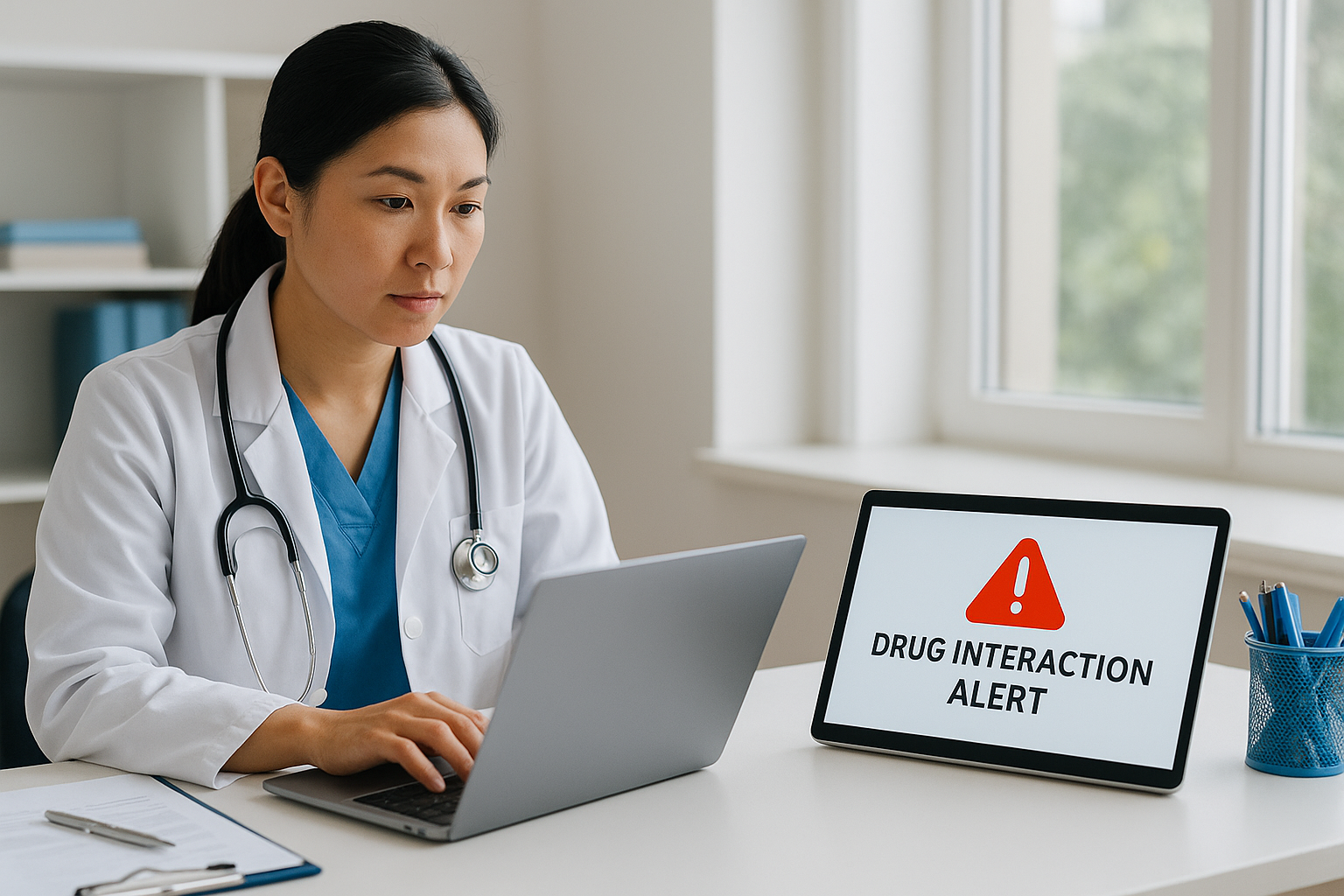
Active CDS tools push information at the clinician without being asked. A drug-drug interaction alert that pops up mid-prescription is the classic example, but the category also covers allergy warnings, duplicate-order flags, and critical lab-value notifications that fire the moment a result posts. These tools work because they force a pause at exactly the moment a mistake could happen. The tradeoff is real: fire too often on low-value warnings and clinicians start clicking through without reading, a pattern known in the field as alert fatigue.
An alert that fires constantly teaches clinicians to ignore it. An alert that fires rarely, and correctly, teaches them to trust it.
Passive tools that inform rather than interrupt
Reference-style CDS tools sit in the background and wait to be consulted rather than forcing a decision. Order sets are a good example, pre-built groupings of labs, meds, and imaging for a specific diagnosis like community-acquired pneumonia, letting a clinician build a treatment plan in one click instead of ordering ten items individually. Documentation templates and clinical guideline lookups fall into this same passive category. Nobody gets interrupted; the tool just makes the right choice easier to find than the wrong one.
Predictive and risk-scoring tools
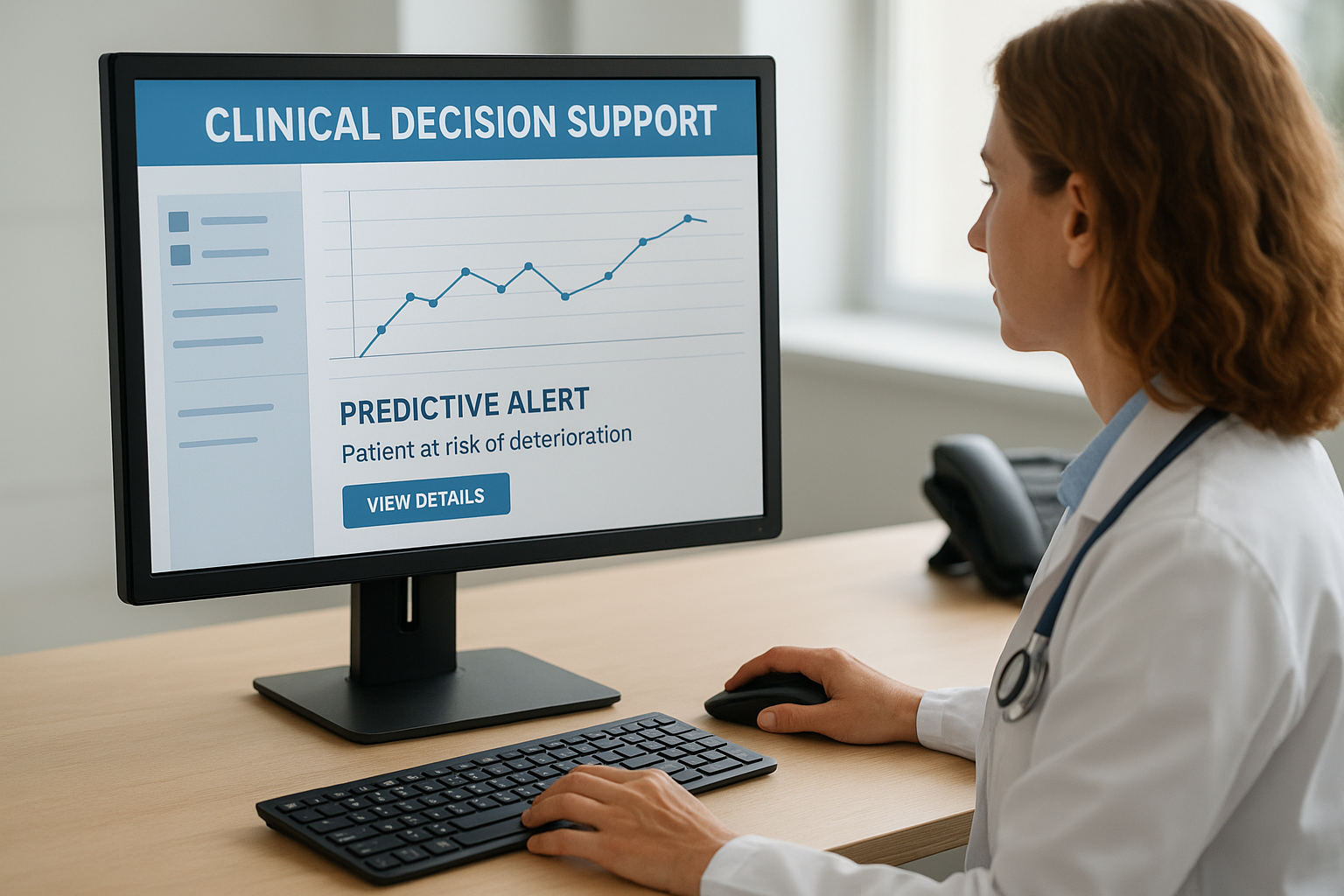
Separate from both alert and reference tools is a category built on predictive modeling rather than fixed rules. A sepsis risk score, a fall-risk calculator, or a readmission-risk model all fall here. These pull multiple data points, vitals trends, labs, comorbidities, and run them through a scoring algorithm to flag deterioration before it becomes obvious on a chart review. This is the fastest-growing segment of the CDS market, and it's where machine-learning-driven tools increasingly compete with older rule-based logic.
Here's how the major categories line up against the trigger points and examples we've covered so far:
| CDS Type | Behavior | Common Example |
|---|---|---|
| Active alert | Interrupts the clinician mid-task | Drug interaction warning |
| Reference/order set | Available on demand, no interruption | Pneumonia order set |
| Predictive/risk score | Runs continuously, flags on threshold | Sepsis risk calculator |
| Documentation aid | Suggests structured content while charting | Auto-populated assessment template |
That range is exactly why clinical decision support systems aren't a single product category. A vendor building a remote patient monitoring tool needs an active alert for critical readings, but a vendor building a referral or intake workflow is closer to the passive, order-set style of tool. Knowing which bucket your product falls into shapes everything downstream: how you design the trigger, how often it fires, and how EPIC's App Orchard reviewers will expect it to behave once it's live in a health system's chart.
Key features of an effective CDS tool
Not every CDS tool that gets built actually gets used, and the difference usually comes down to a handful of design choices made before the first line of logic gets written. A tool can be clinically brilliant and still fail in production if it ignores how clinicians actually work. Below are the features that separate CDS tools clinicians keep using from the ones that get dismissed after a week.
Relevance over volume
An effective CDS tool fires only when the information genuinely changes what a clinician would otherwise do. Specificity matters more than coverage here: a tool that flags every possible drug interaction, including trivial ones, trains clinicians to click through without reading. The tools that earn trust are tuned to a narrow, high-value trigger, like a potassium level crossing a threshold in a patient already on a potassium-sparing diuretic, rather than a blanket rule that fires on any abnormal lab. Precision is what keeps the alert meaningful the tenth time it appears, not just the first.
A CDS tool earns trust one accurate alert at a time, and loses it the same way.
Actionable recommendations, not just warnings
A good CDS tool doesn't just flag a problem, it tells the clinician what to do about it. Compare "this patient's INR is elevated" against "this patient's INR is elevated, consider holding warfarin and reordering labs in 24 hours." The second version saves a clinical decision-making step instead of just adding one. This is where order set suggestions and pre-filled next actions outperform bare alerts: they shrink the gap between noticing a problem and acting on it, which is the entire point of decision support in the first place.
Seamless workflow integration
An effective tool never asks the clinician to leave the screen they're already on. This is the same principle covered earlier with SMART on FHIR and CDS Hooks: if a tool requires a separate login or a context switch, adoption drops regardless of how good the underlying logic is. The best CDS tools render inside the existing order-entry or chart-review screen, using the patient context already loaded, so the clinician never has to re-enter information the EHR already has.
Transparency and clinician override
Clinicians need to see why an alert fired, not just that it fired. A tool that shows its reasoning, "triggered because eGFR dropped below 30 and this order is renally cleared", builds far more trust than a black-box warning. Just as important, every alert needs a clean override path with a reason code, because forcing an action without an easy dismissal is exactly what breeds alert fatigue and workaround behavior.
Here's a quick checklist worth running any CDS tool against before it goes live:
- Does it fire only on genuinely actionable situations, not every abnormal value?
- Does it suggest a next step rather than just naming a problem?
- Does it render inside the existing EHR screen without a separate login?
- Does it explain its own trigger logic to the clinician?
- Can a clinician override it in one click with a documented reason?
A tool that checks all five tends to survive past the pilot phase. A tool missing even one usually gets quietly disabled within a few months.
Common challenges in implementing CDS tools
Building a clinically sound CDS tool is only step one. Getting it live inside a health system's EPIC instance, and keeping clinicians actually using it, surfaces a separate set of problems that catch most vendors off guard. Understanding these upfront saves months of rework later.
Alert fatigue undoing good design
Even a well-built tool can collapse under its own success if it fires too often. Clinicians who see the same warning dozens of times a week start clicking through without reading, and once that habit forms, it's hard to reverse even after the underlying logic gets fixed. Alert fatigue is the single most common reason a CDS tool gets quietly disabled by a health system's informatics team, not because the logic was wrong, but because the volume made it noise. Vendors who skip tuning thresholds before launch almost always run into this within the first quarter of deployment.
The fastest way to kill a good CDS tool is to let it fire too often before anyone tunes it.
Integration complexity and the technical skills gap
Getting a tool to trigger correctly inside EPIC requires real fluency in FHIR APIs, OAuth authentication, and the specific CDS Hooks trigger points covered earlier. Most digital health startups don't have engineers with this background on staff, and hiring for it is slow and expensive. This is the barrier that stalls the most vendors: not the clinical idea, but the months of integration work standing between a working prototype and a live EPIC deployment. According to guidance from the Office of the National Coordinator for Health IT, interoperability standards like FHIR exist precisely to reduce this burden, but implementing them correctly still demands specialized expertise most small teams lack in-house.
Data quality and incomplete records
A CDS tool is only as accurate as the data it pulls, and EHR data is frequently incomplete, delayed, or entered inconsistently across departments. A sepsis alert that relies on vitals posted every four hours instead of every fifteen minutes will always lag behind the patient's actual status. Missing allergy entries, outdated medication lists, and inconsistent coding all quietly degrade a tool's accuracy long before anyone notices the pattern.
Clinician trust and workflow disruption
Clinicians who've been burned by a noisy or wrong alert in the past carry that skepticism into every new tool they encounter. Rebuilding trust after a bad first impression takes far longer than earning it the first time. Add in the reality that any tool requiring an extra click, a separate login, or a context switch away from the chart gets abandoned almost immediately, and workflow fit becomes as important as clinical accuracy.
Cost and ongoing maintenance
Even after a tool goes live, it needs continuous upkeep: FHIR API versions change, EPIC releases updates, and clinical guidelines shift. A short list of the recurring costs vendors underestimate:
- Maintaining compliance with HIPAA and SOC2 as data flows evolve
- Re-certifying through EPIC's App Orchard after platform updates
- Monitoring and re-tuning alert thresholds as usage data comes in
- Staffing support for health system IT teams post-launch
Each of these carries a real, recurring cost, and skipping any of them is usually what turns a promising pilot into a churned contract.
Best practices for successful CDS adoption
Getting a clinical decision support tool built is the easy part. Getting it adopted, and keeping it adopted six months after launch, depends on a handful of practices that separate tools clinicians rely on from ones that quietly get switched off. These aren't abstract principles, they're the specific steps vendors and health systems that succeed at CDS adoption actually follow.
Start narrow, then expand
Successful rollouts almost always begin with a single, high-value trigger rather than a broad suite of alerts launched all at once. A vendor who ships one well-tuned sepsis alert and proves it catches real cases earns the credibility to expand into related use cases later. Launching ten alerts simultaneously, by contrast, floods clinicians before anyone has built trust in the tool, and the whole rollout risks getting shelved over one noisy feature dragging down the rest.
Win one workflow completely before asking clinicians to trust you with ten.
Involve clinicians before launch, not after
Bringing frontline physicians and nurses into the design process before a tool goes live catches problems no engineering team would ever spot on its own. Clinicians know exactly which alerts they'll ignore and which ones will actually change their next click, and that feedback is worth more before launch than any amount of post-launch tuning. Health systems that skip this step almost always end up rebuilding thresholds within the first month anyway, just with a live tool clinicians have already learned to distrust.
Tune thresholds using real usage data
Once a tool is live, the job isn't done, it's just starting. Tracking alert firing rates against override rates tells you almost immediately whether a threshold is too sensitive or not sensitive enough. A useful early checklist for any team monitoring a new CDS rollout:
- What percentage of alerts get overridden versus acted on?
- Are override reasons clustering around one specific scenario?
- Has the firing rate changed since a recent EHR or guideline update?
- Are clinicians reporting the alert verbally even when they're not logging complaints formally?
Understanding these answers within the first few weeks lets a team adjust thresholds before bad habits set in, which is far easier than trying to rebuild trust after clinicians have already started clicking through.
Build a feedback loop that never really closes
Vendors and IT teams who treat launch as the finish line consistently lose ground to clinical guideline changes, EHR version updates, and shifting patient populations that quietly make yesterday's thresholds wrong today. The teams that keep adoption high instead schedule regular review cycles, quarterly at minimum, where firing rates, override patterns, and clinician feedback all get reassessed together. That ongoing discipline, more than any single design decision, is what keeps a CDS tool useful two years into deployment rather than just two months.
The future of clinical decision support technology
Clinical decision support isn't standing still, and the next few years will push it further from static rule-firing into something closer to continuous, adaptive monitoring. The tools built today on rigid "if-then" logic are already starting to share space with models that learn from outcomes data and adjust their own thresholds over time. Vendors who understand where this is heading are positioning their roadmaps now, rather than waiting until a health system asks why a competitor's tool predicts deterioration a full shift earlier.
From rule-based logic to predictive machine learning
The biggest shift underway is the move from fixed clinical rules toward predictive machine learning models that weigh dozens of variables simultaneously instead of checking a single threshold. A sepsis alert built on machine learning doesn't just ask whether one lab value crossed a line, it weighs trends across vitals, labs, and history to flag risk hours before a rule-based system would ever fire. This is where clinical decision support platforms are headed as a category, and it's already visible in how EPIC and other major EHR vendors are opening up their platforms to model-driven CDS Hooks services rather than only static rule engines.
The next generation of clinical decision support won't wait for a threshold to be crossed, it will predict the threshold before the patient gets there.
Interoperability standards keep expanding the surface area
As FHIR matures, the number of data points a CDS tool can safely and legally access keeps growing, which directly expands what these tools can catch. The Office of the National Coordinator for Health IT continues to push interoperability requirements forward, and each expansion of the FHIR standard means vendors can pull richer context, social determinants of health, prior authorization status, home monitoring data, into the same trigger logic that used to rely only on labs and vitals. That broader data access is what makes the next wave of predictive risk scoring meaningfully more accurate than what's live today.
Ambient documentation and generative AI at the point of care
Generative AI is starting to show up not just in scoring algorithms but in ambient clinical documentation and in how CDS tools explain themselves to clinicians. Instead of a static card reading "eGFR below 30, renally cleared drug flagged," future tools will generate a short, contextual explanation drawn from the patient's specific history, closer to a colleague's note than a rule engine's output. This matters because transparency was already identified as a core feature of tools clinicians trust, and generative explanations make that transparency scale without requiring a human to write a custom message for every possible trigger combination.
For vendors, none of this changes the fundamentals covered earlier: a tool still needs to fire inside the workflow, still needs a clean override path, and still needs to earn trust one accurate alert at a time. What's changing is the sophistication of the logic behind the alert, not the discipline required to deploy it responsibly inside a live EPIC instance.
Putting clinical decision support into practice
Clinical decision support tools work because they show up at the right moment with the right information, not because they're clever. Every example in this article, from drug interaction alerts to sepsis risk scores, succeeds or fails based on the same fundamentals: narrow triggers, clear reasoning, a clean override, and a home inside the workflow clinicians already use. That's the whole discipline, whether you're evaluating a tool as a health system or building one as a vendor.
If you're building that tool, the hard part was never the clinical logic, it's the months of FHIR integration, OAuth handling, and App Orchard submission standing between your idea and a live EPIC deployment. That's exactly the gap a platform can close. Build and deploy your SMART on FHIR app in days instead of spending a year on plumbing, and put your decision support logic in front of clinicians while it still matters.
The Future of Patient Logistics
Exploring the future of all things related to patient logistics, technology and how AI is going to re-shape the way we deliver care.
Thank you! Your submission has been received!
Oops! Something went wrong while submitting the form.