SOC 2 Controls Checklist and Template for Scope and Evidence

SOC 2 Controls Checklist and Template for Scope and Evidence
You need SOC 2 certification to close deals with healthcare organizations. The audit process can feel overwhelming when you're staring down hundreds of controls, unclear scope boundaries, and evidence requirements that seem to multiply every time you look at them. Most vendors spend months trying to figure out which controls apply to their systems and how to prove they're actually working.
A proper SOC 2 controls checklist cuts through the confusion. It maps every control to the right trust services criteria, defines what evidence you need to collect, and creates a repeatable system for maintaining compliance year after year. Instead of scrambling during audit time, you'll know exactly what your auditor expects to see.
This guide walks you through building and using a SOC 2 controls checklist that works for healthcare vendors. You'll learn how to scope your audit correctly, organize controls by category, gather and tag evidence efficiently, and maintain your checklist as your systems evolve. We'll also provide templates you can adapt to your specific situation. By the end, you'll have a clear roadmap from initial scoping to passing your audit.
What a SOC 2 controls checklist includes
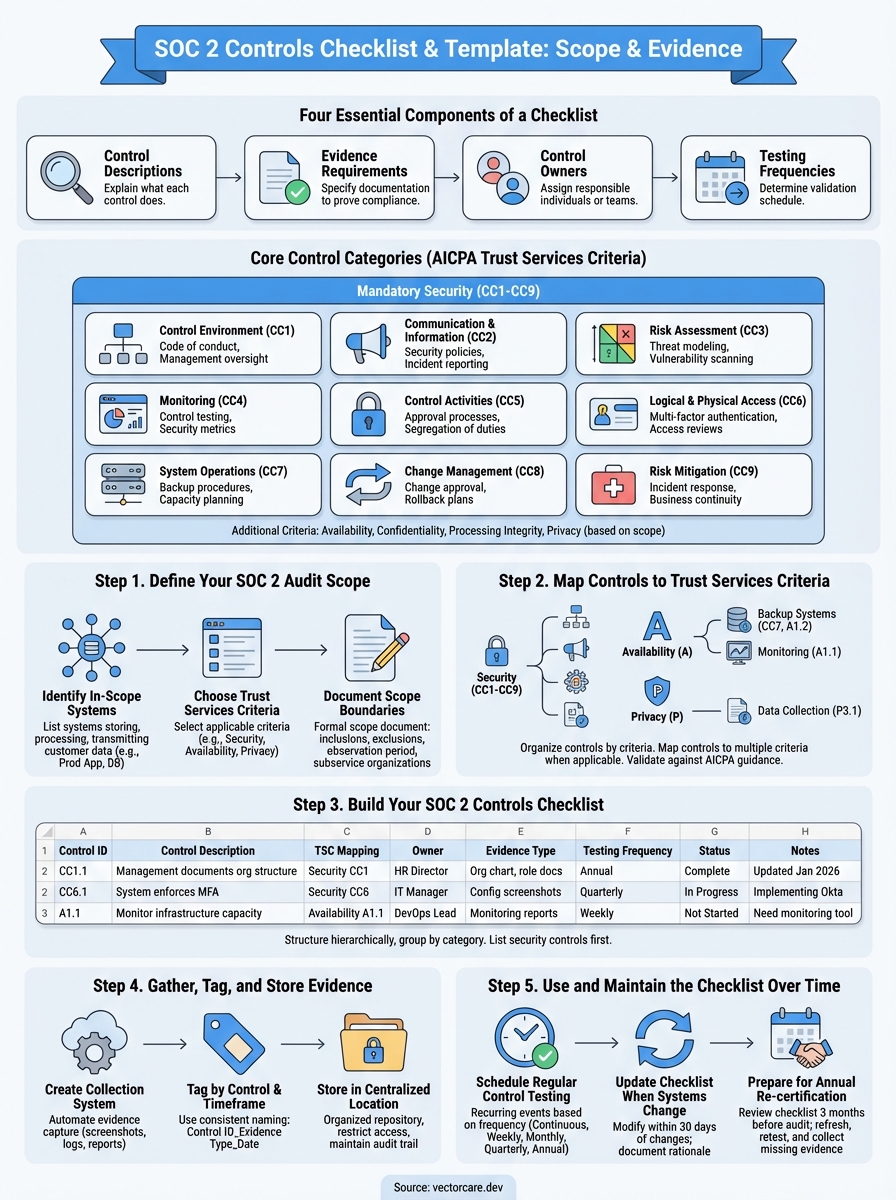
A SOC 2 controls checklist includes four essential components that work together to prove your security program functions as designed. You need control descriptions that explain what each control does, evidence requirements that specify what documentation proves compliance, control owners who are responsible for executing each control, and testing frequencies that determine how often you validate each control works. These elements form the foundation your auditor uses to evaluate your compliance.
Core control categories
Your checklist organizes controls into nine categories based on the AICPA Trust Services Criteria. The security category (Common Criteria CC1-CC9) is mandatory for all SOC 2 audits and covers control environment, communication, risk assessment, monitoring, control activities, logical access, system operations, change management, and risk mitigation. If you include additional criteria like availability, confidentiality, processing integrity, or privacy, your checklist expands to cover those specific controls as well.
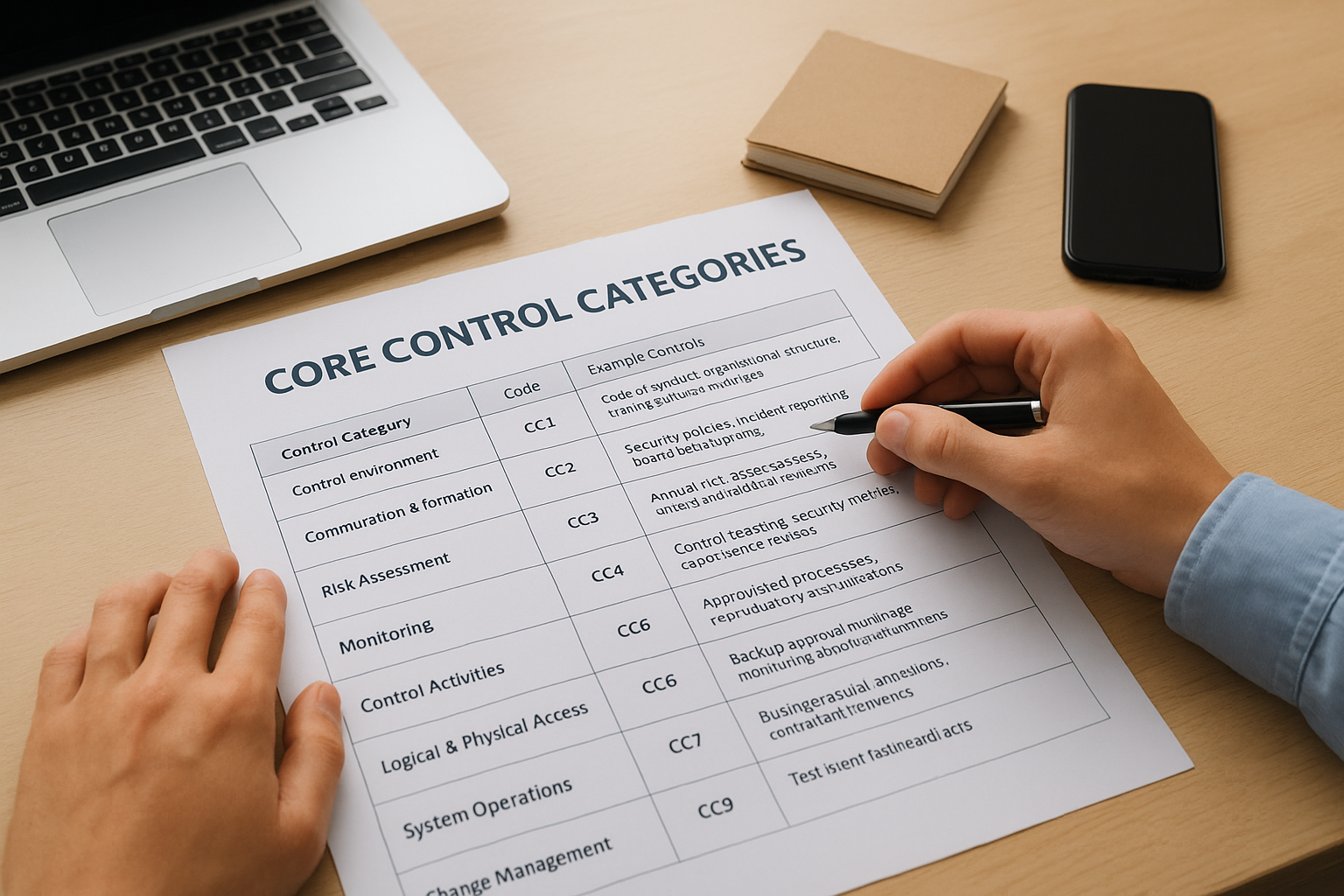
| Control Category | Code | Example Controls |
|---|---|---|
| Control Environment | CC1 | Code of conduct, organizational structure, management oversight |
| Communication & Information | CC2 | Security policies, incident reporting procedures, board reporting |
| Risk Assessment | CC3 | Annual risk assessments, threat modeling, vulnerability scanning |
| Monitoring | CC4 | Control testing, security metrics, compliance reviews |
| Control Activities | CC5 | Approval processes, segregation of duties, reconciliations |
| Logical & Physical Access | CC6 | Multi-factor authentication, access reviews, badge systems |
| System Operations | CC7 | Backup procedures, monitoring alerts, capacity planning |
| Change Management | CC8 | Change approval workflows, testing requirements, rollback plans |
| Risk Mitigation | CC9 | Incident response plans, business continuity, vendor management |
Evidence and documentation requirements
Each control on your checklist specifies what evidence you must provide to your auditor. You'll document policies and procedures that describe how you implement each control, screenshots and logs that show the control operating in your systems, meeting minutes and reports that prove management oversight, and test results and artifacts that validate control effectiveness. Your checklist should list the exact evidence type for each control so you know what to collect before the audit starts.
A well-structured soc 2 controls checklist eliminates guesswork by defining exact evidence requirements upfront, not during the audit when it's too late to gather historical data.
Control ownership assignments
Your checklist assigns specific individuals or teams to each control. The IT team typically owns technical controls like access management and system monitoring, HR manages employee onboarding and training controls, leadership handles governance and oversight controls, and operations maintains business continuity and vendor management controls. Clear ownership ensures someone is accountable for implementing, documenting, and maintaining each control throughout your observation period.
Step 1. Define your SOC 2 audit scope
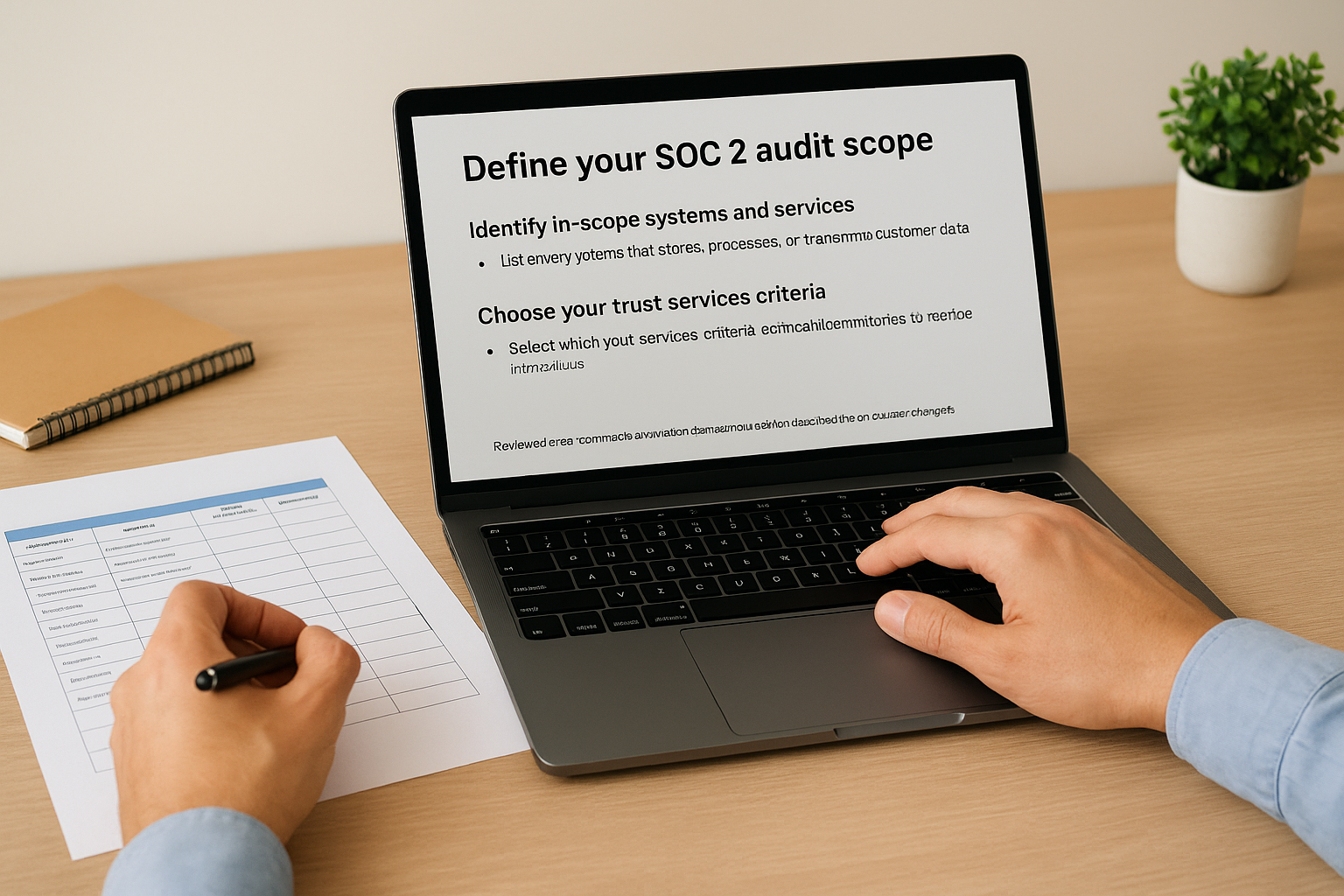
You need to define exactly which systems, services, and data flows your SOC 2 audit will cover before you build your controls checklist. Your scope determines which controls you'll implement, what evidence you'll collect, and ultimately how much your audit will cost. Getting scope right prevents you from either over-auditing systems that don't need scrutiny or under-auditing critical components that handle customer data.
Identify in-scope systems and services
Start by listing every system that stores, processes, or transmits customer data. Your scope should include your production application servers, databases that hold protected health information, authentication systems, backup infrastructure, and any third-party services integrated into your customer-facing workflows. You'll exclude internal systems like HR software or marketing tools unless they directly impact the security of your customer service delivery.
Document each system with specific details about its function, data types, and connections. Create a table that shows your system name, purpose, data classification, hosting location, and whether it's customer-facing or supporting infrastructure. This inventory becomes the foundation of your scope statement and helps your auditor understand your environment quickly.
Your scope statement should be specific enough that an auditor can clearly identify which controls apply to which systems, but flexible enough to accommodate minor infrastructure changes during your observation period.
Choose your trust services criteria
You must select which trust services criteria beyond the mandatory security category apply to your business. Healthcare vendors typically include availability because uptime matters for clinical workflows, confidentiality when handling proprietary algorithms or trade secrets, and privacy when processing identifiable patient information. Processing integrity becomes relevant if you perform calculations or transformations on healthcare data that clinicians rely on for decisions.
Review your customer contracts and vendor questionnaires to see which criteria they require. Most healthcare organizations demand security and availability at minimum. If you're unsure, start with security only for your Type 1 audit, then add criteria for Type 2 after validating your baseline controls work.
Document scope boundaries
Create a formal scope document that explicitly states what's included and excluded from your audit. Your document should specify which trust services criteria you selected, list all in-scope systems and services, define your observation period, identify any subservice organizations you rely on, and note any excluded systems with justification. This scope document becomes part of your audit report and sets expectations with both your auditor and your customers about what your SOC 2 actually covers.
Step 2. Map controls to trust services criteria
You need to map each control in your soc 2 controls checklist to the specific trust services criteria it satisfies. This mapping process connects your security activities to the AICPA framework requirements and shows your auditor which controls prove compliance with each criterion. Without clear mappings, you risk implementing controls that don't align with your selected criteria or missing controls that your auditor expects to see.
Organize controls by trust services category
Start by creating a spreadsheet or table that lists each trust services criterion you selected during scoping. Under each criterion, group the relevant controls by their common criteria codes (CC1 through CC9 for security). Your security controls form the foundation and apply to all SOC 2 audits, while availability, confidentiality, processing integrity, and privacy controls only appear if you included those criteria in your scope.
| Trust Services Criterion | Control Code | Control Description | Evidence Type |
|---|---|---|---|
| Security (CC1) | CC1.1 | Management defines and documents organizational structure | Org chart, role descriptions |
| Security (CC1) | CC1.2 | Board provides oversight of system operations | Board meeting minutes |
| Security (CC6) | CC6.1 | System requires MFA for all user accounts | MFA configuration screenshots |
| Availability (A1.1) | A1.1 | System monitors infrastructure capacity weekly | Capacity monitoring reports |
| Privacy (P3.1) | P3.1 | System collects only necessary personal data | Data flow diagrams, privacy policy |
Map controls to multiple criteria when applicable
Some controls satisfy requirements across multiple trust services criteria simultaneously. Your access control procedures might support both security (CC6) and confidentiality (C1.2) requirements, while your backup systems address security (CC7), availability (A1.2), and processing integrity (PI1.5) criteria. You should list these controls under each applicable criterion in your checklist rather than forcing an artificial single assignment.
Document the rationale for each mapping in your checklist notes. When you assign a control to multiple criteria, explain specifically which aspect of the control satisfies each requirement. This documentation helps during the audit when your auditor reviews your control mappings and validates they align with AICPA guidance.
Mapping controls to multiple criteria when justified demonstrates a mature compliance program that understands how security practices interconnect across the entire trust services framework.
Validate mappings against AICPA guidance
Review your control mappings against the official AICPA Trust Services Criteria document to confirm you haven't missed required controls or misassigned controls to incorrect criteria. The AICPA framework includes points of focus under each criterion that specify what your controls must address. Your access review control satisfies CC6.2 only if it includes user access rights, authorization levels, and periodic reviews as the points of focus require.
Cross-reference your mappings with sample SOC 2 reports from your audit firm or industry peers to see how similar organizations structure their control sets. You'll quickly identify gaps where you need additional controls or areas where you've over-engineered your compliance program with redundant controls that don't add value.
Step 3. Build your SOC 2 controls checklist
You need to convert your scope decisions and control mappings into a working soc 2 controls checklist that your team can actually use throughout your audit preparation. This checklist becomes your central reference document that tracks every control, assigns ownership, defines evidence requirements, and monitors completion status. Your checklist should work as both a project management tool during audit prep and a compliance reference during your observation period.
Create your checklist structure
Build your checklist with at least eight core columns that capture everything your auditor needs to evaluate. Start with a spreadsheet or compliance platform that includes control ID, control description, trust services criteria mapping, control owner, evidence type required, testing frequency, completion status, and notes. You can add columns for implementation date, last testing date, or remediation actions as your program matures.
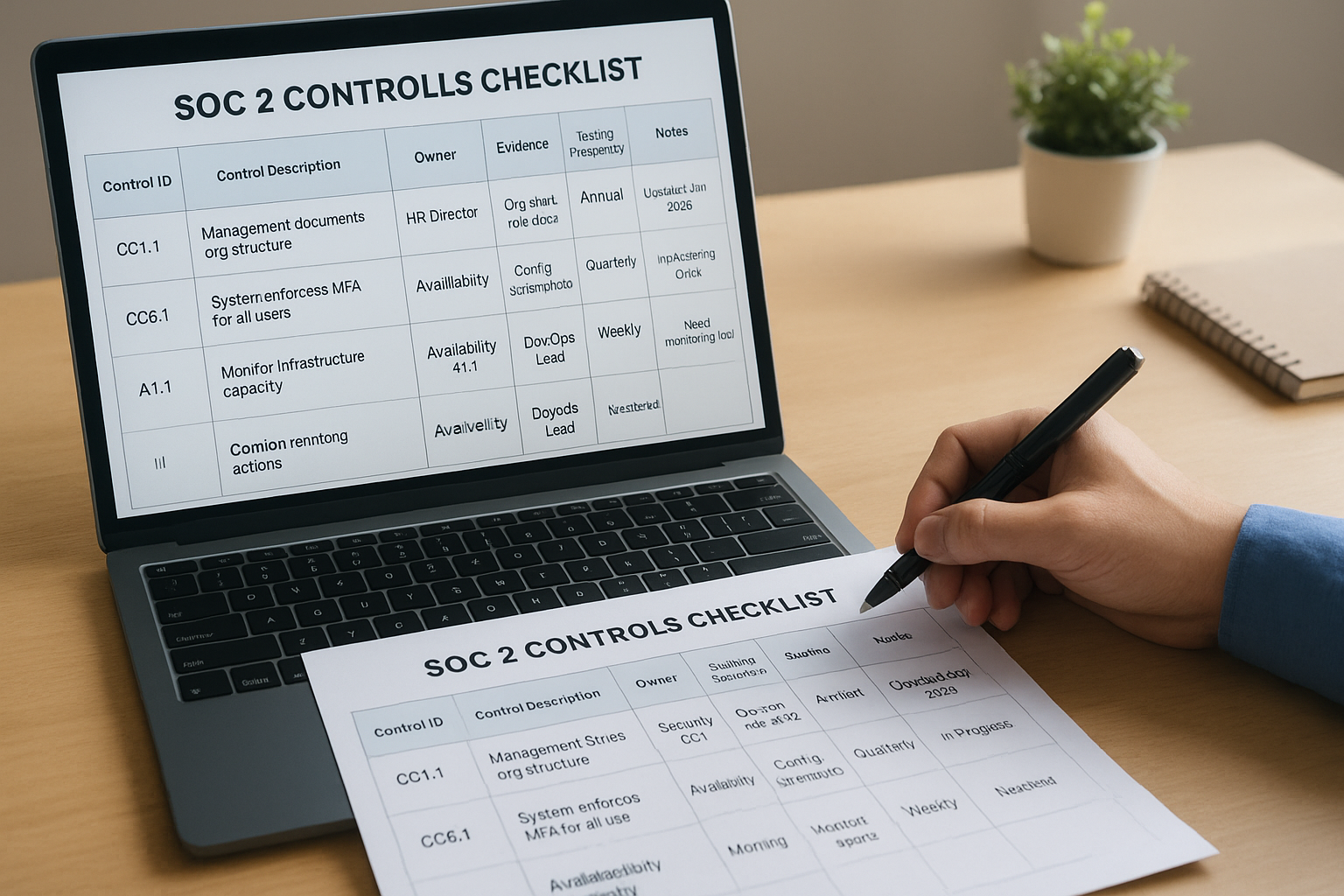
Structure your checklist hierarchically by grouping controls under their trust services categories. List all security controls (CC1 through CC9) first since they apply to every audit, then add availability, confidentiality, processing integrity, and privacy controls based on your scope. This organization helps you see coverage gaps within each category and makes it easier to assign related controls to the same owner.
Here's a template structure you can adapt:
Control ID | Control Description | TSC Mapping | Owner | Evidence Type | Testing Frequency | Status | Notes
-----------|---------------------|-------------|-------|---------------|-------------------|--------|-------
CC1.1 | Management documents org structure | Security CC1 | HR Director | Org chart, role docs | Annual | Complete | Updated Jan 2026
CC6.1 | System enforces MFA for all users | Security CC6 | IT Manager | Config screenshots | Quarterly | In Progress | Implementing Okta
A1.1 | Monitor infrastructure capacity | Availability A1.1 | DevOps Lead | Monitoring reports | Weekly | Not Started | Need monitoring tool
Populate control details for each category
Fill in your checklist by starting with your mandatory security controls across all nine common criteria categories. For each control, write a clear description that explains what the control does in plain language, not just restating the AICPA criterion text. Your description should specify the action taken, the frequency of that action, and the expected outcome.
Assign specific individuals to each control rather than generic roles. List actual names with their titles so everyone knows who's accountable for implementation and evidence collection. When a control requires collaboration across teams, designate a primary owner who coordinates with other stakeholders and consolidates evidence for the auditor.
Document the exact evidence type your auditor expects for each control. You'll need policies and procedures for governance controls, system screenshots and logs for technical controls, training records and acknowledgments for personnel controls, and test results and reports for operational controls. Your checklist should specify the evidence format, retention period, and where the evidence gets stored.
Your controls checklist serves as both a roadmap for audit preparation and a playbook for maintaining compliance after you pass your initial audit.
Include testing and validation fields
Add columns that track how and when you test each control's effectiveness. You'll test some controls continuously through automated monitoring, others quarterly through manual reviews, and governance controls annually through management assessments. Your checklist should specify the testing method (automated monitoring, manual inspection, walkthrough, or independent testing) and the next scheduled test date.
Build in status tracking with clear completion criteria for each control. Use status values like "Not Started," "In Progress," "Awaiting Evidence," "Ready for Audit," or "Auditor Approved" so you can quickly assess your overall readiness. Include a notes column to capture implementation challenges, remediation plans, or clarifications from your auditor during the review process.
Step 4. Gather, tag, and store evidence
You need to collect and organize evidence for every control on your soc 2 controls checklist before your auditor arrives. Evidence proves your controls operate as designed throughout your observation period, not just at a single point in time. Your auditor will request specific artifacts for each control, and you'll waste weeks scrambling to recreate historical evidence if you don't collect it systematically from day one.
Create an evidence collection system
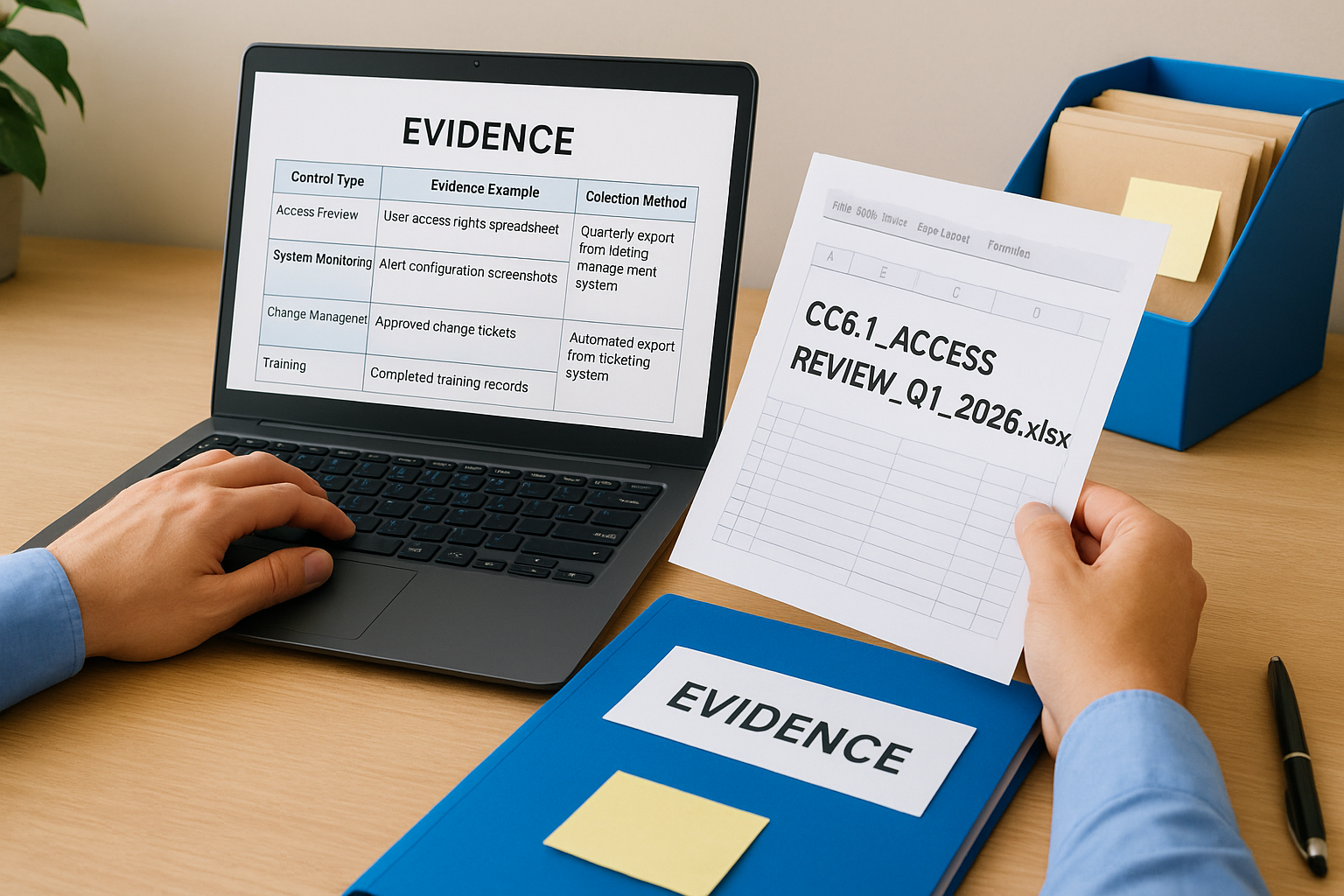
Build a system that automatically captures evidence as your controls execute rather than manually collecting artifacts before the audit. You'll use screenshots from your access management system for quarterly reviews, export logs from your monitoring tools for incident response controls, and save meeting minutes from management oversight sessions. Your system should collect evidence in real time so you have continuous proof of control operation.
Set up automated evidence collection wherever possible through integrations with your existing tools. Configure your backup system to generate weekly completion reports, schedule your access review tool to export quarterly user lists, and automate policy acknowledgment tracking in your HR platform. Manual evidence collection introduces gaps and inconsistencies that raise red flags during audits.
| Control Type | Evidence Example | Collection Method |
|---|---|---|
| Access Review | User access rights spreadsheet | Quarterly export from identity management system |
| System Monitoring | Alert configuration screenshots | Monthly automated screenshot capture |
| Change Management | Approved change tickets | Automated export from ticketing system |
| Training | Completed training records | Automated report from LMS platform |
| Risk Assessment | Risk register with scores | Annual export after risk review meeting |
Tag evidence by control and timeframe
Tag each piece of evidence with the specific control ID it supports and the date it was collected. You'll use a consistent naming convention like CC6.1_Access_Review_Q1_2026.xlsx or CC7.2_Backup_Test_2026-01-07.pdf that includes the control code, evidence type, and collection date. This tagging system lets you quickly locate the right evidence when your auditor requests specific controls.
Document the source and context for each evidence artifact in your notes. Include who collected the evidence, what system it came from, and any special circumstances that explain anomalies or variations. Your auditor will ask questions about outliers or unexpected patterns, and having context documented ahead of time speeds up the review process.
Your evidence naming convention should allow anyone on your team to identify which control an artifact supports and when it was collected without opening the file.
Store evidence in a centralized location
Create a centralized evidence repository that your entire compliance team can access throughout the observation period. You'll organize evidence by trust services category, then by control code, then by collection date. Your folder structure might look like SOC2_Evidence/Security_CC6/CC6.1_MFA_Controls/2026_Q1/ to keep artifacts organized and easy to retrieve.
Restrict access to your evidence repository to team members who need it and maintain an audit trail of who views or modifies files. You'll grant your auditor read-only access to this repository when the audit begins rather than emailing individual files back and forth. Cloud storage platforms with version control work well since you need to preserve evidence in its original form without accidental edits.
Step 5. Use and maintain the checklist over time
Your soc 2 controls checklist becomes a living document that you update and reference throughout your compliance lifecycle. You need to treat it as an operational tool rather than a one-time audit artifact, since your systems change, new risks emerge, and your auditor expects continuous compliance between annual audits. Building regular maintenance into your workflow prevents control drift and keeps your evidence collection on track.
Schedule regular control testing cycles
Set up recurring calendar events for each control based on its testing frequency defined in your checklist. You'll test access controls quarterly by exporting user lists and reviewing permissions, verify backup restoration monthly by attempting actual restores, and validate monitoring alerts weekly by reviewing incident logs. Your calendar should trigger these tests automatically so nothing falls through the cracks during busy periods.
Assign testing responsibilities to the same control owners who implement each control in your checklist. When your IT manager owns the MFA control, they also own the quarterly testing to verify MFA remains enforced across all accounts. Your DevOps lead tests infrastructure monitoring controls, your HR director validates training completion, and your security team performs penetration testing. Clear ownership ensures accountability for both implementation and validation.
| Testing Frequency | Control Examples | Testing Action |
|---|---|---|
| Continuous | System monitoring, log collection | Automated alerts verify controls operate |
| Weekly | Backup completion, vulnerability scans | Review automated reports for failures |
| Monthly | Firewall rules, capacity monitoring | Manual inspection of configurations |
| Quarterly | Access reviews, vendor assessments | Export data and perform manual analysis |
| Annual | Risk assessments, policy updates | Conduct formal review meetings |
Update the checklist when systems change
Modify your checklist within 30 days whenever you add new systems, change infrastructure providers, or implement new security tools. You'll add controls for the new components, update evidence requirements to reflect different artifacts, and adjust control owners if responsibilities shift. Your checklist should always mirror your current environment so your next audit covers the systems you actually operate.
Document all changes in your checklist notes with the date modified and reason for the update. When you migrate from AWS to Azure, note which controls changed their evidence collection methods. If you implement a new identity provider, record which access controls now pull evidence from the new system instead of the old one. This change log helps your auditor understand your environment's evolution during the observation period.
Your checklist maintenance cadence should match your change management frequency so new systems immediately integrate into your compliance program rather than creating gaps.
Prepare for annual re-certification
Review your entire checklist three months before your next audit date to identify controls that need updating or evidence gaps that accumulated over the year. You'll refresh outdated policies, retest controls that showed weaknesses, and collect any missing evidence before your auditor requests it. This advance review gives you time to remediate issues rather than rushing fixes during the audit.
Schedule a formal checklist review with all control owners to validate that descriptions remain accurate, evidence collection methods still work, and ownership assignments reflect current team structure. You'll discover which controls became easier through automation, which need additional resources, and where you can consolidate redundant controls. This annual tuning keeps your compliance program efficient and audit-ready year-round.
Additional control examples and templates
You can accelerate your audit preparation by starting with proven templates that cover the most common controls auditors evaluate. These templates give you a working structure you can customize for your specific environment rather than building each control document from scratch. Each template includes the control objective, implementation steps, evidence requirements, and testing procedures that your auditor expects to see in a mature SOC 2 program.
Access control documentation template
Your access control template should document how you grant, review, and revoke access to systems containing customer data. You'll specify which roles receive which permissions, how often you review access rights, and what triggers immediate revocation. This template becomes your evidence for controls CC6.1 through CC6.8 in your soc 2 controls checklist.
CONTROL: User Access Review (CC6.2)

Objective: Verify only authorized individuals maintain access to production systems

Implementation:
1. IT Manager exports user list from identity provider quarterly
2. System owners review access rights for their applications
3. Unauthorized access gets documented and removed within 5 business days
4. HR notifies IT of terminations within 24 hours for immediate revocation

Evidence Required:
- Quarterly access review spreadsheet with owner approvals
- Termination tickets showing access removal
- Identity provider audit logs showing access changes

Testing Procedure:
- Auditor selects sample of 25 users from quarterly review
- Auditor verifies access matches approved roles
- Auditor tests 5 terminated employees to confirm access removal
Change management workflow template
Build your change management template to track every production change from request through deployment. Your template captures who requested the change, what testing occurred, who approved deployment, and whether rollback plans exist. Auditors test this control rigorously because unauthorized changes represent significant security risks.
CONTROL: Production Change Approval (CC8.1)

Change Request Form Fields:
- Requester name and date
- Systems impacted
- Business justification
- Testing completed (describe results)
- Rollback procedure
- Deployment date/time
- Approver signature

Approval Requirements:
- Infrastructure changes: CTO approval required
- Application changes: Development Lead approval required
- Security changes: CISO approval required
- Emergency changes: Post-implementation review within 48 hours

Evidence Location:
- Jira tickets tagged "production-change"
- Git commit messages referencing ticket IDs
- Weekly change log reviewed in operations meeting
Your templates should match your actual processes rather than describing ideal processes you don't follow, since auditors test whether your documented controls reflect reality.
Risk assessment framework template
Your risk assessment template provides a repeatable method for identifying, evaluating, and mitigating risks to your systems and data. You'll rate each risk by likelihood and impact, assign owners to mitigation plans, and track remediation progress. This template satisfies controls CC3.1 through CC3.4 that require formal risk management processes.
CONTROL: Annual Risk Assessment (CC3.2)

Risk Identification Sources:
- Vulnerability scans (weekly automated)
- Penetration test results (annual)
- Incident history review
- Infrastructure changes
- New vendor integrations

Risk Rating Matrix:
- Likelihood: Rare (1) | Possible (2) | Likely (3) | Certain (4)
- Impact: Low (1) | Medium (2) | High (3) | Critical (4)
- Risk Score: Likelihood × Impact

Treatment Options:
- Accept: Document justification for scores 1-4
- Mitigate: Implement controls, target scores 5-8
- Transfer: Insurance or contractual shift, scores 9-12
- Avoid: Eliminate activity, scores 13-16

Review Frequency: Quarterly for high/critical risks, annually for others
These templates give you working starting points that cover the controls most auditors prioritize during SOC 2 evaluations. You'll customize them to match your technology stack, team structure, and operational workflows before adding them to your evidence repository.
Next steps for your SOC 2 controls
Your soc 2 controls checklist gives you a repeatable framework for maintaining compliance as your healthcare integration business grows. You'll update the checklist quarterly to reflect system changes, collect evidence continuously rather than scrambling before audits, and train new team members using your documented controls and procedures. This systematic approach transforms SOC 2 from a painful annual event into an integrated part of your operations.
Healthcare vendors building EPIC integrations face a choice: invest months building SOC 2 compliance infrastructure or focus on your core product. VectorCare provides fully managed SOC 2 compliant hosting for your SMART on FHIR applications, handling the security controls, evidence collection, and audit preparation while you concentrate on delivering value to health systems. Your compliance requirements get simpler when your infrastructure provider manages the heavy lifting.
The Future of Patient Logistics
Exploring the future of all things related to patient logistics, technology and how AI is going to re-shape the way we deliver care.
Thank you! Your submission has been received!
Oops! Something went wrong while submitting the form.