7 HAPI FHIR Test Server Options for 2026 (Public + Local)

Building a FHIR-based application means you need somewhere to test it before pointing it at real patient data. A HAPI FHIR test server gives you exactly that, a sandbox where you can validate queries, debug resource handling, and confirm your app behaves correctly against actual FHIR endpoints without any risk to production systems.
The problem is that not all test servers are equal. Some are publicly hosted and ready in seconds but reset without warning. Others run locally and give you full control but require setup and maintenance. Picking the wrong one wastes hours on environment issues instead of actual development, and that's time most healthcare vendors don't have, especially when health system contracts depend on a working EPIC integration.
This article breaks down seven HAPI FHIR test server options available in 2026, covering both public instances and local setups. We'll walk through what each one offers, where it falls short, and which scenarios it fits best. And if you'd rather skip the infrastructure work entirely, we'll also explain how VectorCare's no-code platform handles FHIR integration and testing as part of a fully managed pipeline, so you can focus on your product instead of your plumbing.
1. VectorCare Dev SoFaaS
VectorCare Dev SoFaaS takes a different approach than a standalone hapi fhir test server. Rather than giving you a raw FHIR endpoint to query against, it wraps the entire EPIC integration stack, including FHIR data access, SMART on FHIR authorization, and app configuration, into a single no-code platform. If your goal is to build and test a SMART on FHIR application for EPIC without managing server infrastructure yourself, this is where that process starts.

What you get
You get a fully managed SMART on FHIR sandbox that mirrors real EPIC integration behavior. The platform provides pre-built FHIR actions for pulling patient data, including demographics, conditions, medications, and observations, without writing API code. You also get ready-made UI templates for clinical workflows like intake, referrals, orders, and assessments, so you can test the full user experience inside an EPIC-like environment, not just the data layer.
Beyond the sandbox itself, VectorCare handles your EPIC App Orchard submission as part of the service. That means you're testing against the same standards your production app will need to meet, which significantly reduces the gap between sandbox results and real-world deployment. The visual workflow builder also lets you configure decision trees, routing logic, and notification behavior, so you're testing complete workflows rather than isolated API calls.
Setup and access
Getting started requires no local environment setup. You create an account through the VectorCare platform, and your sandbox environment is provisioned as part of onboarding. The visual workflow builder runs in a browser, so your team can start configuring FHIR data fields, UI elements, and workflow logic from day one without installing anything locally.
You don't need FHIR API expertise or a DevOps engineer to get a working test environment up and running.
VectorCare's team supports the onboarding process directly, which matters if your organization doesn't have engineers who specialize in EPIC integrations. Typical time to a functional test environment is measured in days, not months, which contrasts sharply with the 12 to 18-month timelines common in custom EPIC integration projects.
Test data and reset behavior
The platform comes with synthetic patient data pre-loaded to support common clinical scenarios. You can configure which FHIR resources your application reads, then test against those records without touching any real patient information. Data reset behavior is managed at the platform level, meaning you can request a clean environment state without manually dropping databases or reseeding schemas.
This is a meaningful difference from self-hosted options, where test data management falls entirely on your engineering team and can consume hours that should go toward feature development.
Auth and SMART support
VectorCare builds full SMART on FHIR compliance into every application deployed on the platform, including OAuth 2.0 authorization flows and the scopes required for EPIC integration. You don't configure auth separately because it's baked into the platform architecture from the start.
Every application you build and test here is validated against EPIC's SMART on FHIR requirements before it ever reaches the EPIC App Orchard review process. That means you're catching authorization configuration problems during development rather than after submission, which saves weeks of back-and-forth with the EPIC review team. The platform also supports HIPAA and SOC2 compliance requirements, so your test environment operates under the same security standards as production.
Limits and pricing
VectorCare operates on a subscription model with transparent, predictable pricing. The base platform fee is $500 per month, which covers access to the no-code builder, compliance infrastructure, and the full EPIC Orchard submission process. Each deployed application instance runs at $3,000 per month, which includes managed hosting, monitoring, and ongoing technical support.
There is no free tier, and this option is purpose-built for healthcare vendors who need a production-grade path, not just a place to experiment. When you compare that cost to the $500,000 or more typically required to build a custom EPIC integration using internal engineering resources, the total cost of ownership shifts considerably. For vendors who need to win health system contracts faster, the speed advantage alone, 3 to 6 weeks to deployment versus 12 to 18 months, makes this worth evaluating seriously.
2. HAPI FHIR public test server at hapi.fhir.org
The HAPI FHIR public test server at hapi.fhir.org is maintained by Smile Digital Health and stands as the most widely used free FHIR sandbox available today. If you need a quick hapi fhir test server to validate resource handling, test client logic, or explore FHIR R4 endpoints without any setup, this is where most developers start.
What you get
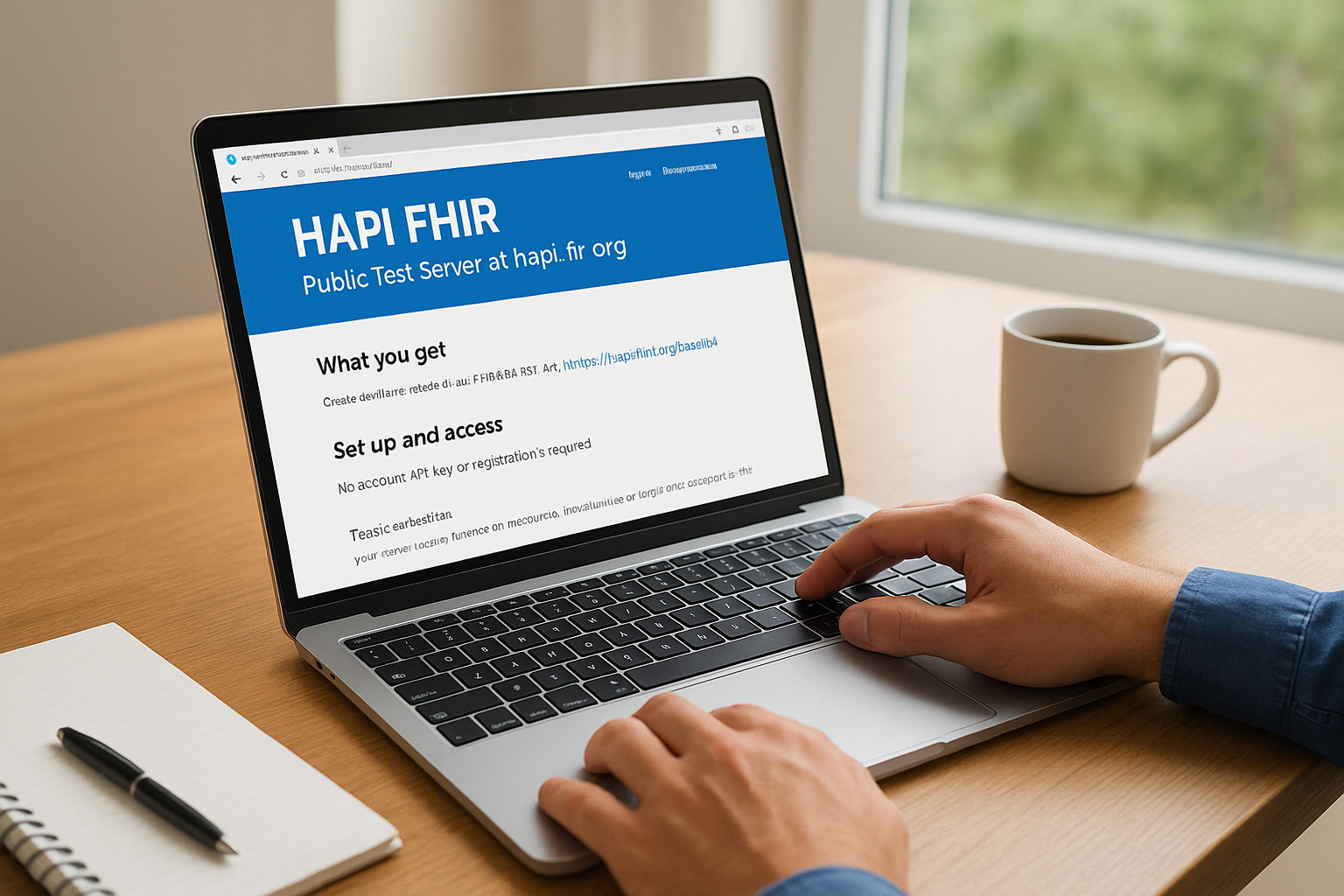
The public server exposes a full FHIR R4 REST API at https://hapi.fhir.org/baseR4, along with endpoints for DSTU2, STU3, and R5. You can create, read, update, and delete resources using standard FHIR operations, and the server returns conformance statements you can query to understand supported resource types and search parameters. A built-in web UI at hapi.fhir.org/home lets you browse resources and run basic queries directly in the browser without writing any code.
Setup and access
No account, API key, or registration is required. You point your client at the base URL and start making requests immediately. Setup time is effectively zero, which makes this option useful for quick validation tasks, early-stage prototyping, or confirming that your FHIR client library parses responses correctly.
This server is entirely open, meaning anyone on the internet can read and write to the same endpoints you're using.
Test data and reset behavior
Because the server is public and unprotected, test data quality varies significantly. Other developers load their own resources continuously, so you'll find a mix of well-formed and malformed records alongside your own data. The server undergoes periodic resets, though the schedule is not guaranteed, meaning data you write today may not exist tomorrow. If your tests depend on specific resource IDs or a stable patient record set, this instability will cost you time.
Managing your own test data here means keeping track of the resource IDs you create and re-seeding after each reset. Many teams work around this by scripting their setup calls at the start of each test run rather than relying on persisted records.
Auth and SMART support
The public HAPI FHIR server does not enforce authentication or authorization. All endpoints are open without any OAuth 2.0 flow, which makes it fast to use but also means it cannot replicate SMART on FHIR authorization behavior. That behavior is a core requirement for any application targeting EPIC integration. If your testing needs include validating launch parameters, token exchange, or scope enforcement, you need a different environment.
Limits and pricing
The server is free to use with no published rate limits. However, because it runs on shared infrastructure, performance can degrade during high-traffic periods. There is no SLA, no support channel, and no uptime guarantee. For exploratory development and basic API testing, the cost is unbeatable. For any workflow that requires reliable availability or stable test data, the free price reflects real tradeoffs you should plan around before committing to this environment.
3. Local HAPI FHIR server with HAPI JPA
Running a local HAPI FHIR server using the HAPI JPA starter project gives you a private, controllable hapi fhir test server that runs entirely on your own machine or internal infrastructure. Unlike the public server at hapi.fhir.org, nothing you load here gets mixed with other developers' data, and nothing disappears without your say-so.
What you get
The HAPI JPA server is a full FHIR R4 implementation built on Spring Boot and JPA, backed by a relational database you control. You get the complete FHIR REST API, including search, transaction bundles, and subscription support, running locally. The server source code is open and available on GitHub, so you can review the implementation, add custom interceptors, or configure specific resource types to match what your integration actually needs to handle.
You also get a local instance of the HAPI FHIR test UI, which runs alongside the server and lets you browse loaded resources, run queries, and inspect conformance statements directly in the browser without any internet dependency.
Setup and access
Getting the server running requires Docker or a local Java environment. The fastest path is pulling the official HAPI FHIR JPA starter Docker image and running it with a single command. With Docker installed, you can have a functional local server running in under ten minutes. Without Docker, you clone the HAPI JPA starter repository and build it with Maven, which takes longer but gives you more configuration flexibility over the final setup.
The local setup gives you complete control over server configuration, database schema, and resource validation behavior without depending on any external service.
Once it is running, your server is accessible at http://localhost:8080/fhir by default, and you can adjust the port, database backend, and other settings through the application properties file.
Test data and reset behavior
Because you own the database, test data management is entirely in your hands. You can seed the server with Synthea-generated synthetic patient records, load custom FHIR bundles, or write scripts that populate specific resource sets before each test run. Data persists until you explicitly delete it or reset the database, which makes this setup reliable for reproducible integration tests where specific resource IDs matter.
Resetting the environment is as simple as wiping the database and restarting the server, a step you can automate with a shell script or a CI pipeline configuration.
Auth and SMART support
The base HAPI JPA server does not include a SMART on FHIR authorization layer out of the box. It runs without authentication by default, which works for local development but means you need to add a separate authorization server if your application requires OAuth 2.0 token validation and SMART launch flows.
Limits and pricing
Running the server locally is free with no usage limits. The real costs are engineering time for initial setup and ongoing maintenance, plus the compute resources it consumes on your machine or internal servers. For teams without dedicated infrastructure experience, that time investment adds up quickly.
4. Firely public FHIR test servers
Firely, a Dutch health informatics company, maintains a set of publicly accessible FHIR test servers that cover multiple specification versions. If the HAPI FHIR test server ecosystem feels too crowded or unstable for your needs, Firely's hosted endpoints offer a clean alternative for validating FHIR R4 and R5 resource handling without running anything locally.
What you get
Firely runs separate public server endpoints for FHIR R3, R4, and R5, each accessible at a distinct base URL under the server.fire.ly domain. You get a full FHIR REST API for standard create, read, update, delete, and search operations across all major resource types. The servers support transaction bundles, conditional operations, and conformance statement retrieval, so you can confirm what each endpoint supports before writing integration logic against it.
Each endpoint also exposes a capability statement at the metadata endpoint, which your client can query to understand supported resource types and interaction patterns. Firely's servers are built on their own FHIR server product, which means the underlying behavior differs from the HAPI JPA implementation, and testing against both can help you confirm that your application works across different server implementations rather than just one.
Setup and access
You do not need to register or create an account to start using the public endpoints. Point your client at the appropriate base URL for your target FHIR version and begin making requests. There is no API key, no authentication header required, and no configuration step before your first call succeeds.
This makes Firely's public servers particularly useful early in development when you want to confirm basic FHIR client behavior without configuring any environment setup first.
Test data and reset behavior
Like the HAPI public server, Firely's public endpoints are shared across all users worldwide. You will encounter data written by other developers, and there is no guarantee that resources you create will persist long-term. Firely performs periodic resets on the public servers, but the schedule is not published, so you should treat any data you write here as temporary.
If your tests require stable, predictable resource IDs, script your seed calls at the start of each test run rather than relying on records persisting between sessions.
Auth and SMART support
Firely's public test servers do not enforce authentication or OAuth 2.0 token validation. All endpoints are open, which keeps the barrier to access low but means you cannot test SMART on FHIR launch flows or scope enforcement here. For validating authorization behavior against EPIC requirements, you need a different environment.
Limits and pricing
The public servers are free with no stated rate limits, though shared infrastructure means response times can vary. Firely does offer a commercial version of their server product with dedicated hosting and SLA guarantees, but the free public endpoints carry no uptime commitment and no support channel.
5. SMART Health IT launcher and test server
The SMART Health IT sandbox at launch.smarthealthit.org is built specifically for testing [SMART on FHIR launch flows](https://vectorcare.dev/learn/what-is-smart-on-fhir), which sets it apart from a standard hapi fhir test server. While most public FHIR endpoints give you raw API access, this environment simulates the full EHR authorization context your app needs to navigate before it ever reaches a real clinical system.
What you get
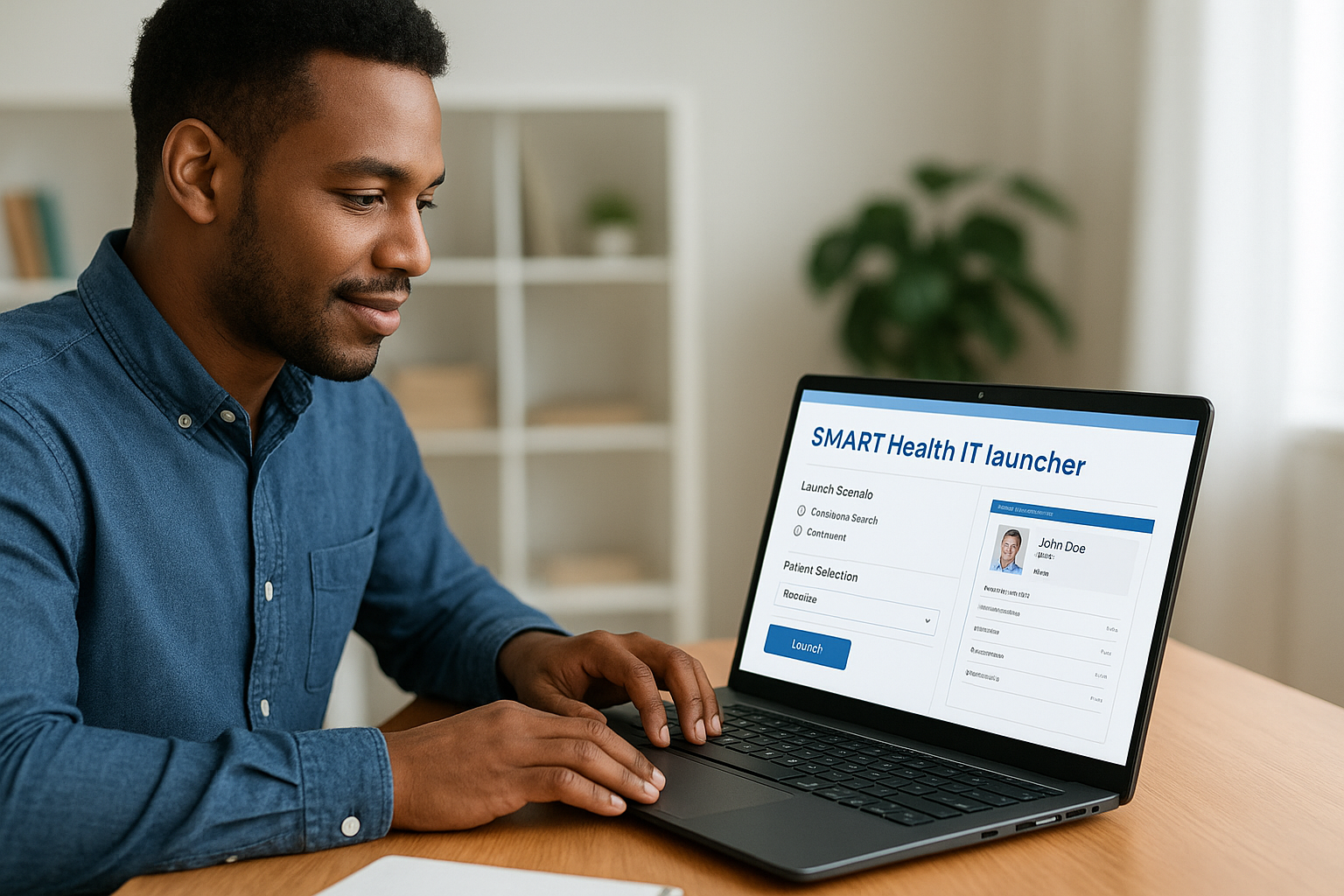
The sandbox provides a simulated EHR interface that mirrors how a SMART app launch actually works inside a real EHR. You get a FHIR R4 endpoint loaded with synthetic patient data, an authorization server that handles OAuth 2.0 token exchange, and a configurable launcher that lets you test standalone launches, EHR launches, and patient-facing app launches. This makes it one of the most complete environments available for validating the authorization layer of your application.
The launcher also lets you configure custom client IDs and redirect URIs without any registration process, so you can simulate your production app configuration during testing rather than using placeholder values.
Setup and access
You access the launcher directly through a browser at launch.smarthealthit.org with no account or registration required. The interface walks you through selecting a launch scenario, choosing a patient context, and specifying which FHIR scopes your app requests. Your app then receives a launch token and authorization code through a standard OAuth 2.0 flow, exactly as it would during a real EHR integration.
If your application needs to validate SMART launch parameters and token handling before submitting to the EPIC App Orchard, this environment gets you closer to that experience than any unauthenticated public FHIR endpoint.
Test data and reset behavior
The sandbox ships with a curated set of synthetic patient records drawn from Synthea-generated data. You can browse available patients through the launcher UI and select specific records to load into your test session. Because the patient data is pre-loaded and managed by the platform, you do not need to seed resources yourself before each run.
Data does not persist between sessions the way a local server would, so treat each launch as a fresh test context rather than a stable persistent environment.
Auth and SMART support
This sandbox is built around SMART on FHIR authorization and handles the full OAuth 2.0 flow, including launch context, scope negotiation, and token issuance. You can test both launch/patient and launch/encounter contexts and verify that your app handles token refresh and error responses correctly before pointing it at a real system.
A second testing path lets you supply a custom FHIR server URL if you want to use the launcher's auth flow against your own FHIR data endpoint, which gives you more control over the patient records involved.
Limits and pricing
The SMART Health IT launcher is free and publicly accessible with no published usage limits. It carries no SLA or uptime guarantee, and support is community-driven. That means issue response times depend on volunteer availability rather than a formal support contract, so factor that in if your testing timeline is tight.
6. mock.health synthetic FHIR sandbox
mock.health is a purpose-built synthetic FHIR sandbox designed to give developers access to realistic patient data without the noise of a fully open public endpoint. Unlike a generic hapi fhir test server where anyone can write arbitrary records, this environment focuses specifically on providing pre-generated synthetic data that resembles real clinical records in structure and content.
What you get
The sandbox exposes a FHIR R4-compliant REST API populated with synthetic patient records that cover common clinical scenarios, including chronic conditions, medications, lab results, and encounter histories. The data is structured to reflect realistic clinical workflows rather than placeholder values, which makes it more useful for testing application logic that depends on complex patient data relationships rather than simple single-resource reads.
You also get consistent resource formatting across the dataset, so your parser and data transformation logic gets tested against well-formed, representative FHIR resources rather than the inconsistent mix you find on open shared servers.
Setup and access
Access requires no local installation and no account registration. You point your FHIR client at the provided base URL and start querying immediately. The onboarding friction is minimal, which means you can start validating your data access logic within minutes of discovering the service.
This low-barrier entry makes mock.health practical for quick validation tasks when you need reliable synthetic data fast and don't want to manage your own seed scripts.
Test data and reset behavior
The core value here is data stability. The synthetic patient records are pre-loaded and managed by the platform, so you are not competing with other developers who might overwrite or delete records you depend on. The environment is designed to stay consistent across test sessions, which reduces the scripting overhead your team needs to maintain stable test fixtures.
Reset behavior is controlled at the platform level rather than triggered by usage patterns, which means you get more predictable behavior than you would from an open shared server that resets on an unpublished schedule.
Auth and SMART support
mock.health does not implement a full SMART on FHIR authorization layer. The endpoints are accessible without OAuth 2.0 token validation, which keeps the access model simple but means this environment cannot replicate the authorization handshake your application needs to complete during an EPIC integration. For testing SMART launch flows and scope enforcement, you still need a dedicated authorization sandbox alongside this one.
Limits and pricing
The sandbox operates as a free public service with no published rate limits or formal SLA. Because it runs on shared infrastructure with no uptime commitment, you should treat it as a development and early-stage testing tool rather than a reliable environment for automated CI pipelines that run continuously. Support is community-based, so response times depend on contributor availability rather than a defined service contract.
7. HL7 public test servers list and how to pick one
Rather than a standalone hapi fhir test server, the HL7 community-curated list functions as a directory you can use to compare available endpoints and select the one that fits your specific development need, whether that's a particular FHIR version, a specific resource type, or a server implementation you haven't tested against yet.
What you get
The HL7 list aggregates public FHIR endpoint entries contributed by organizations across the FHIR ecosystem, including servers built on HAPI and other implementations. The range of servers spans DSTU2 through R5, which makes this directory useful when your application needs to confirm compatibility across specification versions rather than just the version you're currently targeting. Each entry in the list typically covers:
- Base URL and the supported FHIR version
- The organization or team operating the server
- Operational status and any known limitations
Setup and access
You access the directory through the HL7 Confluence wiki, which requires no login for read access. Finding the list is straightforward: navigate to the FHIR implementation section and look for the public test server registry page.
From there, copy the base URL for the server that matches your requirements and plug it directly into your FHIR client. No registration, no API keys, and no configuration step sits between you and your first request.
The directory saves you from hunting for reliable endpoints across GitHub issues and community forums, which is where many developers lose hours before landing on a working server.
Test data and reset behavior
Because each server in the list is independently operated by its own team, data persistence and reset schedules vary widely across entries. Some servers maintain stable synthetic datasets, while others are open endpoints where any developer can write or overwrite records without restriction.
Before committing to a specific server for anything beyond quick exploration, check that server's own documentation for its reset frequency and data management policies. Skipping that step means your test fixtures may disappear mid-sprint with no warning.
Auth and SMART support
Authentication support differs significantly between the servers on this list. A few entries include OAuth 2.0 endpoints that support basic token flows, but most open public servers listed here do not enforce SMART on FHIR authorization. If you need a sandbox that validates your full SMART launch sequence, use the SMART Health IT launcher instead and treat the HL7 list as a resource for finding raw FHIR data access endpoints only.
Limits and pricing
Access to the HL7 list itself is free with no registration required. The individual servers listed vary in their terms, but the majority are free public endpoints with no published rate limits or formal SLAs. That means no guaranteed uptime and no support contract. Treat any server you find here as a best-effort resource suited to development and exploratory testing rather than automated pipelines that run on a fixed schedule.
Next steps
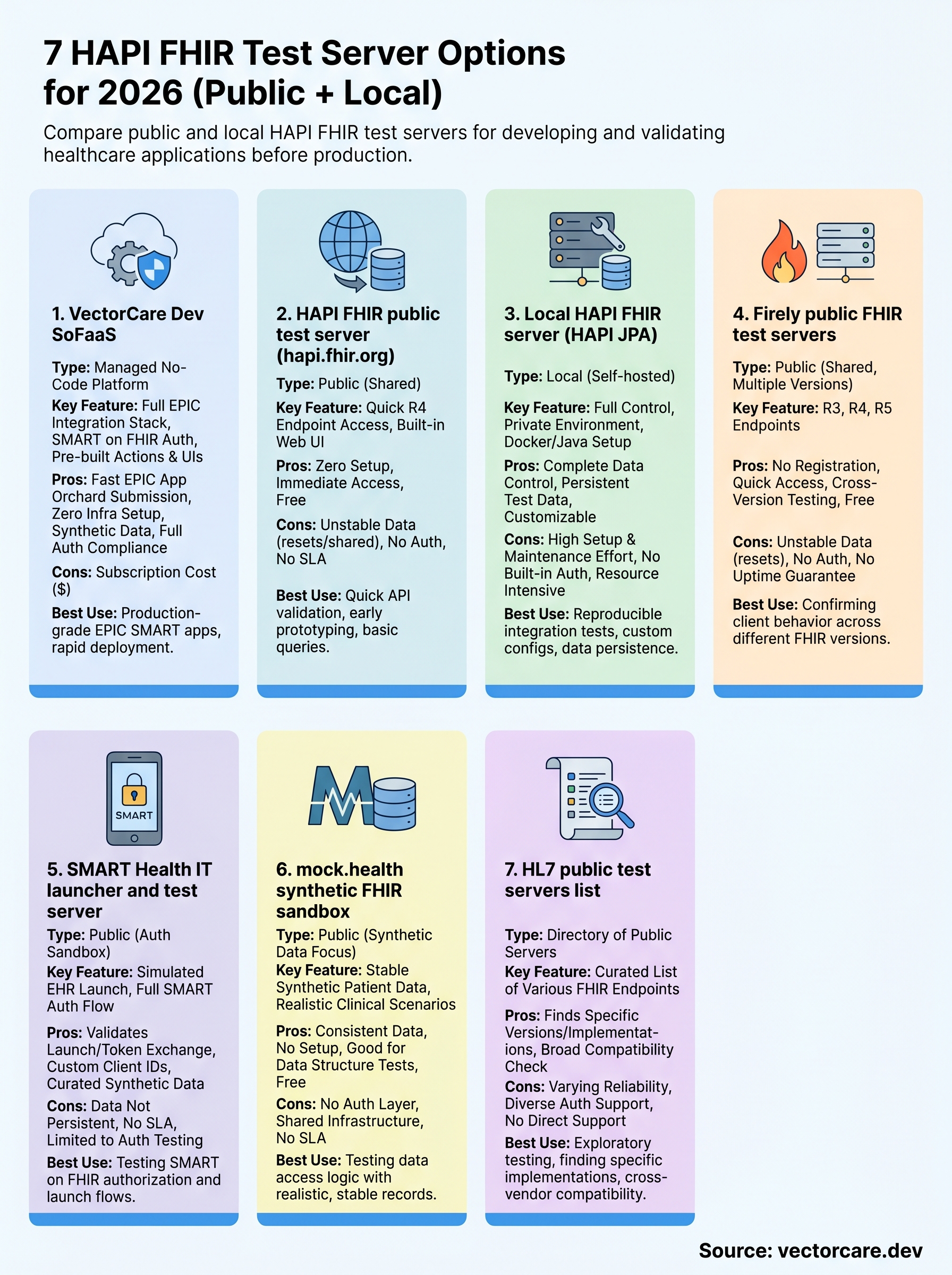
Each hapi fhir test server on this list solves a different problem. If you need quick API validation with zero setup, the public HAPI endpoint or Firely gets you moving in minutes. If you need to test SMART on FHIR authorization flows, the SMART Health IT launcher is your best starting point. If you want complete control over your data and environment, a local HAPI JPA instance gives you that at the cost of setup time.
Your choice changes when you factor in the finish line. Most of these tools help you test FHIR behavior in isolation, but none of them close the gap between a working sandbox and a live EPIC App Orchard listing. That last mile is where most healthcare vendors lose months. If you want a managed path that handles FHIR configuration, SMART compliance, and EPIC submission in one platform, explore what VectorCare Dev SoFaaS can do for your integration before your next sprint begins.
The Future of Patient Logistics
Exploring the future of all things related to patient logistics, technology and how AI is going to re-shape the way we deliver care.
Thank you! Your submission has been received!
Oops! Something went wrong while submitting the form.