7 OpenID Connect Security Considerations for Secure Logins

OpenID Connect (OIDC) is the authentication layer that sits on top of OAuth 2.0, and it's the protocol that makes single sign-on work across healthcare applications, including SMART on FHIR apps launched inside EPIC. Get the implementation wrong, and you're exposing patient data, violating HIPAA, and putting health system contracts at risk. That's why understanding openid connect security considerations isn't optional for healthcare vendors; it's a prerequisite for operating in clinical environments.
The problem is that OIDC has a lot of moving parts: ID tokens, redirect URIs, token validation, scope management, session handling. Each one is a potential attack surface. Misconfigurations that might be minor annoyances in consumer apps become reportable security incidents in healthcare. And most vendor engineering teams are focused on building their core product, not becoming identity protocol specialists.
At VectorCare, we deal with this directly. Our no-code platform handles SMART on FHIR authentication flows for healthcare vendors integrating with EPIC, which means we build and maintain OIDC-compliant infrastructure so our customers don't have to. That experience has given us a clear picture of where teams most commonly get tripped up.
This article breaks down seven specific security considerations you need to address in your OIDC implementation. Whether you're building your own auth stack or evaluating a managed solution, these are the areas that determine whether your login flow is actually secure or just functional.
1. Use a SMART on FHIR platform with secure defaults
SMART on FHIR applications that launch inside EPIC must authenticate through a defined sequence that combines OAuth 2.0 authorization with OIDC identity verification. Before you address any other openid connect security considerations, your platform's baseline defaults determine whether your app starts from a strong security posture or a fragile one. Selecting a platform with secure defaults built in removes an entire category of risk before you write a single line of configuration.
Where OIDC fits in SMART on FHIR and Epic launches
EPIC uses the SMART on FHIR launch protocol to initiate app sessions, and OIDC is the layer that confirms who the user is during that process. When a clinician opens your app from inside an EPIC patient chart, the EHR passes a launch token to your app, which then exchanges it for an authorization code and, ultimately, an ID token and access token. That ID token is an OIDC artifact, and validating it correctly is non-negotiable in a clinical environment where patient data is in scope.
Getting this sequence wrong doesn't just break authentication; it can expose PHI to unauthorized parties during the handoff between EPIC and your application.
Security defaults to require for every app
Your platform should enforce specific defaults without requiring you to manually configure them. The list below covers non-negotiable security settings that must be active for every app by default:
- PKCE enforcement on all authorization code flows
- Short-lived access tokens (15 minutes or less for clinical contexts)
- Strict redirect URI matching with no wildcards permitted
- Token signing restricted to RS256 or ES256 only
- Automatic JWKS key rotation with no service interruption
If your platform treats any of these as optional configuration, you are one oversight away from a serious compliance breach. Defaults exist precisely because individual developers and teams make mistakes under deadline pressure.
What to verify when you evaluate a platform like VectorCare
When you evaluate a managed SMART on FHIR platform, request documentation on how it handles each default listed above. VectorCare manages OIDC compliance at the infrastructure level, meaning token validation logic, key rotation, and redirect URI controls are maintained by the platform rather than delegated to individual app configurations. Confirm that the platform carries HIPAA compliance and SOC2 certification, and verify that a Business Associate Agreement is included. In healthcare, those aren't premium add-ons; they are the minimum acceptable baseline.
2. Use authorization code flow with PKCE everywhere
The authorization code flow is the only OAuth 2.0 grant type that healthcare vendors should use for SMART on FHIR applications. One of the most overlooked openid connect security considerations is that not all flows offer the same protection level, and choosing the wrong one hands attackers an exploitable window before a user even finishes logging in.
Why implicit flow and hybrid flow create avoidable risk
Implicit flow returns tokens directly in the URL fragment, exposing them to browser history, referrer headers, and malicious scripts running on the page. Hybrid flow introduces partial code exchanges that create ambiguity about which token to trust and when. Both patterns have been formally deprecated by the OAuth 2.0 Security Best Current Practice guidance, and neither belongs in a clinical integration where PHI is in scope.
How PKCE blocks authorization code interception
PKCE (Proof Key for Code Exchange) prevents a specific attack where a malicious app intercepts your authorization code before your legitimate app can exchange it for tokens. Your app generates a random code verifier, hashes it into a code challenge, and sends the challenge with the initial authorization request. When you exchange the code for tokens, you send the original verifier, which the authorization server verifies against the stored challenge.

Without PKCE, any app on the same device that can read your redirect URI can steal the authorization code and obtain tokens on your behalf.
SPA, mobile, and backend patterns that stay secure
Single-page applications and mobile apps must use authorization code flow with PKCE since they cannot store client secrets safely in the execution environment. Backend server applications should combine PKCE with a client secret for layered protection. Across all three patterns, tokens never appear in URLs, which eliminates an entire class of leakage risk.
3. Lock down redirect handling with state and nonce
The redirect step in an OIDC flow is where many real-world attacks land, and it's one of the most underestimated openid connect security considerations in healthcare app development. Two parameters, state and nonce, exist specifically to close the gaps that attackers exploit during the authorization handoff.
Stop CSRF and login mix-up with state
Your first line of defense against cross-site request forgery (CSRF) attacks and login mix-up attacks is the state parameter. Before you redirect the user to the authorization server, generate a cryptographically random value, store it in your session, and send it along with the request. When the authorization server redirects back, verify that the returned state matches what you stored. If it doesn't match, reject the response immediately.
A missing or predictable state value lets an attacker trick a user into completing an authorization flow the attacker initiated, binding the victim's session to the attacker's account.
Stop token replay and injection with nonce
Including a nonce in every authorization request is what stops token replay and injection attacks. Your app generates a one-time random value, sends it in the authorization request, and the authorization server must embed it inside the returned ID token. Verify the nonce on receipt, and reject any token where it's absent or mismatched.
Common redirect URI mistakes and how to prevent them
Redirect URI mismatches and loose matching rules are among the most exploitable configuration errors in OIDC deployments. Register exact redirect URIs with no wildcards, no open-ended path patterns, and no HTTP schemes in production. Validate the full URI server-side on every request, not just the domain component.
4. Validate ID tokens and access tokens correctly
Token validation is where many teams cut corners, and in healthcare applications, that shortcut becomes a direct path to unauthorized data access. Skipping or weakening ID token verification is one of the most critical openid connect security considerations you can address, because a token your app doesn't check correctly is a token an attacker can forge or replay.
ID token validation checklist for issuer, audience, time, signature
Every ID token you receive must pass a complete validation sequence before your app trusts it. Accepting a token without full checks opens your application to token substitution and replay attacks that can grant unauthorized access to patient data.
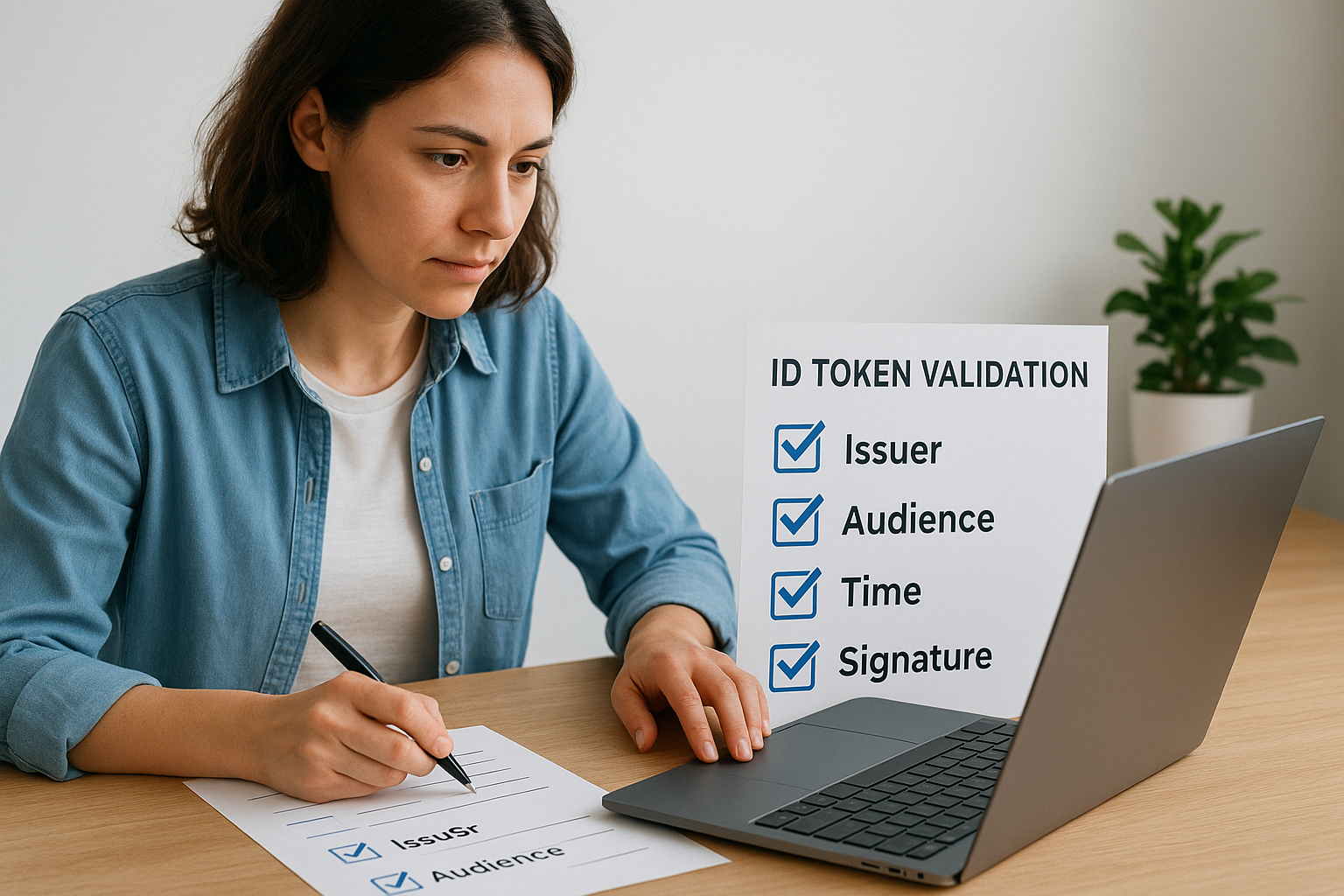
- Issuer (
iss): Must exactly match the expected authorization server URL - Audience (
aud): Must include your client ID and nothing unexpected - Expiration (
exp) and issued-at (iat): Reject tokens outside acceptable time windows - Signature: Verify using the authorization server's public key retrieved from JWKS
JWKS handling, key rotation, and algorithm restrictions
Your app must fetch the JSON Web Key Set (JWKS) from the authorization server's discovery endpoint and cache it with a reasonable TTL. When signature verification fails against a cached key, refresh the JWKS once before rejecting the token, which handles key rotation without breaking active sessions.
Never accept tokens signed with the
nonealgorithm; restrict accepted algorithms explicitly to RS256 or ES256 in your validation library configuration.
Access token validation for APIs and when to use introspection
Each API endpoint in your application must validate access tokens on every request, not just at session start. For short-lived tokens from a trusted issuer, local JWT validation is sufficient. When you need real-time revocation checks, use the token introspection endpoint to confirm the token is still active before granting access to PHI.
5. Protect sessions, cookies, and tokens end to end
Token security doesn't end at validation. One of the most consequential openid connect security considerations is how your application handles tokens and sessions after they're issued. A correctly validated token stored in an insecure location is still a liability, and in healthcare environments, that liability has direct HIPAA implications.
Prefer server-side sessions over storing tokens in the browser
Your application should store ID tokens and access tokens on the server and reference them through an opaque session identifier sent to the browser. Keeping tokens in localStorage or sessionStorage exposes them to any JavaScript running on the page, including third-party scripts you don't control.
Browser storage has no built-in protection against cross-site scripting attacks, which makes it an unacceptable location for tokens that authorize access to patient data.
Cookie settings that matter: HttpOnly, Secure, SameSite
The HttpOnly flag prevents client-side scripts from reading your session cookie, which eliminates the most common XSS-based token theft path. Set the Secure flag to block cookie transmission over non-HTTPS connections, and set SameSite=Strict or SameSite=Lax to reduce cross-site request forgery risk at the cookie layer.
Refresh token safety, rotation, and breach containment
Refresh token rotation means your authorization server issues a new refresh token every time the old one is used, and immediately invalidates the previous one. When you detect that a refresh token is used twice, that signals theft, and your server should revoke the entire token family to contain the breach. Store refresh tokens server-side, never in the browser, and bind them to the originating session for additional containment.
6. Minimize what you request and what you trust
One of the more subtle openid connect security considerations is the scope of access your application actually requests. Overly broad scopes and claims expand your attack surface and create a compliance burden, because every piece of patient data your app can touch must be justified under HIPAA.
Scope and claim design with least privilege
Request only the OAuth scopes your application uses in production, nothing more. Scope creep in FHIR contexts is common when teams copy configurations from examples without auditing what their app actually needs.
- Specify exact FHIR resource types rather than requesting broad patient-level access
- Remove any scope your application no longer consumes before each deployment
- Avoid requesting
offline_accessunless your use case explicitly requires background refresh
UserInfo endpoint and claims mapping pitfalls
The UserInfo endpoint returns claims about the authenticated user, but you should not use those claims for access control decisions without verifying they come from the same token issuer your application is configured to trust. Mapping claims directly to roles without that verification opens a substitution path attackers can exploit across deployments.
Never use a claim value for authorization decisions unless you've verified the issuer and audience of the token that authorized the UserInfo request.
Tenant isolation and multi-provider discovery safeguards
Multi-tenant applications supporting multiple health systems must enforce strict issuer binding per tenant at the discovery layer. When your app uses dynamic provider discovery, validate the issuer URL against a pre-approved allowlist before fetching OIDC configuration, because a misconfigured lookup can redirect your app to a malicious authorization server.
Binding each tenant's session to a verified issuer identifier also prevents one tenant's tokens from being accepted in another tenant's context, which is a direct requirement when health system data must stay isolated across organizations sharing the same application instance.
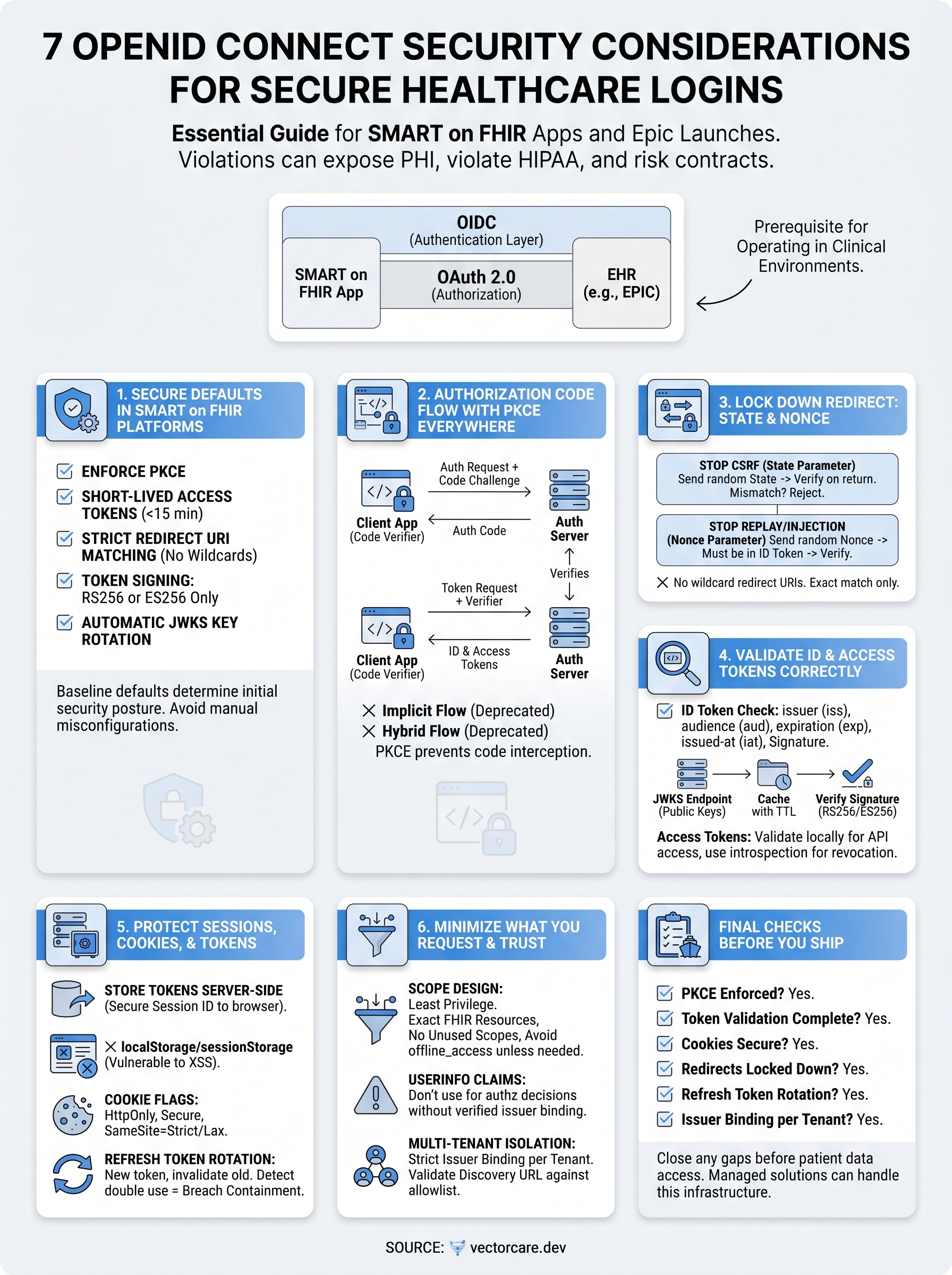
Final checks before you ship
These seven openid connect security considerations cover the areas where clinical integrations most commonly fail under scrutiny. Before you deploy, run each item as a deliberate checklist: confirm PKCE is enforced, verify every ID token validation step is active, audit your cookie flags, and confirm your redirect URIs have no wildcards anywhere in the configuration.
Two checks that teams most often skip are refresh token rotation and issuer binding per tenant. Both are straightforward to implement, and both have stopped real breaches in production environments. If your team found any gap in the list above, close it before your app touches live patient data.
Building and maintaining this level of OIDC security in-house takes significant time away from your core product. If you want a managed platform that handles these controls by default and gets your app listed in the EPIC App Orchard in weeks rather than months, see what VectorCare builds for you.
The Future of Patient Logistics
Exploring the future of all things related to patient logistics, technology and how AI is going to re-shape the way we deliver care.
Thank you! Your submission has been received!
Oops! Something went wrong while submitting the form.