OpenID Connect RP-Initiated Logout: End-Session Flow Guide

When a clinician closes a SMART on FHIR application launched from within EPIC, the session between that app and the identity provider needs to terminate cleanly. That's exactly what OpenID Connect RP-Initiated Logout handles, it gives the Relying Party (your application) a standardized way to request session termination at the OpenID Provider. Get this wrong, and you risk orphaned sessions, token reuse, and the kind of security gaps that no healthcare environment can afford.
The specification itself is straightforward, but implementation details matter. You need to understand how the end_session_endpoint works, what parameters to pass, how post_logout_redirect_uri and id_token_hint interact, and where things break in practice. For healthcare vendors building EHR-integrated apps, proper logout handling isn't optional, it's a baseline expectation from health systems evaluating your product and a requirement for maintaining HIPAA-compliant session management.
At VectorCare, we build and manage SMART on FHIR applications that run inside EPIC, and session lifecycle management, including RP-Initiated Logout, is baked into every app we deploy. This guide breaks down the full end-session flow: the specification's structure, the request and response mechanics, implementation steps, and common pitfalls. Whether you're building your own integration or evaluating how a platform like ours handles it, you'll walk away with a concrete understanding of how RP-Initiated Logout works and why it matters for EHR-embedded applications.
What RP-initiated logout means in OIDC
In OpenID Connect, identity sessions exist in two places simultaneously: your application (the Relying Party, or RP) and the OpenID Provider (OP), which is the authorization server that authenticated the user. When a user signs out of your app, your local session ends, but the OP still holds an active session for that user. RP-initiated logout is the mechanism that lets your application trigger termination of that OP-side session, not just clear local cookies and tokens. The OpenID Connect RP-Initiated Logout specification is maintained by the OpenID Foundation and defines the protocol for this interaction.
The two session layers in OIDC
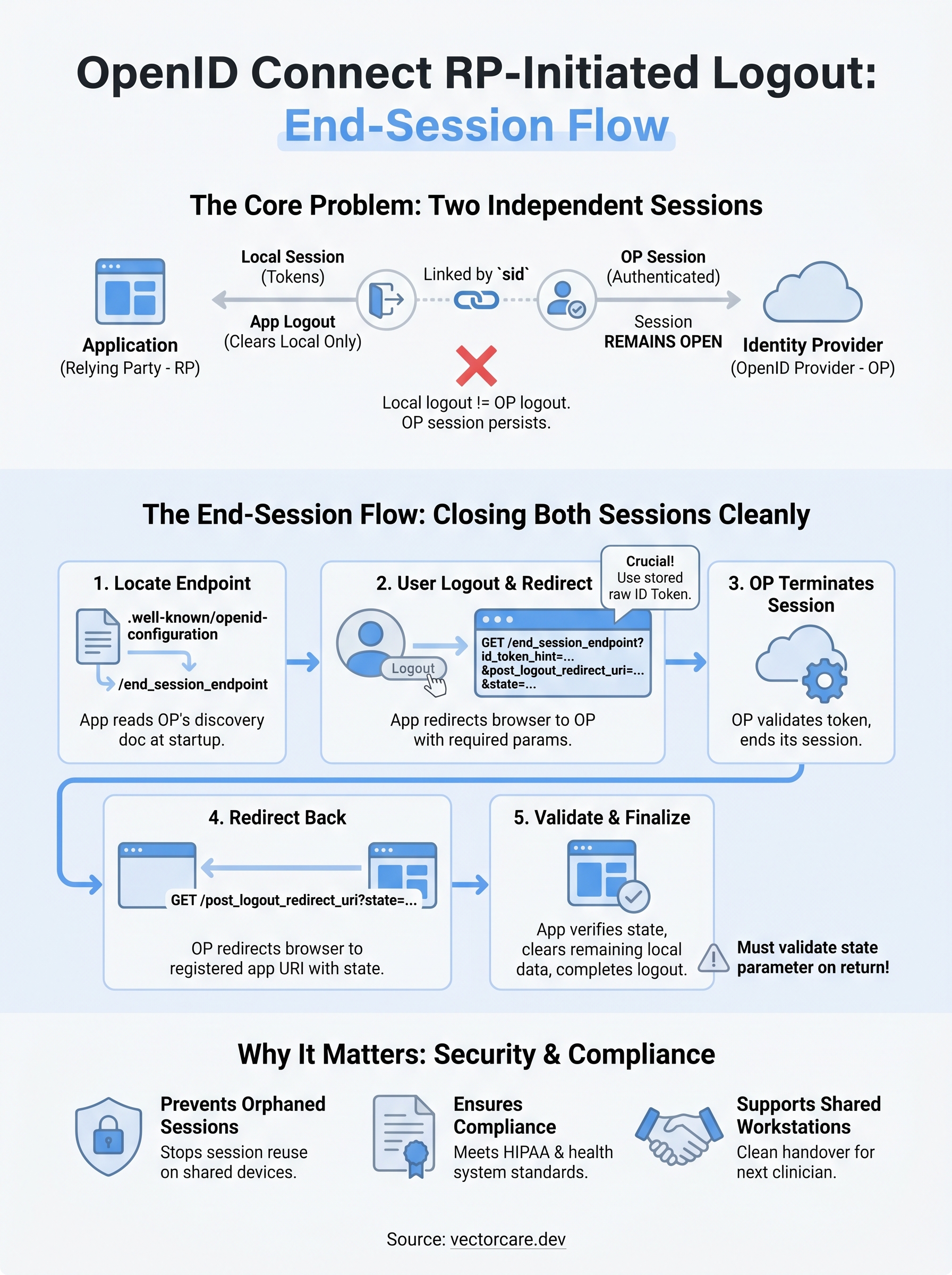
Every OIDC authentication creates two distinct session contexts. Your application maintains a local session, typically a token set that includes an ID token, access token, and optional refresh token. The OP establishes its own session when it authenticates the user. These two sessions are linked by the sid claim inside the ID token but operate independently, so clearing one does not automatically clear the other.
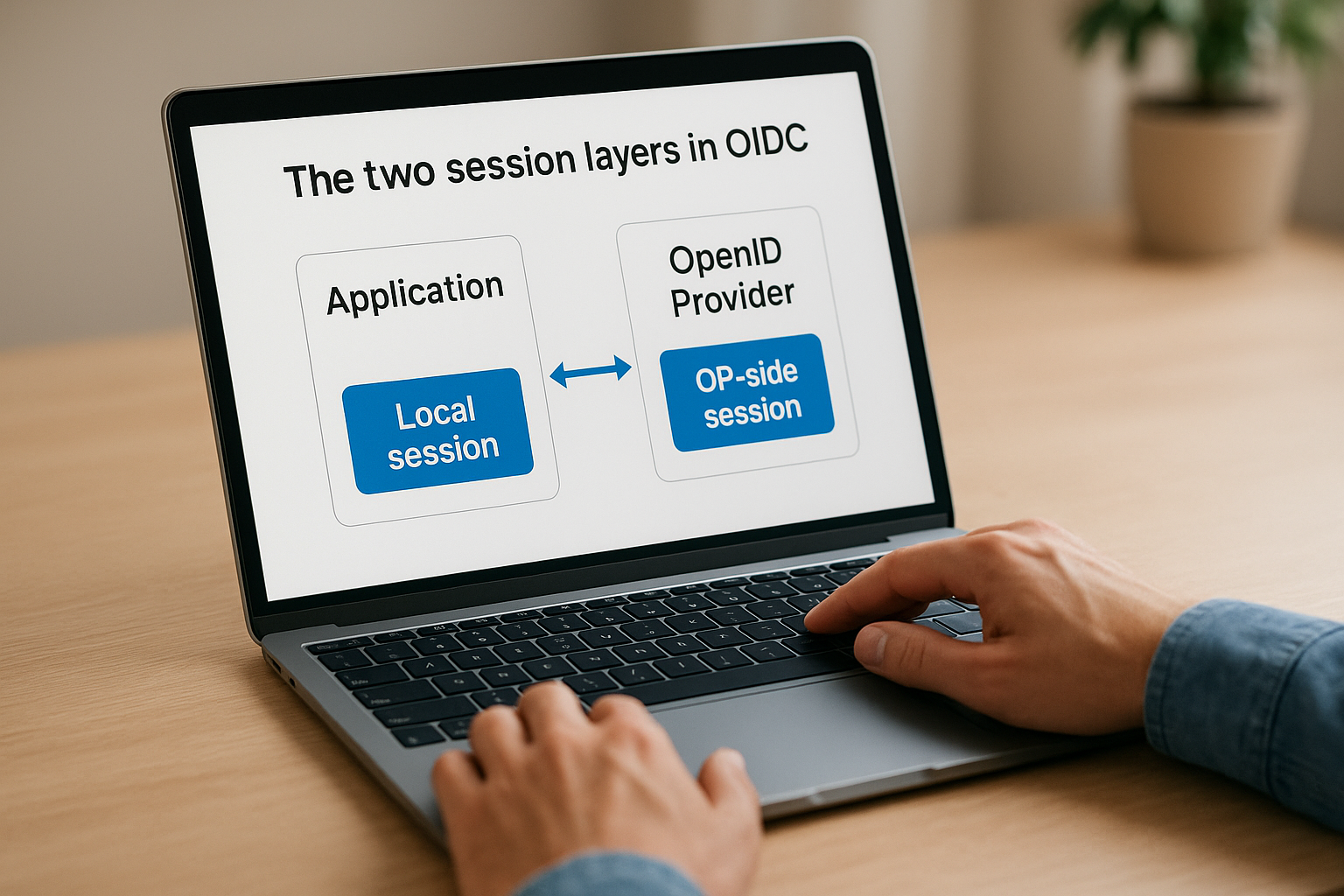
This separation enables single sign-on (SSO) across multiple applications without forcing re-authentication on each app transition. The side effect is that a simple local logout leaves the OP session intact, meaning a user who "logs out" of your app can return immediately without entering credentials, because the OP still recognizes them as authenticated.
If you only clear local tokens without notifying the OP, you have not actually logged the user out from a security standpoint.
What "RP-initiated" specifically means
The term distinguishes this flow from other OIDC logout patterns. In front-channel or back-channel logout, the OP pushes logout signals out to registered applications. In RP-initiated logout, the direction reverses: your application sends the user's browser to the OP's end_session_endpoint, requesting that the OP terminate the session. The OP processes the logout and optionally redirects the user back to a URI your application specifies.
For openid connect rp initiated logout to function, your application needs to locate the OP's end_session_endpoint URI, which the OP publishes in its discovery document at the .well-known/openid-configuration path. Once your app has that endpoint, it constructs a redirect request with the required parameters and sends the user's browser there.
How the ID token ties the request to the session
The id_token_hint parameter connects your logout request to the correct session at the OP. When you include the ID token received during authentication, the OP identifies exactly which session to terminate. Without it, some OPs require the user to confirm the logout manually, and others reject the request entirely.
Your application needs to retain the ID token until logout, even after the access token expires. The ID token carries claims like sub (subject identifier) and sid that the OP uses to locate the session. Discarding it early is one of the most common implementation mistakes in EHR-integrated SMART on FHIR applications, and it breaks the end-session flow silently without surfacing an obvious error to the user or developer.
Why RP-initiated logout matters
Implementing openid connect rp initiated logout correctly is not an edge case concern. Every time a user closes or exits your application without a proper end-session request, the OP-side session remains active and exploitable. In most deployment environments, that leftover session persists for the OP's full session timeout window, which can range from minutes to hours depending on configuration. For a SMART on FHIR app running inside EPIC, that window represents a real attack surface on authenticated clinical data.
Orphaned sessions expose patient data
When your application clears its local tokens but skips the end-session request, you leave an open authentication session at the identity provider. Anyone who gains access to the same browser, device, or network connection within that timeout window can silently resume the session. In shared clinical workstations, which are common in hospital and ambulatory settings, this is not a theoretical risk, it is a routine scenario.
A session your application considers closed is not closed until the OP confirms termination.
Shared workstations mean one clinician's logout should fully terminate their session before another user touches the device. Without proper RP-initiated logout, the second user may inherit the first clinician's OP session context, bypassing re-authentication entirely. That directly undermines access controls that your health system customers have spent significant effort putting in place.
Compliance and health system expectations
Health systems that evaluate healthcare vendor applications scrutinize session management behavior during technical reviews. HIPAA's Security Rule requires covered entities and their business associates to implement automatic logoff controls that terminate sessions after a period of inactivity. An application that leaves OP sessions open after user logout creates an audit finding, and that finding can block contract approval.
Your application's BAA obligations extend to session lifecycle management, not just data encryption and storage. Health systems running EPIC expect vendor apps to handle logout in a way that complements their own access control policies. Demonstrating clean, standards-compliant session termination through a properly implemented end-session flow signals technical maturity. For healthcare vendors trying to close more health system contracts faster, that signal carries direct commercial weight during procurement evaluations.
End-session flow and the endpoints involved
The end-session flow for openid connect rp initiated logout follows a browser-redirect pattern, not a direct server-to-server call. Your application redirects the user's browser to the OP's end_session_endpoint, passing specific parameters in the query string. The OP validates the request, terminates the server-side session, and then redirects the browser back to a URI your application registers in advance. This redirect-based approach means the user's browser must remain active when logout occurs, which is an important constraint to design around in SMART on FHIR contexts where application lifecycle events don't always align with user-driven navigation.
The discovery document and end_session_endpoint
Your first step is locating the end_session_endpoint URI, and the correct way to do that is by reading the OP's OpenID Connect Discovery document. Every conformant OP publishes this JSON document at {issuer}/.well-known/openid-configuration. The document includes the end_session_endpoint field if the OP supports RP-initiated logout. You should never hardcode this URI directly in your application code; instead, fetch and cache the discovery document at startup and read the endpoint value from there. If the field is absent, the OP does not support this logout pattern and you need a defined fallback strategy.
Hardcoding the end_session_endpoint URI will break your logout flow silently when the OP updates or rotates its infrastructure.
Check the scopes_supported and response_types_supported fields in the same discovery document to confirm the OP's full capability set before building your logout flow. EPIC's identity provider surfaces this endpoint in its own .well-known/openid-configuration response, and VectorCare's platform reads it automatically during app initialization rather than requiring manual configuration.
Step-by-step flow mechanics
When a user initiates logout in your application, the flow executes in a defined sequence. Your application constructs a URL pointing to the end_session_endpoint with the required query parameters appended, then issues a standard HTTP redirect to send the user's browser to that URL.

The OP receives the request, validates the id_token_hint against its active session records, and terminates the matching session. After termination, the OP redirects the browser to the post_logout_redirect_uri your application specified, provided that URI matches one of the pre-registered redirect URIs on file for your client. That final redirect delivers the user back to a state your application controls, such as a confirmation screen or a re-authentication prompt.
Request parameters and redirect handling rules
The request your application sends to the end_session_endpoint carries a small set of parameters, but each one affects whether the logout succeeds and where the user lands afterward. In a proper openid connect rp initiated logout implementation, you need to understand what each parameter does, which ones are required versus optional, and how the OP validates them before processing the session termination.
Core request parameters
The id_token_hint parameter is the most critical value you pass in the logout request. You set it to the raw ID token string your application received during authentication. The OP uses this token to identify the active session and the associated user, which means your application must store the ID token through the full session lifecycle, not just during initial token exchange. Discarding it after you extract claims breaks this lookup.
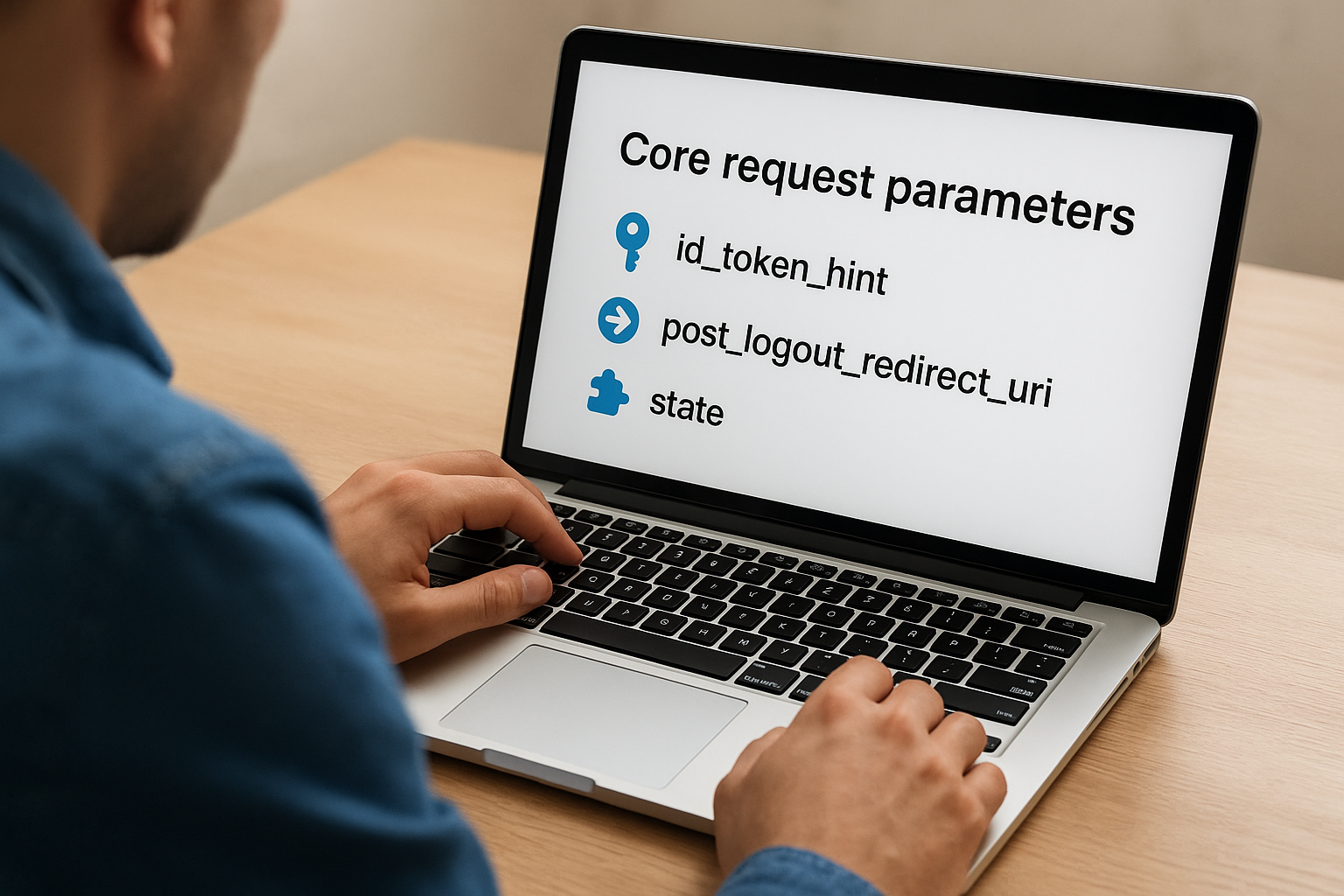
The post_logout_redirect_uri parameter specifies where the OP sends the user's browser after the session terminates. You can only use URIs that are pre-registered on your OAuth client configuration at the OP. Any value that does not match a registered URI causes the OP to reject the redirect or ignore the parameter entirely and fall back to a default page. For SMART on FHIR apps embedded inside EPIC, your registered URIs need to match the exact paths your application exposes, including scheme, host, and path segments.
The optional state parameter works the same way it does in authorization requests. You pass an opaque value in the logout request, and the OP appends it to the post_logout_redirect_uri on the return redirect. Your application then reads it back to verify the response belongs to the logout flow you initiated and not a forged redirect.
Always validate the
statevalue on return, even for logout flows, to protect against cross-site request forgery on the post-logout redirect.
Redirect validation and state handling
When the OP processes the logout request, it validates the post_logout_redirect_uri against your registered URIs before executing the redirect. A mismatch blocks the return navigation entirely. You should register every environment-specific URI (development, staging, production) explicitly rather than relying on wildcard matching, which many OPs do not support for logout endpoints.
Your application also needs to handle the case where the user closes the browser mid-flow before the OP completes the redirect. Treat any session as potentially still active at the OP until you receive confirmation through the return redirect, and build your local logout logic to account for that ambiguity.
How to implement RP-initiated logout
Implementing openid connect rp initiated logout in a SMART on FHIR application requires four concrete steps executed in the right order. Each step connects directly to the mechanics described earlier, so if you understand the flow, the implementation follows naturally. The key is building each piece during initial app setup rather than retrofitting logout as an afterthought.
Retrieve and cache the discovery document
Your implementation starts at the OP's .well-known/openid-configuration endpoint. Fetch this JSON document when your application initializes and read the end_session_endpoint value from it. Cache the value for the session lifetime rather than fetching it on every logout attempt. Your code should also check whether the field is present before assuming the OP supports this logout pattern.
If
end_session_endpointis absent from the discovery document, plan and document a fallback logout strategy before you deploy.
Store the ID token through the full session
Most SMART on FHIR applications discard the ID token after extracting claims like sub and email, but logout requires the raw token string. Store the complete ID token in your session context alongside the access token. When the user initiates logout, retrieve that stored token and pass it directly as the id_token_hint value in your end-session request. Without this, the OP cannot reliably identify which session to terminate.
Build and send the end-session redirect
Construct the logout URL by appending query parameters to the cached end_session_endpoint URI. At minimum, include id_token_hint and post_logout_redirect_uri. Generate a random state value, store it server-side, and append it to the request as well. Then issue a standard 302 redirect from your application to send the user's browser to that URL. Do not attempt this as a background fetch or server-side HTTP call because the OP needs the user's browser session cookies to locate and terminate the correct session.
Validate the return redirect
When the OP redirects the user back to your post_logout_redirect_uri, read the state parameter from the query string and compare it against the value you stored before the redirect. A mismatch means the response is invalid and you should not treat the logout as confirmed. After successful state validation, clear your local session data, revoke any refresh tokens you hold, and deliver the user to your post-logout landing page.
Common pitfalls and security hardening
Even a technically correct openid connect rp initiated logout implementation can fail in production if you overlook a handful of common mistakes. The two categories that cause the most real-world problems are silent failures that leave sessions open and missing security controls that expose the end-session flow to abuse. Understanding both before you deploy saves you from debugging logout issues under pressure during a health system review.
Mistakes that leave sessions open
The most common silent failure is discarding the ID token after claims extraction. Your code reads sub, email, or sid from the token at login and then drops the raw string. When logout fires, the id_token_hint is gone, and the OP either rejects the request or asks the user to confirm logout manually. Store the complete raw ID token in your session store alongside the access token and retrieve it explicitly at logout time.
A related mistake is skipping the end-session redirect entirely during error handling. If your application hits an exception or timeout during logout, it often clears local tokens and returns a 200 response, giving the user the impression that logout succeeded. Meanwhile, the OP session stays open. Build your logout path so any failure that prevents the browser redirect surfaces visibly and retries rather than silently completing with local-only cleanup.
Treat a logout as incomplete until you receive the OP's confirmed redirect back to your registered post_logout_redirect_uri.
Hardening the end-session flow
State parameter validation is the most frequently skipped security control in logout flows. You generate a state value before the redirect, store it server-side, and verify it on return. Skipping this check opens your post-logout redirect handler to cross-site request forgery, where an attacker forces a logout redirect that delivers the user to a controlled URI. SMART on FHIR applications embedded inside EPIC are particularly exposed here because the application context often runs in a frame where browser navigation is partially controlled by the host system.
Tighten your post_logout_redirect_uri registration as well. Register only the exact URIs your application uses in each environment, including scheme, host, and full path. Avoid broad path prefixes or wildcard patterns even if your OP supports them, because overly permissive registration increases the redirect surface an attacker can exploit to manipulate post-logout navigation.
Key takeaways
OpenID Connect RP-initiated logout is not a cleanup detail you add after everything else works. It is a core part of your application's session contract with the identity provider. Your app holds two independent session layers, one local and one at the OP, and only a properly constructed end-session redirect closes both. Keep the raw ID token stored through the full session, read the end_session_endpoint from the discovery document rather than hardcoding it, and always validate the state parameter on the return redirect. Skip any of those steps and you risk orphaned OP sessions that expose authenticated clinical data on shared workstations.
For healthcare vendors building EHR-integrated apps, correct session termination is a baseline requirement, not a differentiator. Health systems evaluate it during procurement, and HIPAA expects it by design. If you want a platform that handles the full session lifecycle, including openid connect rp initiated logout, without building it from scratch, see how VectorCare manages SMART on FHIR app deployment.
The Future of Patient Logistics
Exploring the future of all things related to patient logistics, technology and how AI is going to re-shape the way we deliver care.
Thank you! Your submission has been received!
Oops! Something went wrong while submitting the form.